Rule 22: No rounded, pointed or decorated bars

In this blog series, we look at 99 common data viz rules and why it’s usually OK to break them. Here are all the rules so far.

by Adam Frost

Changing the shape or style of your bars is possible in many software applications. Particularly in vector graphic editors like Illustrator, it is all too easy to give rectangles rounded corners, or decorated tops, or to quickly turn them into a different shape.

The arguments against these structural modifications are as follows. 

i) Accuracy

In rule 16, we saw that bars are one of the easiest charts to read, because humans are good at comparing the sizes of rectilinear shapes. Further research has shown that adding visual embellishments to a rectangle makes it harder to extract the underlying datapoint.

ii) Aesthetics

This is always subjective, but I think that in most cases rounded, pointed or decorated bars look strange and confusing. They also hint at a quiet desperation on the part of the designer: how can I rescue this dull data?  

iii) Narrative

Audiences will read meaning into shapes.

  • If you round the top of a bar, you are suggesting the value is rounded or an approximation.

  • A triangle implies an upwards motion or a rapid ascent.

  • Decorating the top of your bar with an icon turns your rectangle into a plinth or pedestal, structural support for an illustration rather than the reason for the chart’s existence.

Is modifying your bars helping or confusing your audience? In most cases, sticking to rectangles gives you a chart that is clearer, more accurate, and more elegant. 

However, sometimes the three factors listed above mean that a standard bar is misleading or underwhelming. Cosmetic enhancements are necessary.

i) Accuracy

Sometimes you do want to suggest that the bar is just an approximation or even an illustration, so rounding the end can help to give this impression. For example, a progress bar. This is rarely an accurate reflection of how much has been saved or downloaded; that’s why it can stay on 5% for three minutes and then jump to 95% a second later. The bar just gives reassurance that something somewhere is happening. 

ii) Aesthetics

In some situations, a stylised bar might be the right visual choice, perhaps because it’s part of an illustration-led infographic, and a standard bar would get lost in all the visual pyrotechnics. Or just look out of place.

Image credit: Sergio Fernandez Gallardo for Kantar, Jim Kynvin for London First

In the second example above, there’s no particular reason why the cities with the most overnight visitors should be represented by overlapping triangles, but it suits the overall style of the infographic, and it looks distinctive enough to compete with the bold icons and illustrations.

Related to this is the question of client branding. Sometimes regular bars look out-of-place alongside other brand elements (e.g. logos, lock-ups, illustrations), or their use is specifically discouraged in brand guidelines. For example, Google sometimes like to round the tops of their bars in their publications (e.g. on their Think with Google site). Perhaps it is judged to be a friendlier and less corporate shape? The curved ends also hint at Google’s most recognisable invention - its lozenge-shaped search box.

rule_22_google_rounded_ends.gif

Source: Google

(In fact, if you make a bar chart in Google Sheets, the ends are slightly rounded by default, and there is - at the time of writing - no way of changing this).

iii) Narrative

Sometimes altering a bar’s shape or adding decoration is right for the story. 

Rounded bars

If you are showing temperature or meteorological phenomena, then rounding the end of your bar to suggest the mercury in a thermometer can be a helpful metaphor. Alternatively, you might want to decorate the end, to suggest the thermometer’s bulb, as in this example from a series about Gothic novels.

rule_22_gothic.jpg

Image credit: Adam Frost/ Zhenia Vasiliev

The thermometer metaphor can be extended - for example, when you want to indicate that you are figuratively ‘taking the temperature’ of a nation or marketplace. Another example from Google, this time one we worked on. The company had created a product called the Google Barometer; an online dashboard with a lot of bars. We ended up rounding the bars very slightly to suit the barometer theme.

rule_22_google_barometer.jpg

Image credit: Google

 Note that we didn’t go ‘full meniscus’ in this case, as the product was aimed at analysts who still wanted to be able to quickly and accurately compare the bars. 

Triangle

Sometimes what your bars are representing is essentially triangular - for example, a mountain.

rule_22_mountain_bbc.jpg
rule-22-continents-mountains-accurat.jpg

Image credit: BBC, Accurat

I’ve been literal here - but sometimes mountains can be used as metaphors too. For example, I think triangles can work when you are showing large amounts of money - as in mountains of cash - or showing heaps of food - for example, surplus food production in the EEC during the 1980s caused so-called beef and butter ‘mountains’.

Here’s an example from one of my children’s books, where we were trying to show the huge quantities of food used in European food-throwing festivals.

rule_22_food_fights.jpg

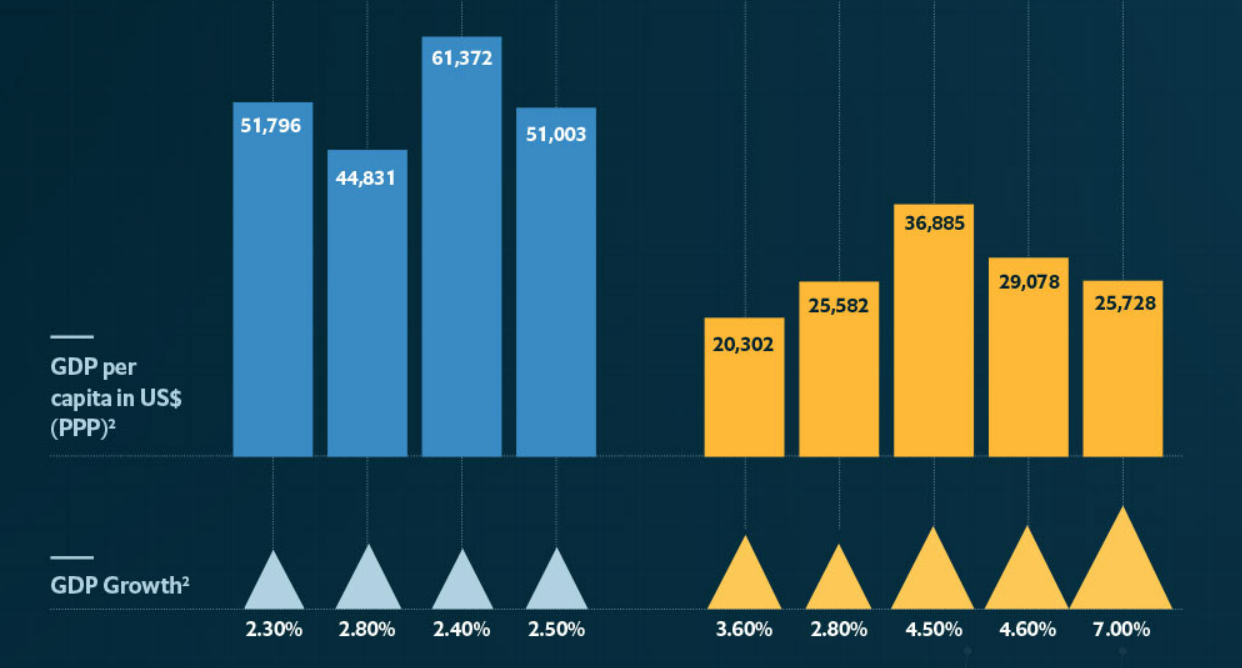
A triangle also suggests a dynamic movement upwards (or downwards) and sometimes this is exactly what you want your chart to suggest. The bar becomes a sized arrowhead.
rule_22_growth_economist_sergio_triangles.PNG

Image: Sergio Gallardo, The Economist

Note that in this example by Sergio Fernandez Gallardo for the Economist, it is not the height but the whole area of the triangle that is used to represent GDP growth. I prefer this approach. 

As well as measuring amounts rising or falling, something we are literally measuring objects rising or falling in space. Speed, acceleration, distance travelled, Again, triangles can be a great fit. 

rule_22_speed_kynvin.jpeg

Image: Jim Kynvin

In this example, designer Jim Kynvin wanted to show the speed of different vehicles and vessels. Turning bars into triangles suggests both a rapid movement through space, but also cleverly gives each vehicle a vapour trail.

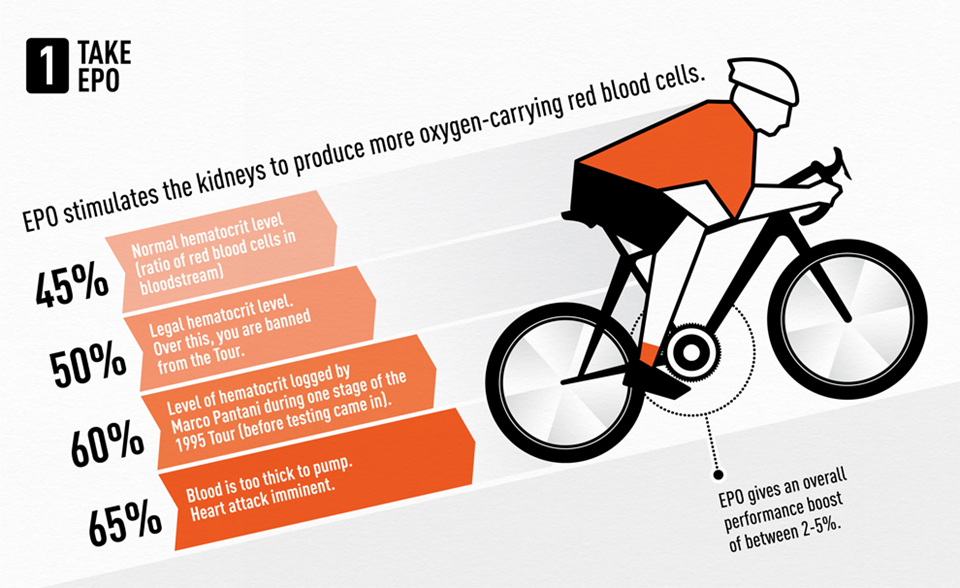
You can also turn part of the bar into a triangle; it doesn’t have to be the whole bar. In this example about cheating in the Tour de France created by designer Mark McClure, McClure placed a triangle at the top of all the bars he used, to hint at rapid movement through space but also to preserve the solidity and readability of the bar.

rule_22_TDF1.png
rule_22_TDF2.png
rule_22_TDF9.png

Image credit: Adam Frost/ Mark McClure

Decorated tops

Decorating the top of your bars can be difficult to get right, but it’s worth making the effort when your story justifies it. Here’s a justly-celebrated example by David McCandless.

rule_22_mccandless.png

Image credit: David McCandless

Yes, it is hard to read those bars accurately anymore (are we reading the tops of the bars or the tops of the skyscrapers? Are those skyscrapers to scale?). But many of the measurements used here are approximations, so suggesting pinpoint accuracy would arguably be misleading. Besides, in terms of aesthetics and storytelling, this graphic is a triumph. Sacrificing a little accuracy is worth it for the sake of visual and narrative impact.

Adding a cityscape to the top of each bar makes the places immediately recognisable. It also makes us think about the humans and the human civilizations that will be wiped out by sea level rises: no more St Mark’s Square in Venice, no more windmills of Amsterdam. This makes us feel the scale of the tragedy more intensely. 

Locking the bars together is also a brilliant design choice (there are no gaps between the bars). This makes us think about the Earth these cities share, and how they are all on course to share the same sea bed. 

Essentially, all of these visual effects turn a boring old bar chart into Atlantis, with the survivors bobbing past in the boat at the top (hopefully sans Kevin Costner).

Decorated bottoms

Less inaccurate but also possibly less engaging is putting an icon at the bottom of your bars - either inside or outside the end. 

If it’s inside the end, this approach works best when the bar is a solid colour and the icon is white. If it’s outside, putting the icon in an identically-sized enclosing shape (usually a circle) can be a good approach.
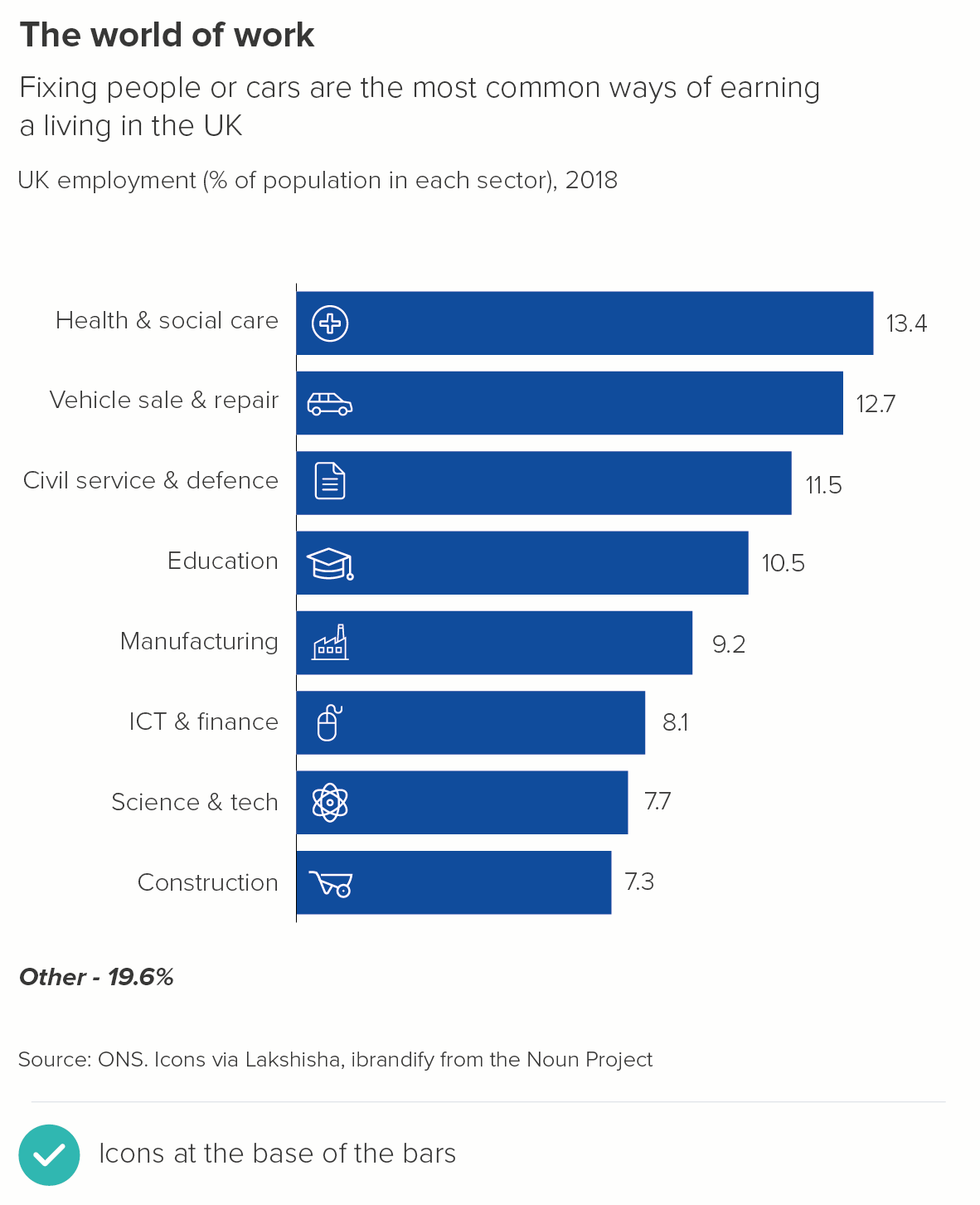
Another approach is for the icon to fill all the bars, almost like a watermark, as in these examples from Facts Are Sacred by Simon Rogers. This only works if your bars don’t represent different categories, but are, say, a change over time or data distribution story.
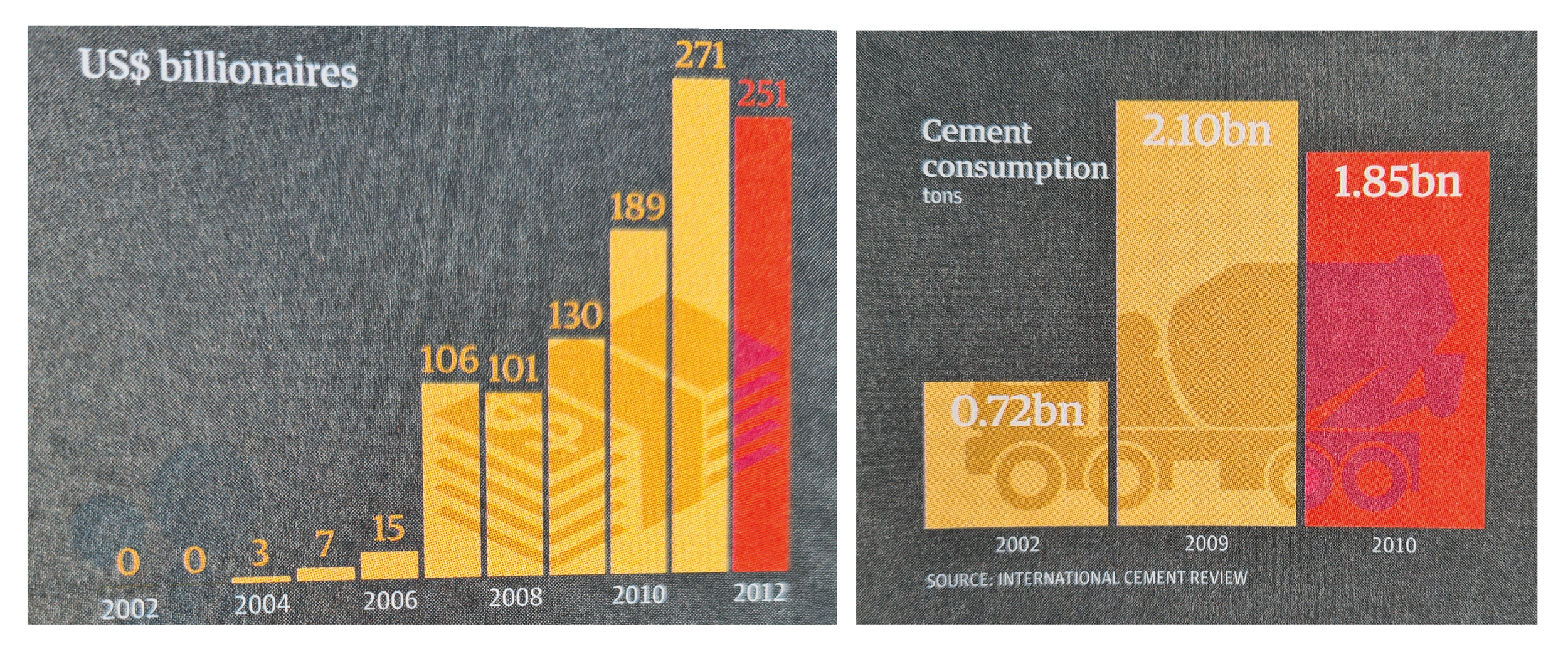
rule_22_facts_sacred_icon_watermark-01.png

Image credit: Simon Rogers, Facts are Sacred

Decorated whole bar - illustrations

As well as adding an icon or illustration to the top or bottom of your bar, you can also turn the whole bar into an illustration. Once more, this only works when it’s a good fit for the story - usually when the data represents objects or places (e.g. mobile phones, New York) rather than concepts (e.g. unemployment, poverty). The object also needs to be broadly rectangular - a skyscraper, a rocket, a bottle, a book - and an object that doesn’t look distorted or turn into something else when it’s extended. (Unintentionally phallic bar charts are an occupational hazard).

Finally, it needs to be a story where making clear and exact comparisons between the bars is not critical for the audience.

rule_22_bars_objects_examples_v2-01.png

Image credits:  Marmota Magazine, Guardian, Lloyd’s of London, Statista/Independent

The examples above also show the size of the prize. We use bars because they are a compelling visual metaphor for real-world objects, our audience can quickly turn those rectangles into piles of money or bricks or bananas in their heads. Turning the chart into the thing itself goes one step further, it restores the data to its native form, converting it back into the real-world phenomena that inspired the original dataset.

We’ll talk more about how to use icons and illustrations in later rules, but for now, the only critical point to make is that your rectangular objects should stay roughly the same width. As you stretch them upwards, they should ideally not grow outwards by the same degree. Look at the buildings in the second example about Thatcher’s Britain: they get taller, or get an extra storey, but they don’t get wider. In other words, they act like bars in a bar chart, only getting stretched in one direction.

If you stretch in two directions, you will find yourself in data distortion territory.

Look at the two examples above. In the first chart, I’ve made the Australia house 2.7 times taller - in keeping with the data. In the second example, I’ve preserved the aspect ratio and made the Australia house 2.7 times taller and 2.7 times wider. This makes it look about seven times bigger. In fact, it could be argued that, given the shape is representing a three-dimensional object, the audience will perceive it as 2.7 times deeper too. Therefore the Australia house has potentially become about twenty times the size of the UK house. Very far from fair dinkum.

One final point: try not to overdecorate. If you embellish too much, your chart can look crass or superficial. It becomes dictator chic, the data viz equivalent of Trump Tower or Saddam’s palace, all the expensive accretions just a distraction from the moral and intellectual void within.
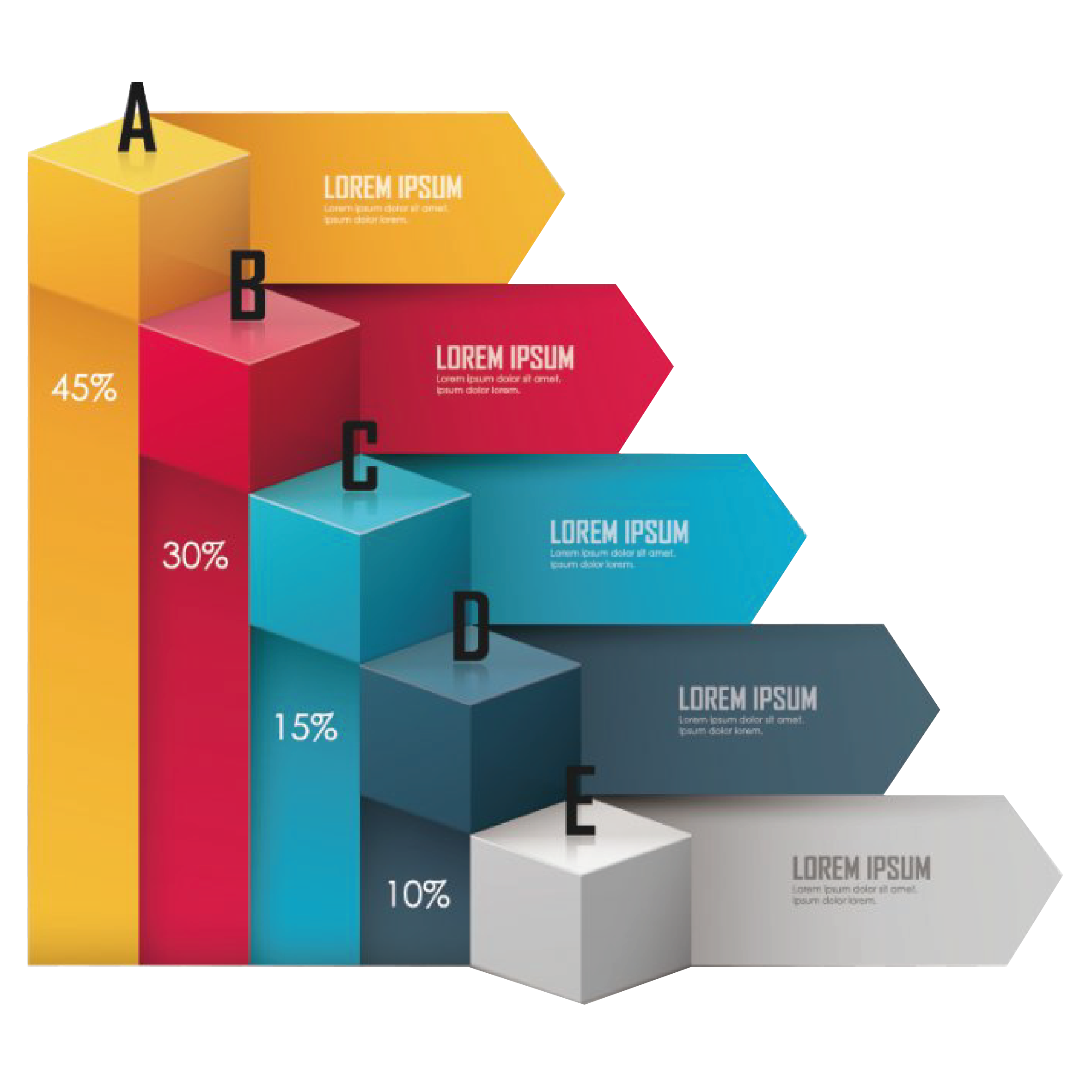
Image credit: favpng.com, slidebazaar.com

To recap then:

  • In the majority of cases, your bars should simply be bars. Adding decoration is never going to make your bars easier to read or compare. So if in doubt, don’t.

  • But decoration can dramatise a story. So make sure, when you do embellish a bar, it suits your topic and is immediately understandable as a visual metaphor

  • Any embellishments should be mindful of your audience’s level of prior interest, their aesthetic preferences and any branding restrictions

  • In most cases, keep your decorations as simple as possible, because decorating well is difficult

VERDICT: Break this rule sometimes

Sources (for original charts): Employment sectors - ONS; Average square feet of new builds - Shelter.

More data viz advice and best practice examples in our book- Communicating with Data Visualisation: A Practical Guide
 

Rule 21: Bar charts need a key

In this blog series, we look at 99 common data viz rules and why it’s usually OK to break them. Here are all the rules so far.

by Adam Frost

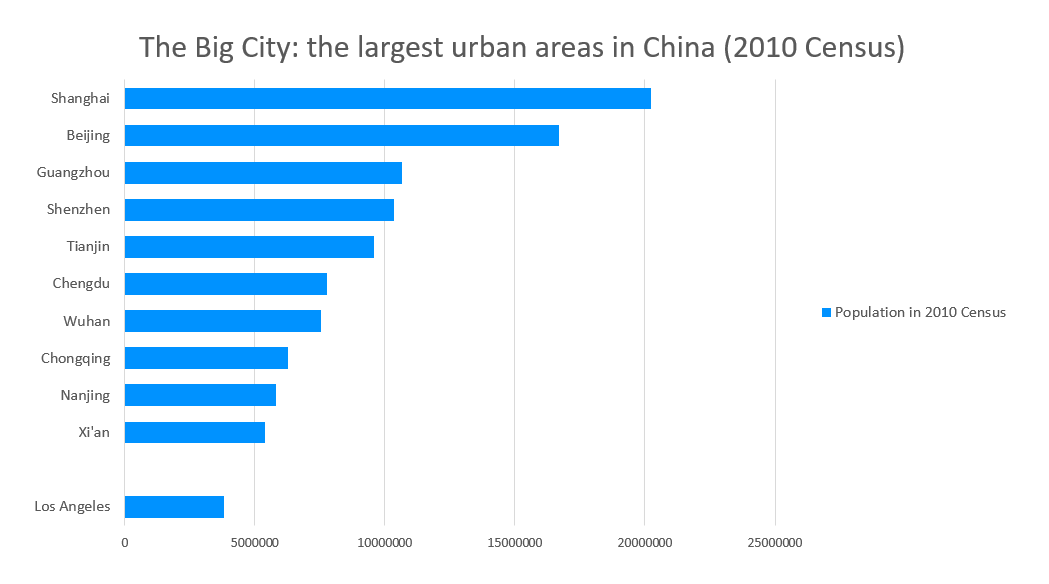
If you insert a regular bar chart in Powerpoint, you will get a default chart which looks something like this.

rule_21_powerpoint_china_final.PNG

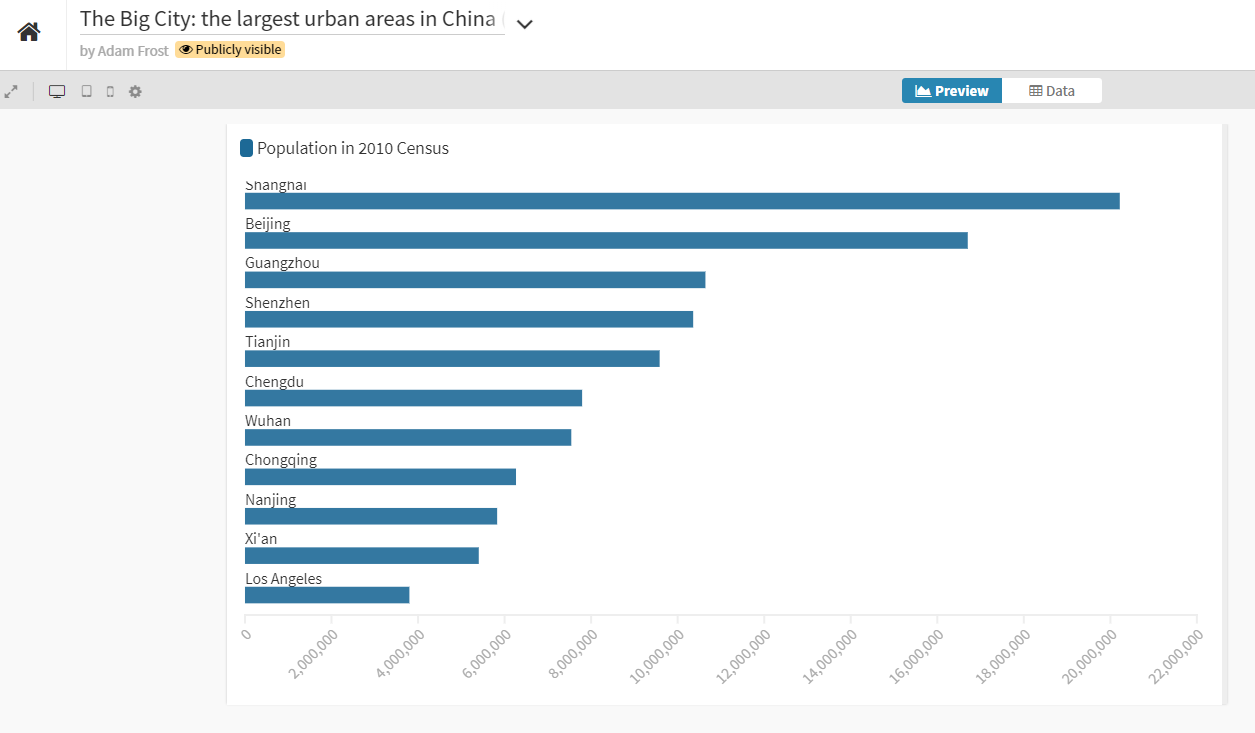
In Flourish, the default settings get you something like this.

rule_21_flourish_china_final.PNG

Look at how strange the key (or legend) looks in each case (‘Population in 2010 Census’). One obvious piece of guidance would be, if your key only has one entry, you probably don’t need it.

More obvious guidance: you only need to say things once - it’s an image, not a speech. So if your title makes it clear what the chart is showing, you don’t need to repeat it in a key, or in an axis label or in an annotation, or anywhere else. The repetition is confusing, because the information isn’t complex enough to need repeating, and the audience has to expend effort processing and discarding the duplicated material, which makes them annoyed. (Cognitive load theorists call this the ‘redundancy principle’).

In later rules, we will look at how clustered columns and stacked bars sometimes (but not always) need a key. But a regular bar chart - showing one series? Never. 

Think back to Rule 9, where we saw that pie charts always work best when they are directly labelled. For a bar chart, this is doubly true, because to glean information, your eye already needs to rove across several key points on the image - title, x axis labels, y axis labels, x axis title, y axis title, data labels. Adding a key to this - a fifth zone - makes the process even more laborious. 

The chart on the right strips the chart down to its essential elements. I removed the x-axis title and labels, the y-axis title, and a lot of the visual clutter. But the first thing I deleted was the key. All the other omissions are up for debate - after all, some audiences find gridlines useful, or like every axis to have a clear label. But no audience needs this chart to have a key, so out it goes.

VERDICT: Break this rule as often as you can.

Data: Chinese cities - citypopulation.de, Meat consumption - FAO via Our World in Data

More data viz advice and best practice examples in our book- Communicating with Data Visualisation: A Practical Guide

Rule 20: Keep a sensible gap between the bars

In this blog series, we look at 99 common data viz rules and why it’s usually OK to break them. Have a look at all the rules so far.

by Adam Frost

If your bars are too close together, they become a single shape, as in a traditional histogram. If they are too far apart, they no longer look like a group at all. So how do you get the balance right?

Looking at default bar charts in some of the most commonly used tools, there is no consensus.

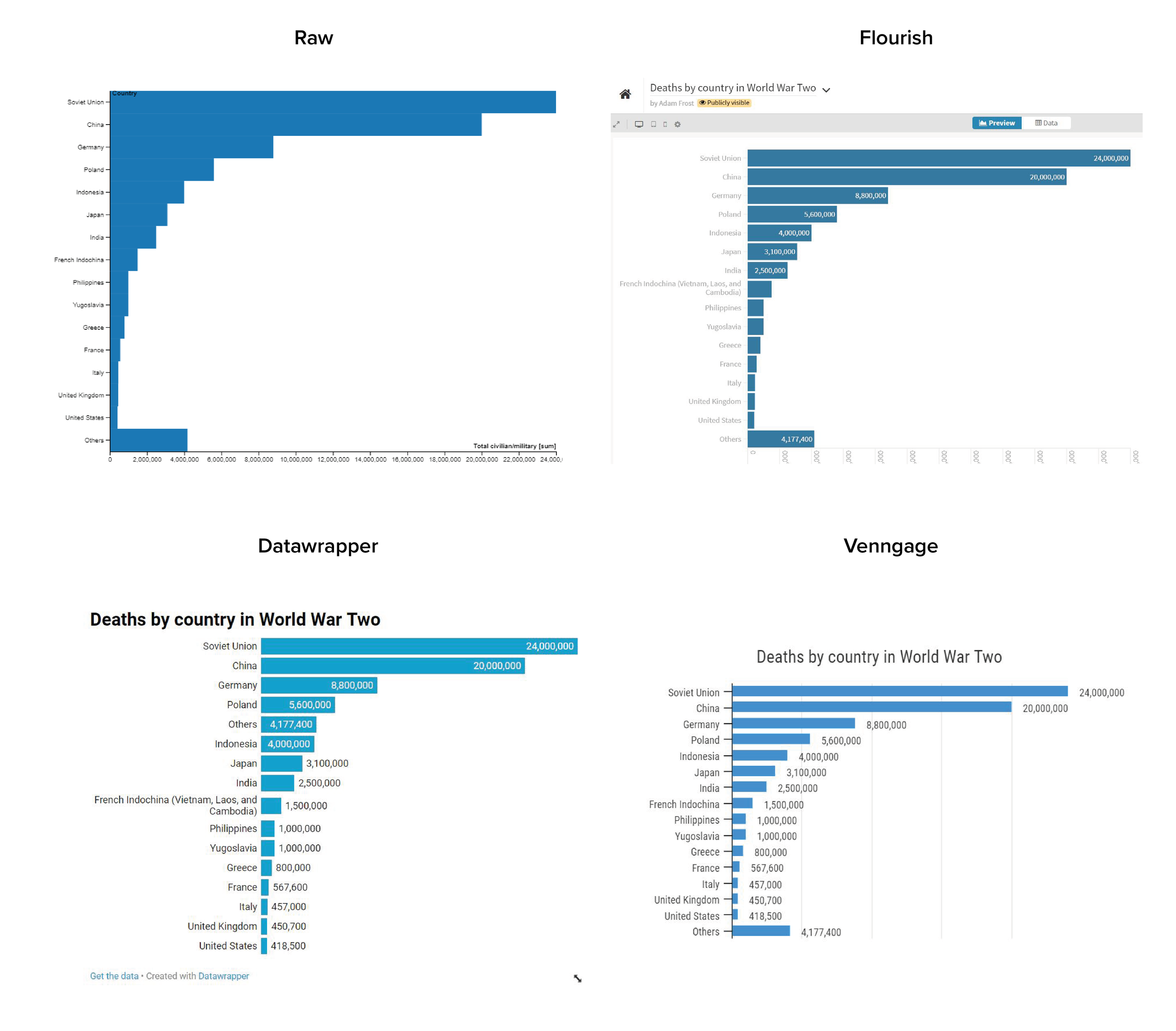
Image: Default bars in Raw, Flourish, Datawrapper, Venngage - as of 2nd May 2021.

Raw puts just 1 pixel of space between the bars; Flourish sets the default gap at 10% of the bar width; Datawrapper sets it at around 20%; Venngage is at the top end with a gap of around 50% of the bar width. Apart from in Datawrapper, you are able to change this default gap to whatever you want, but it’s interesting that these default charts  - which many users will not bother to change - have such radically different designs.

So which is right? So much comes down to taste, but I think Datawrapper has it about right (they get most of their design decisions right, to be fair). 20% of bar width is a good starting point, and I'd say Venngage's 50% should be seen as a maximum. What you should always do is question the defaults. Don't just accept what your software prescribes. The space between your bars is a key part of how your audience experiences your story.  (Just as the space between letters - the kerning - or between lines affects how they read text.) 

We can see this most obviously in those instances where you might want one or more of your bars to be spaced out irregularly. Yes, most of your bars might have a gap of 15-30% bar width, but the story will work better if some don't.

(If you’re interested in the science behind these assumptions, then the Gestalt law of proximity is a good place to start). 

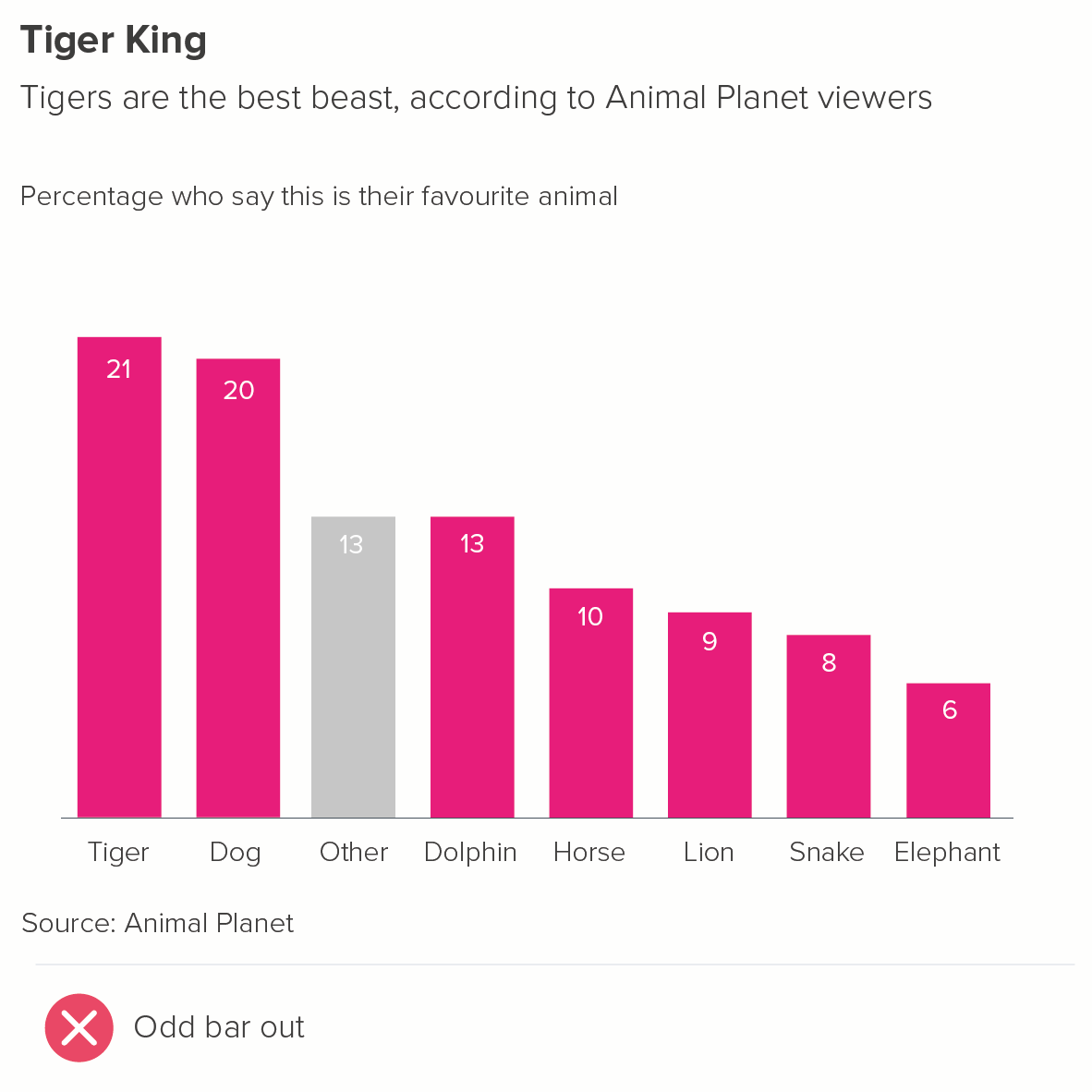
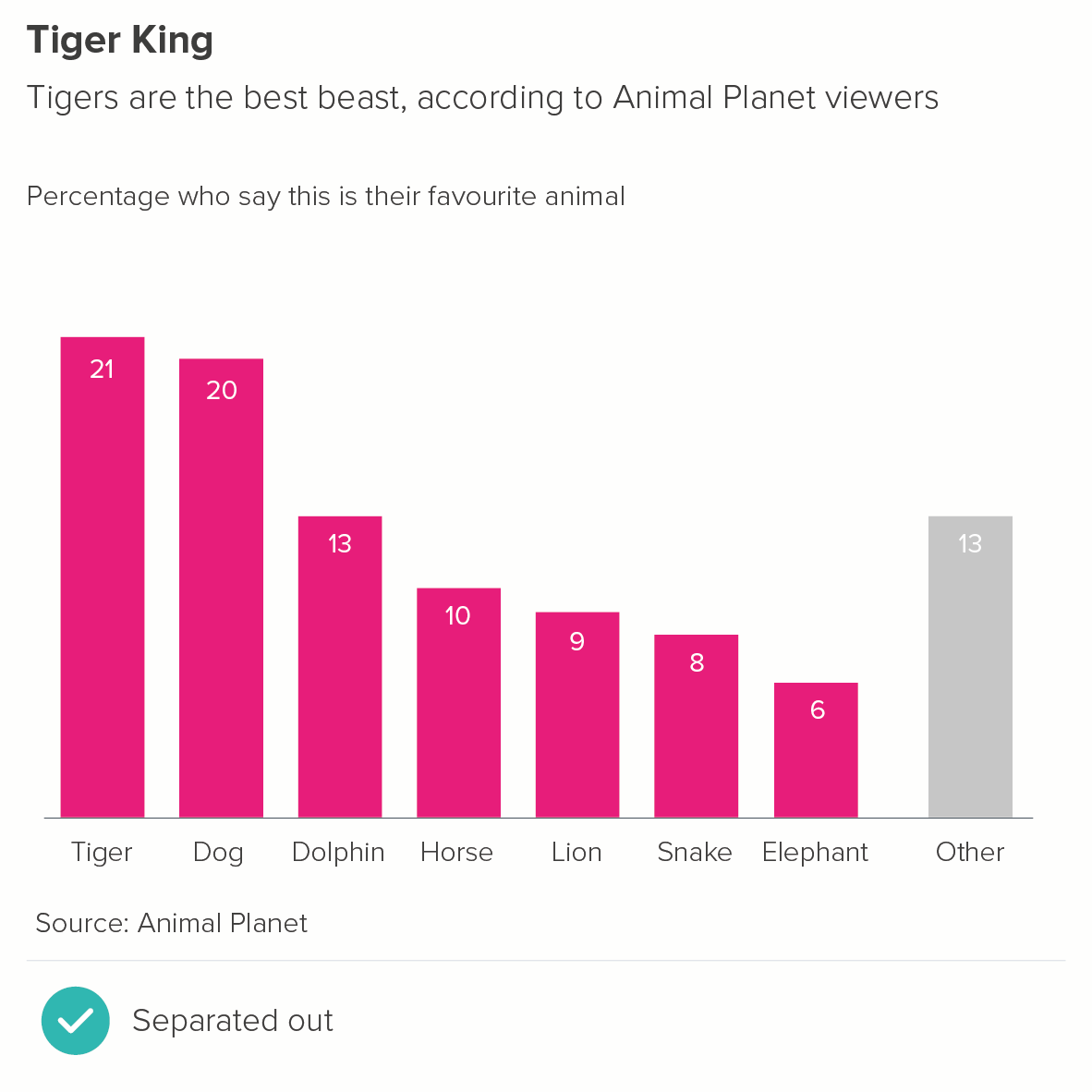
1. One of these bars is not like the others

Sometimes it makes sense to pull one of the bars away from the main group. You might want to signal this bar is different in some way: it represents 'other' categories, or 'don't knows' in a survey, or an average.

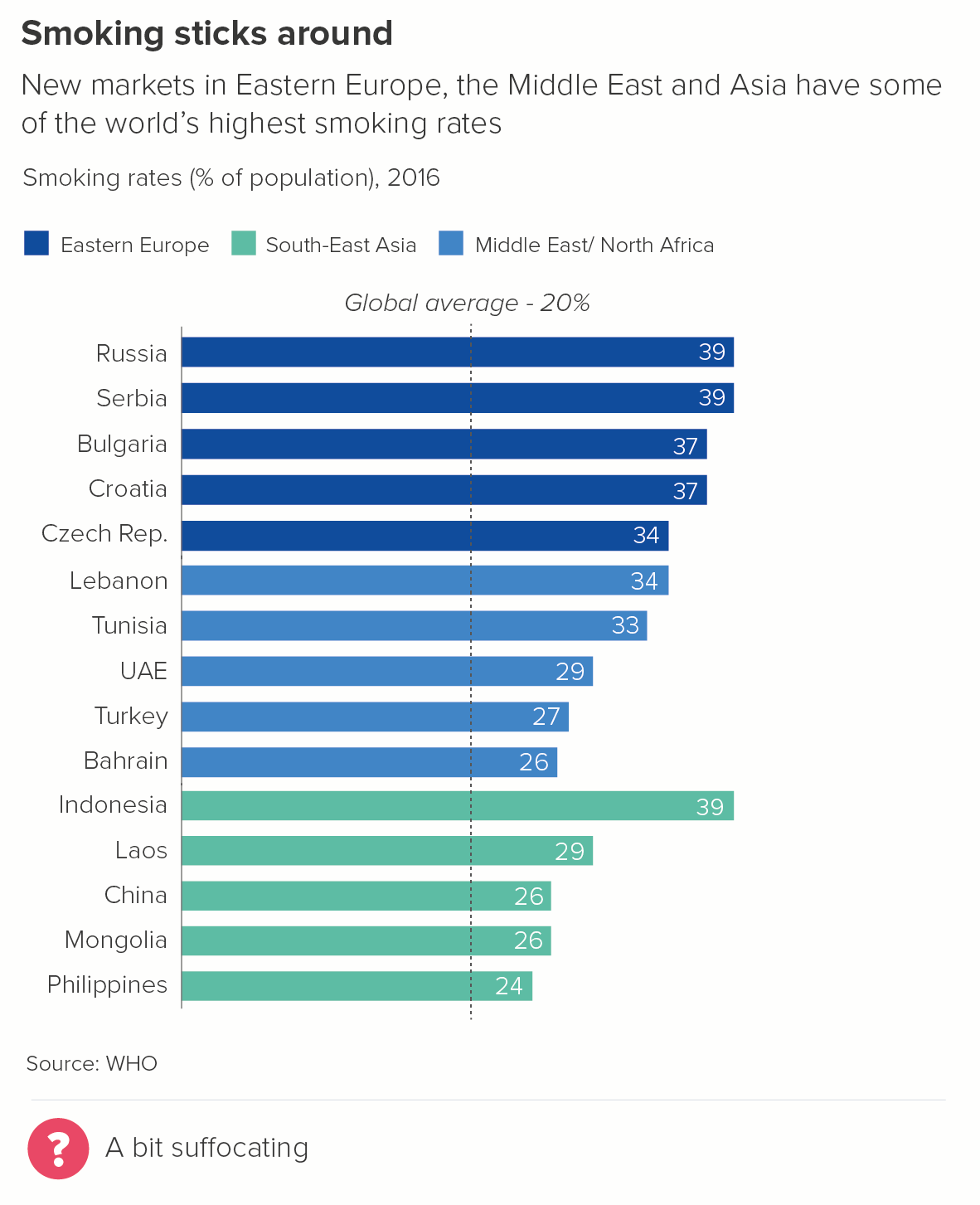
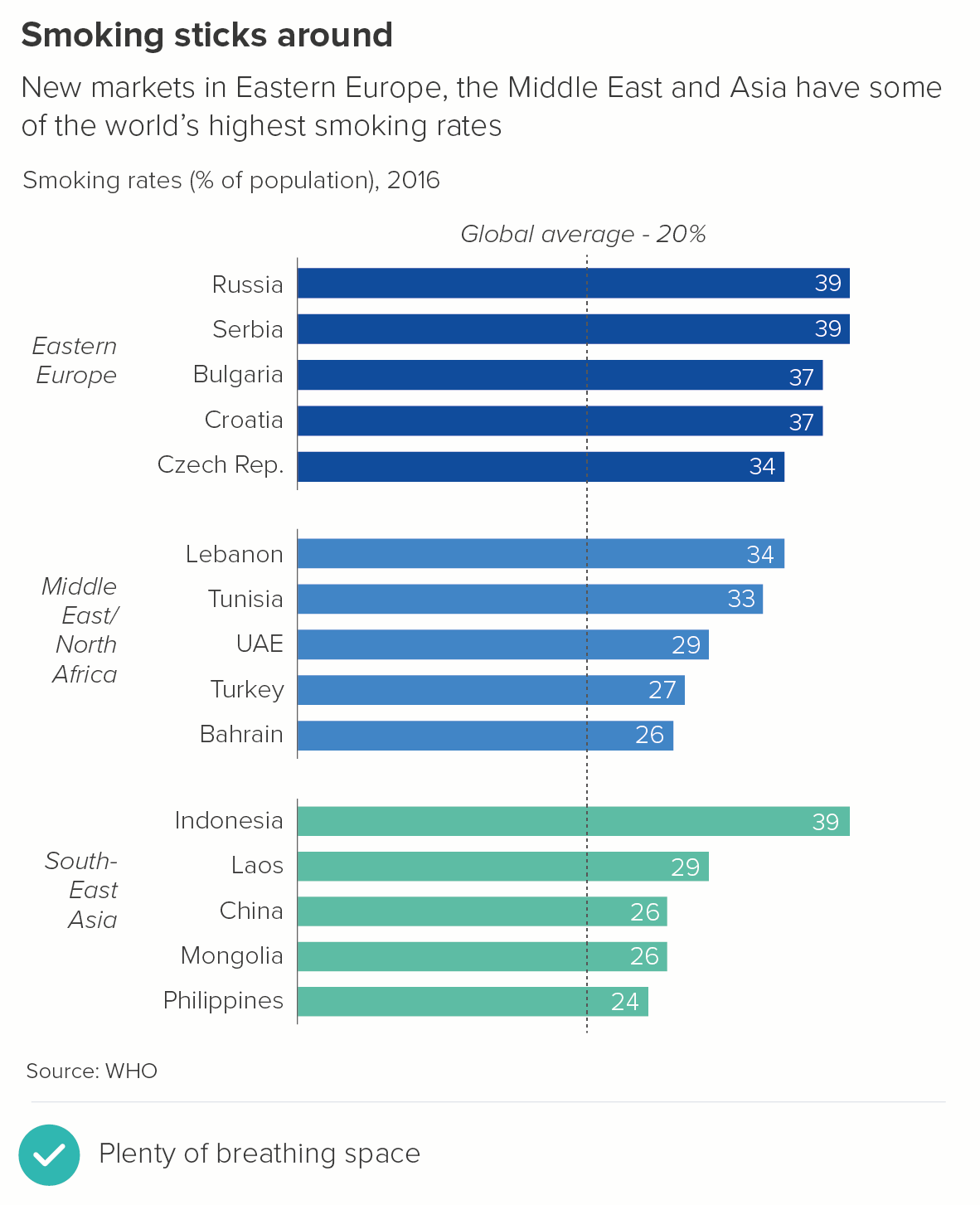
2. Some of these bars are not like the others 

Although colour is the most common way of signalling that certain bars share characteristics, sometimes position can be used instead of (or as well as) colour to reinforce top-level groupings. 

3. Distribution 

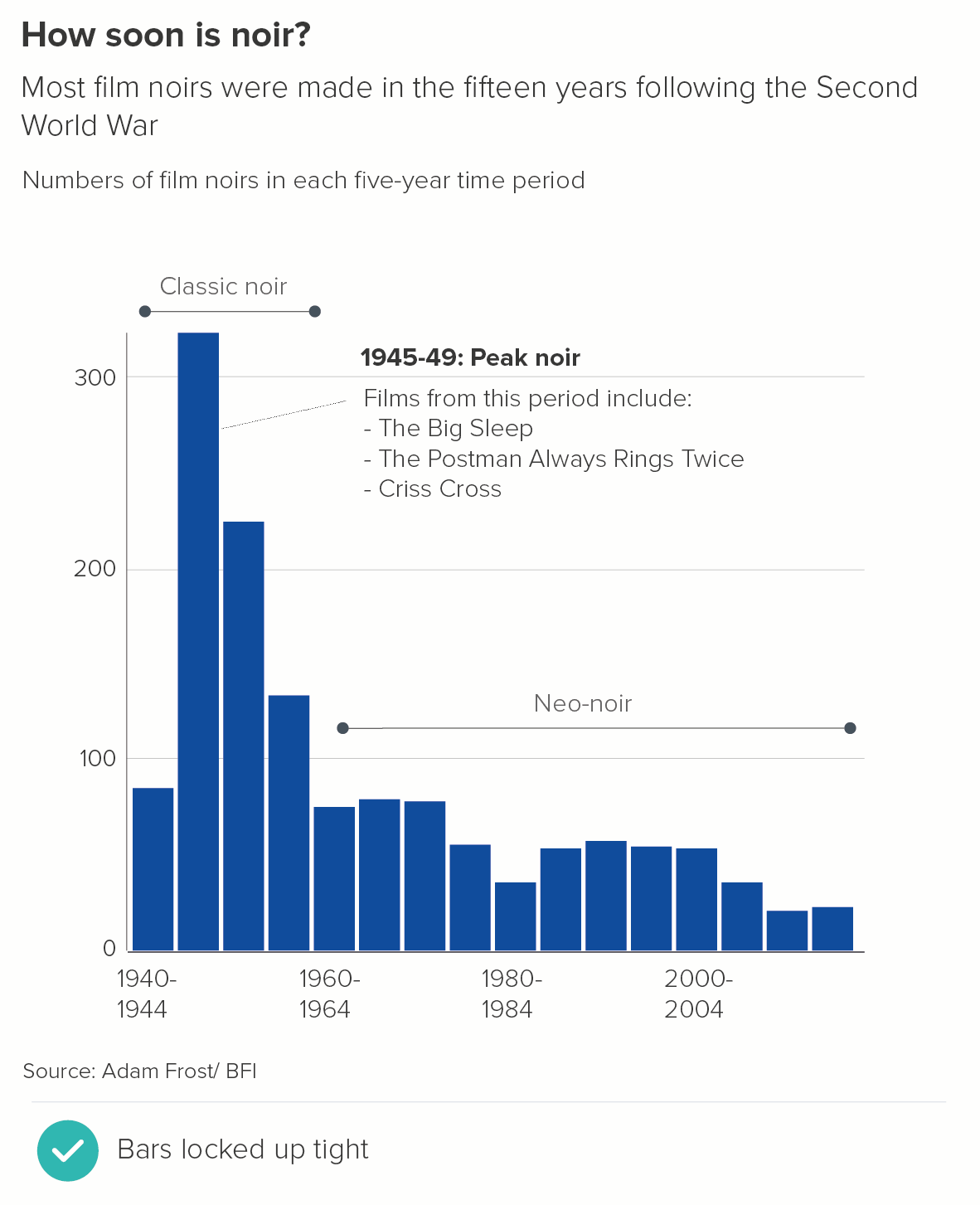
In traditional histograms, no gap is left between the bars. But this can seriously confuse non-analysts. So when you are using a histogram to tell distribution stories, I would insert gaps between the bars. However, it can be a good idea to keep the gaps narrower than 20%, perhaps as low as 5%. It can help your audience to understand that this is a continuous, consecutive group of values and they are meant to stay in this order. Each bar is locked to its neighbour.

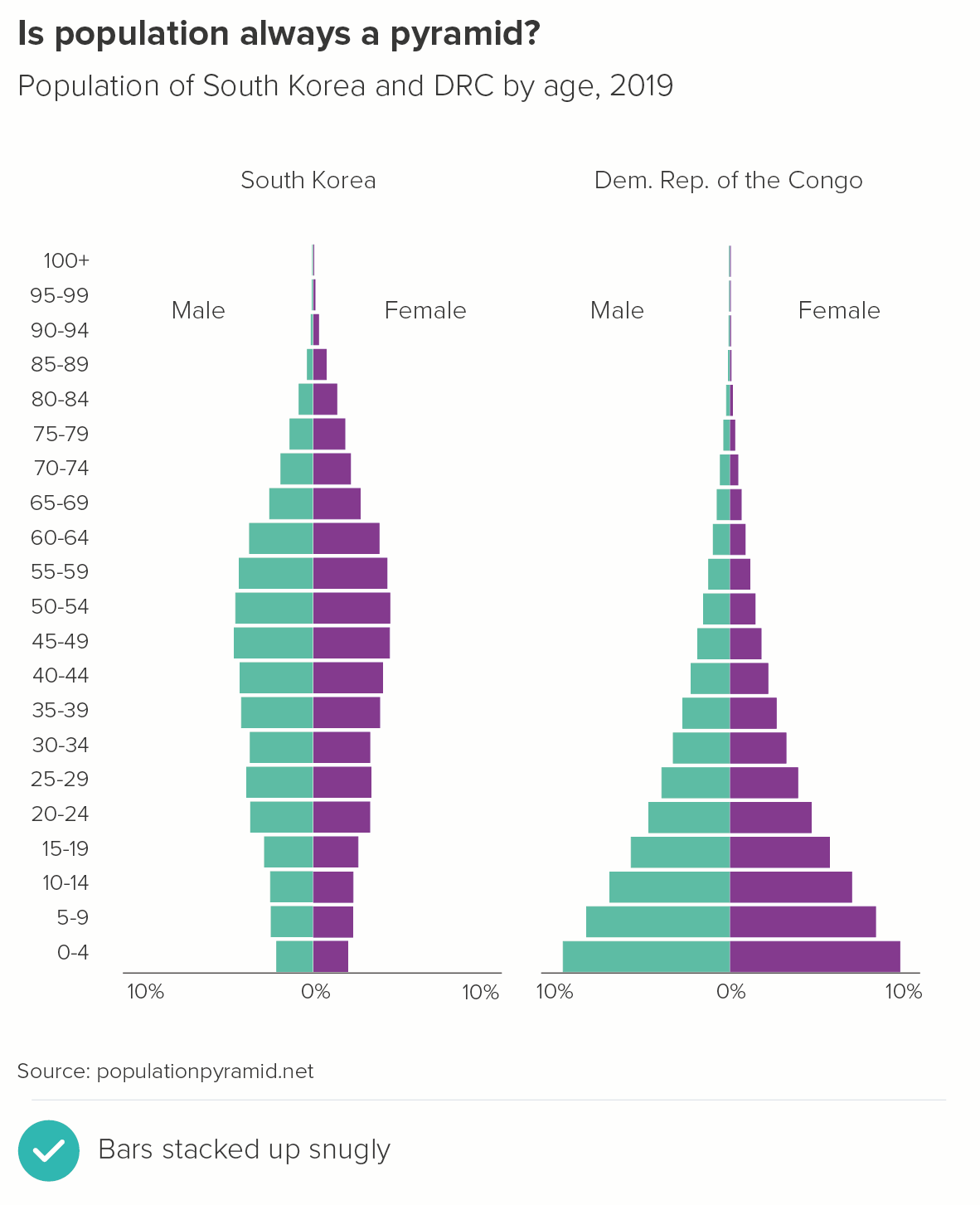
In the second chart, you can see one of the most common distribution charts, a population pyramid. Note how the small gap between the bars is vital to understanding it clearly (no gaps would just turn it into an ungainly Tetris shape). But note too that it is a narrower gap than you would usually find in a standard bar chart to emphasise the fixed, sequential nature of the age categories.

Conclusion

So those are the main exceptions. In all other cases, 20-40% is probably about right, and once you’ve set the width, keep it consistent across the chart and, if you have a series of charts, then keep the width consistent across the whole presentation. Nothing is more confusing than large jumps between bar widths from one slide to another - it makes the story look disconnected. If you treat the bars the same way, it’s clear that they are all part of the same story. 

VERDICT: Keep this rule almost all of the time

Data sources: World’s favourite animal - Animal Planet via Manchester Evening News, Smoking rates - World Bank, Film noirs - Adam Frost/BFI, Population pyramid data from populationpyramid.net, Uruguary dashboard - World Bank, UNDP via Our World in Data

More data viz advice and best practice examples in our book- Communicating with Data Visualisation: A Practical Guide

Rule 19: Arrange your bars, largest to smallest

In this blog series, we look at 99 common data viz rules and why it’s usually OK to break them. All the rules so far are on one page here.

by Adam Frost

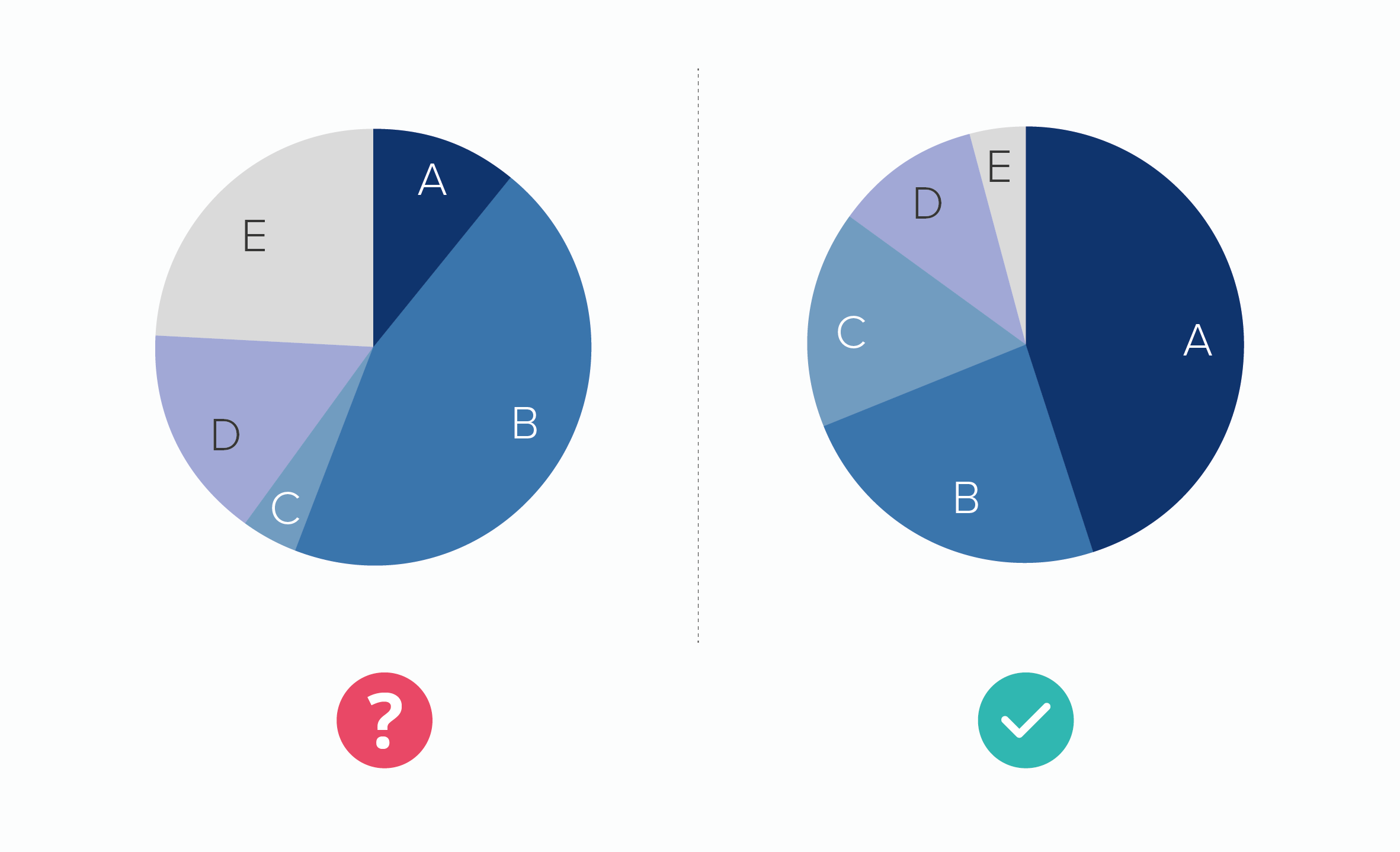
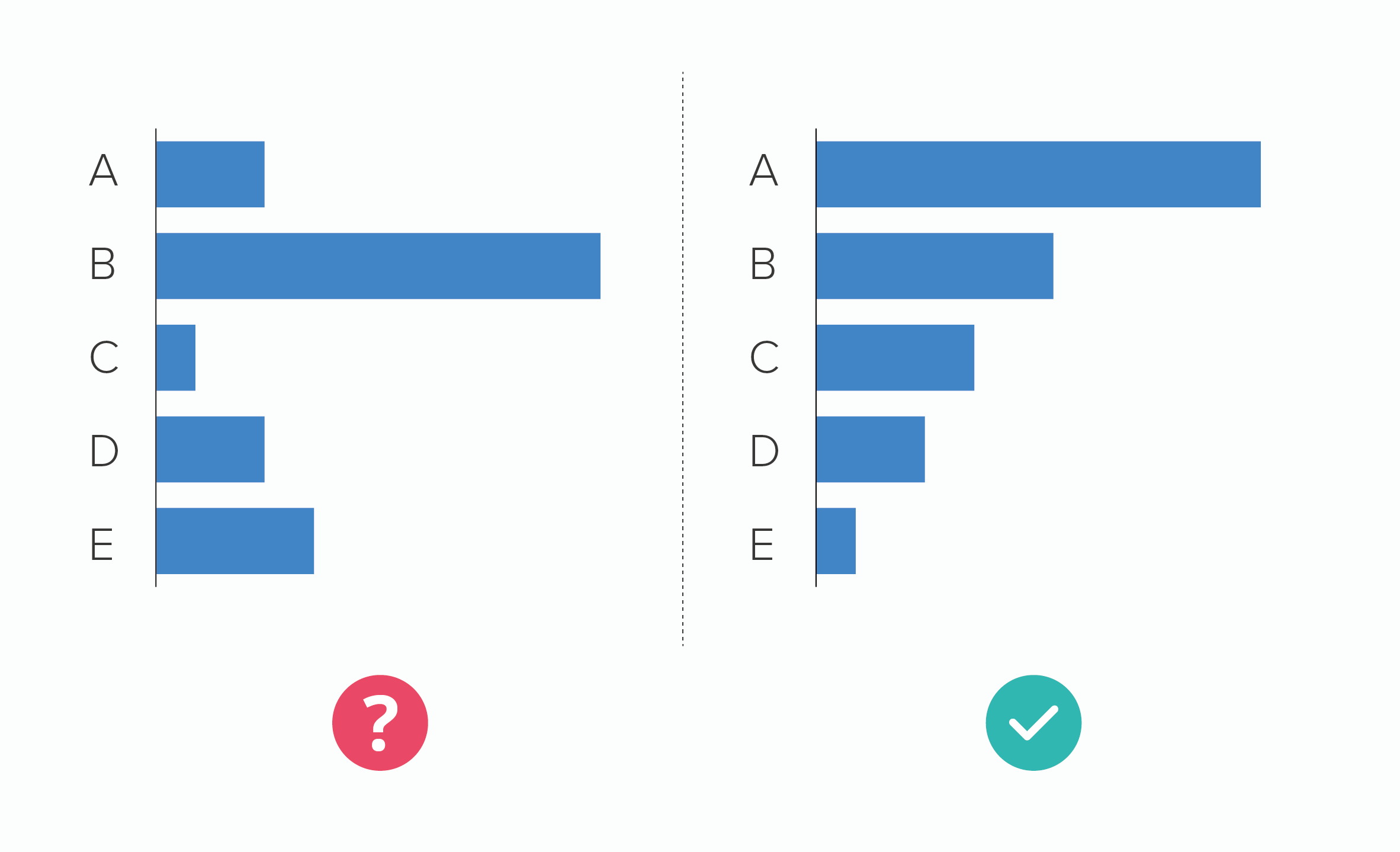
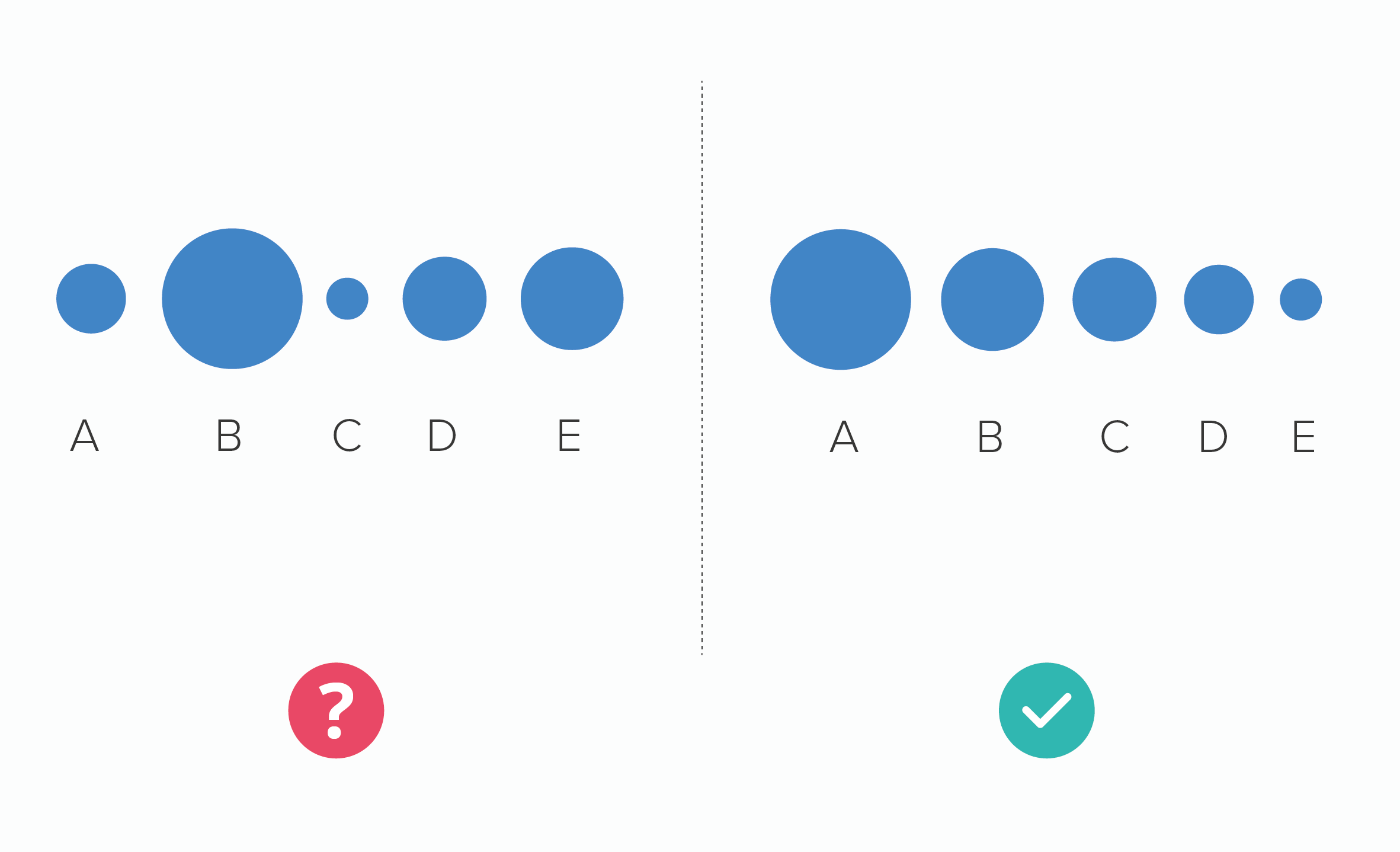
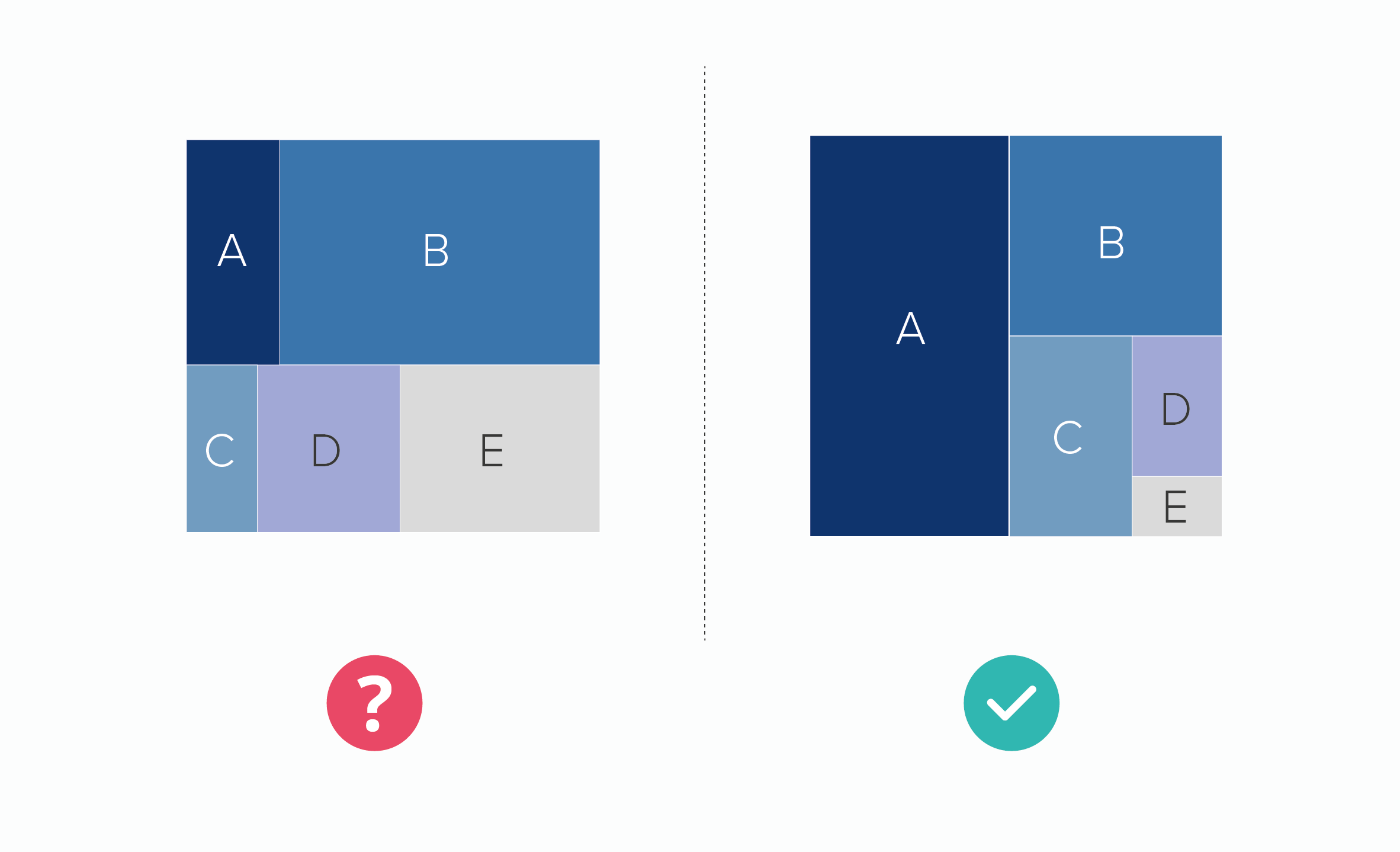
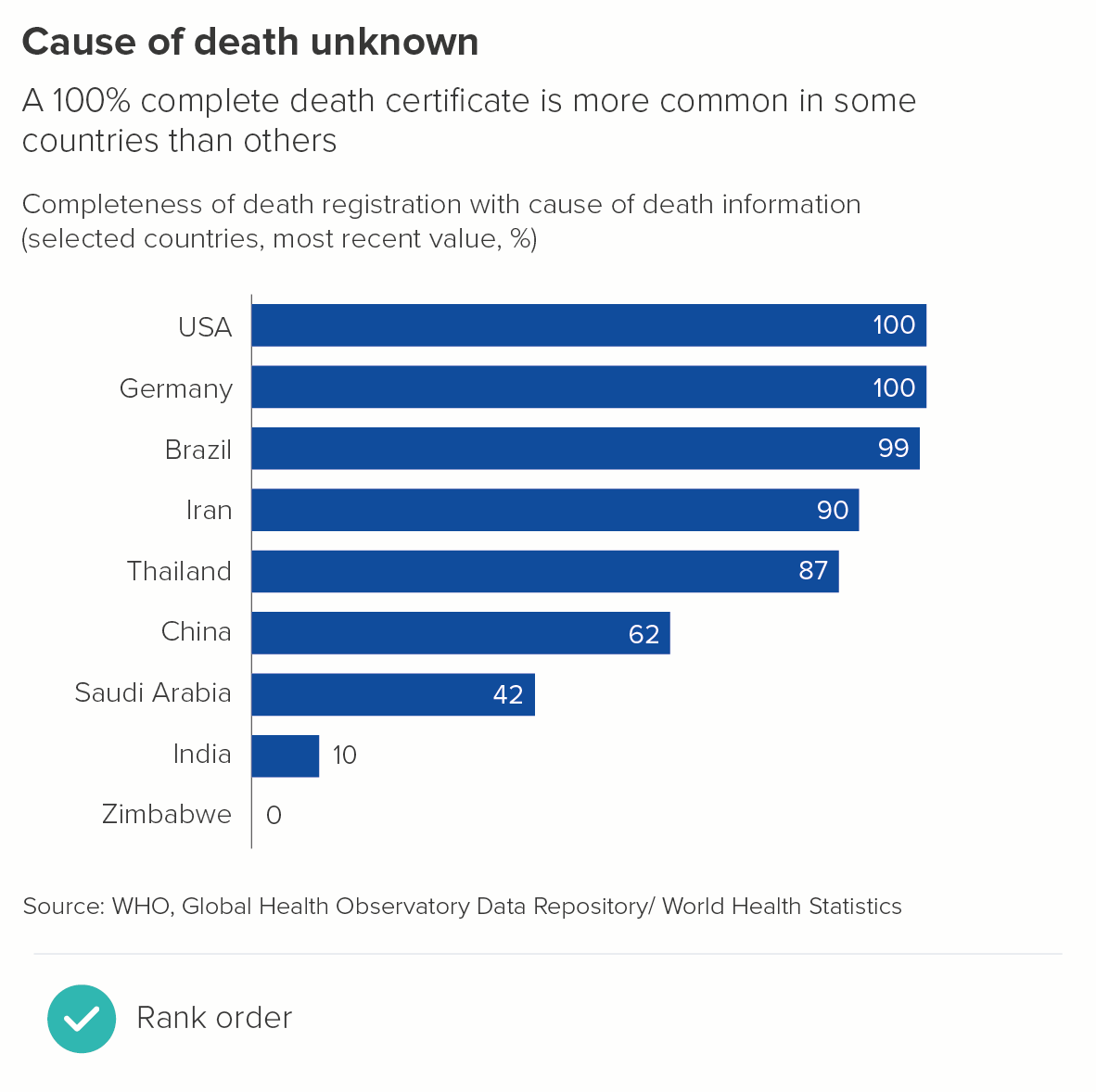
As we saw in rule 6, arranging any chart from largest to smallest tends to make them more understandable.

It makes them more interesting too. The essence of drama is conflict, and by emphasising the chart’s competitive element - who's best? who's next? who's worst? - you pique an audience’s interest.

Bar charts - especially horizontal bars - are particularly well-suited to ranking stories.

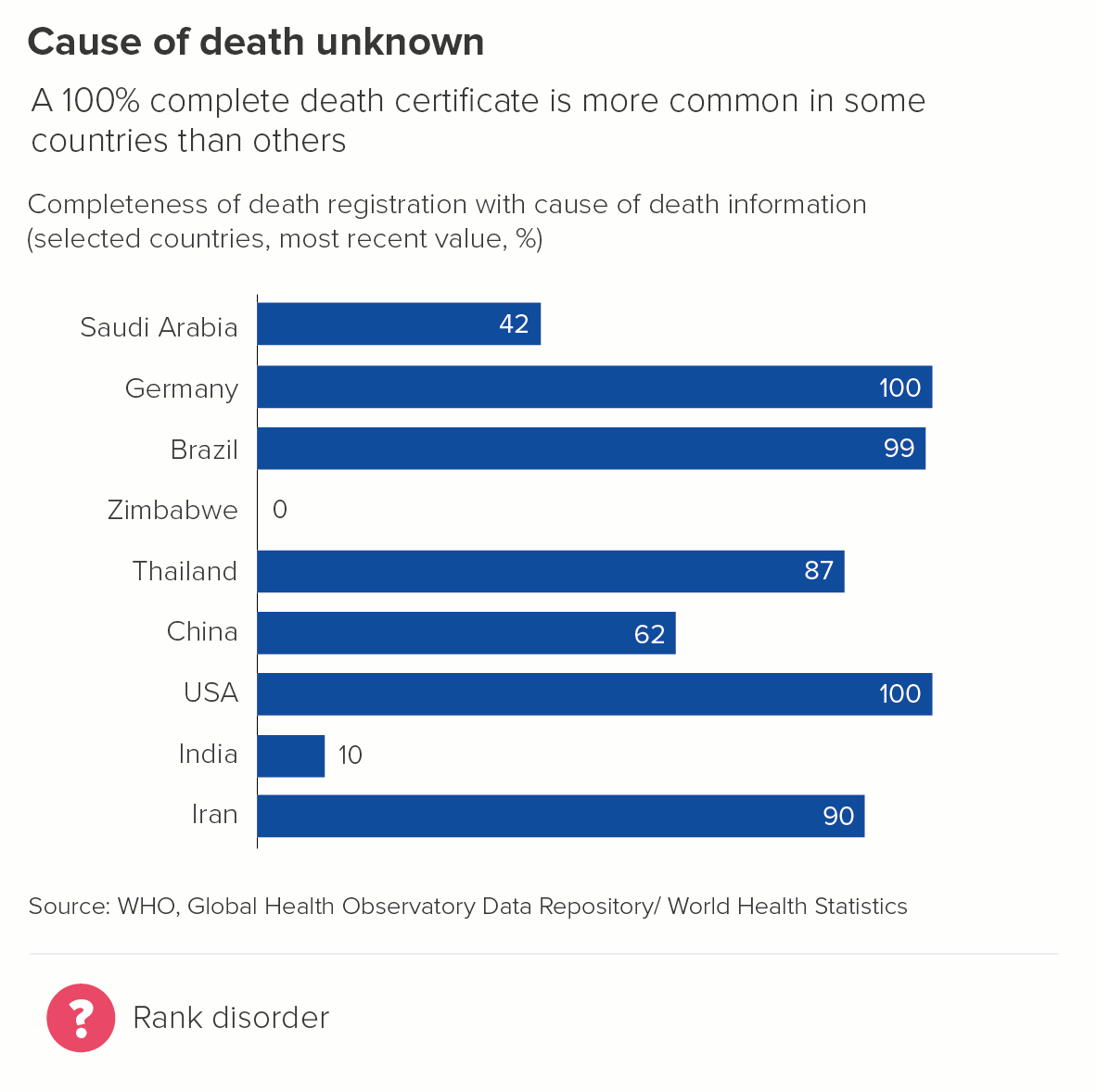
Notice how the first chart is more effective on a cognitive, narrative and aesthetic level.

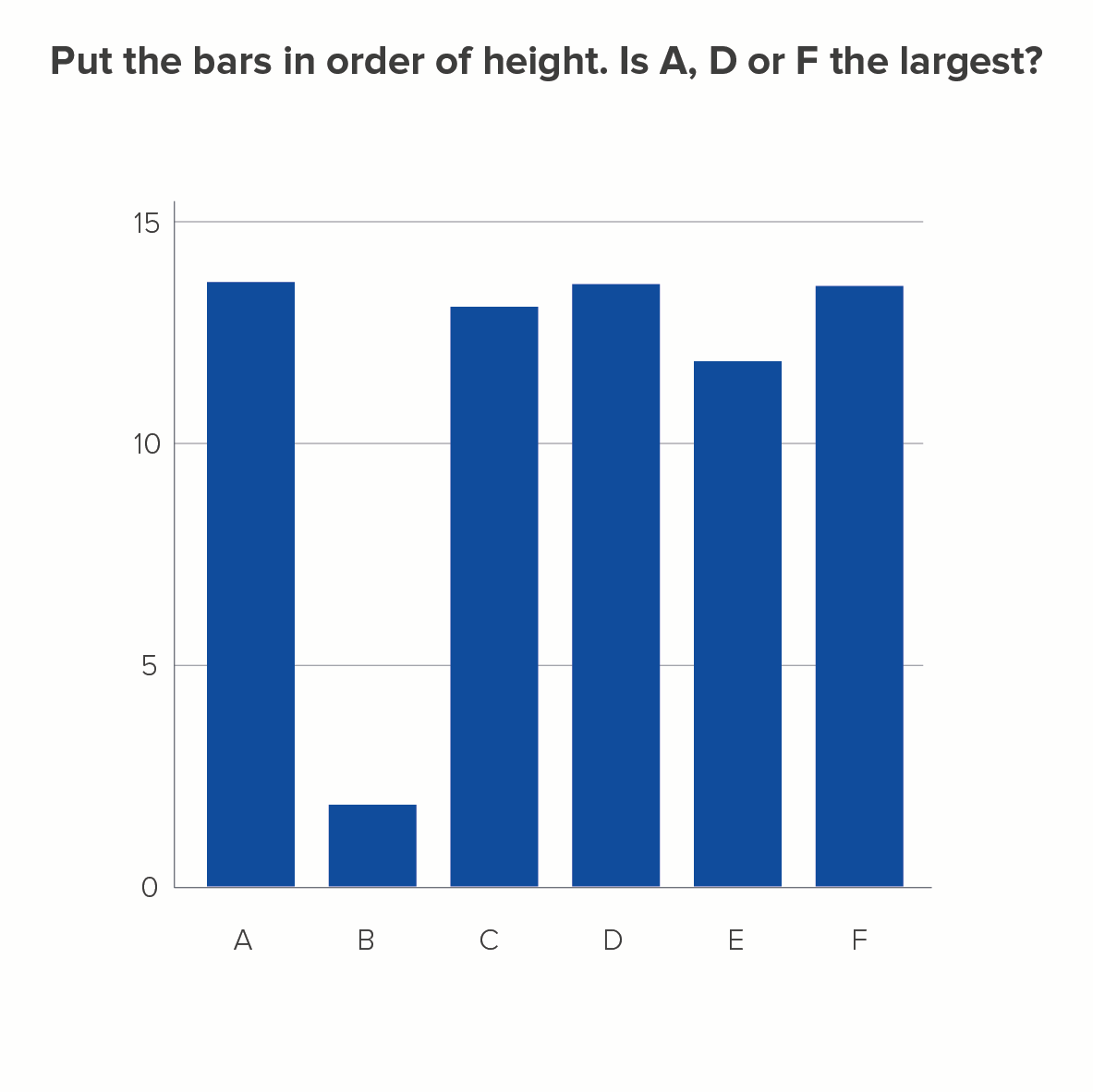
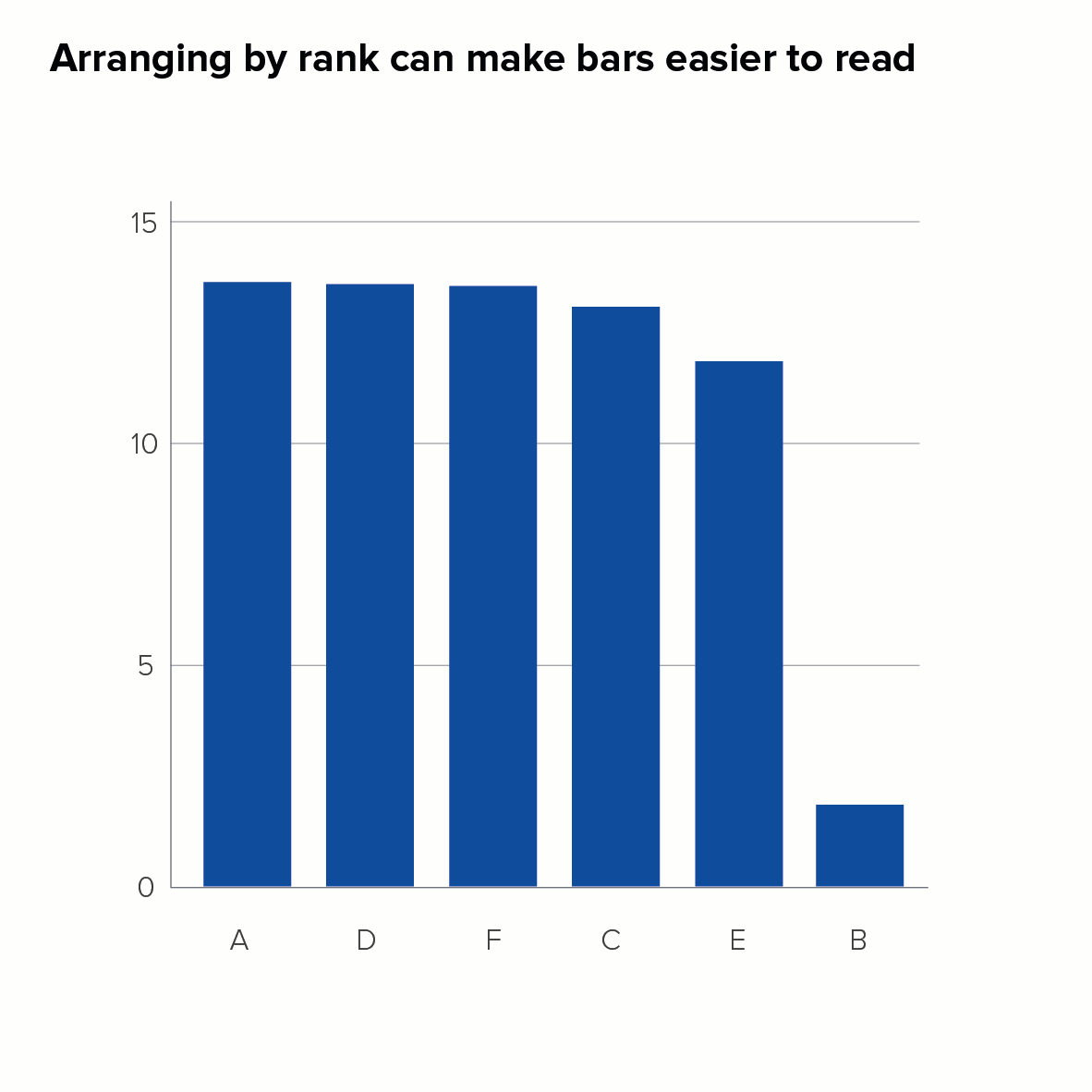
Vertical bars often benefit from placing the bars in rank order too, particularly if you have lots of bars with similar values. When similar-sized bars are spread across the chart, it’s hard to work out which is largest without holding a ruler up to the screen.

(Most people get it wrong and guess D is the largest. How did you do?)

Having said all of this, as we saw with pie charts in rule 6, there are some situations where arranging your bars from the largest to the smallest value is inappropriate for your story.

Let’s have a look at these exceptions now.

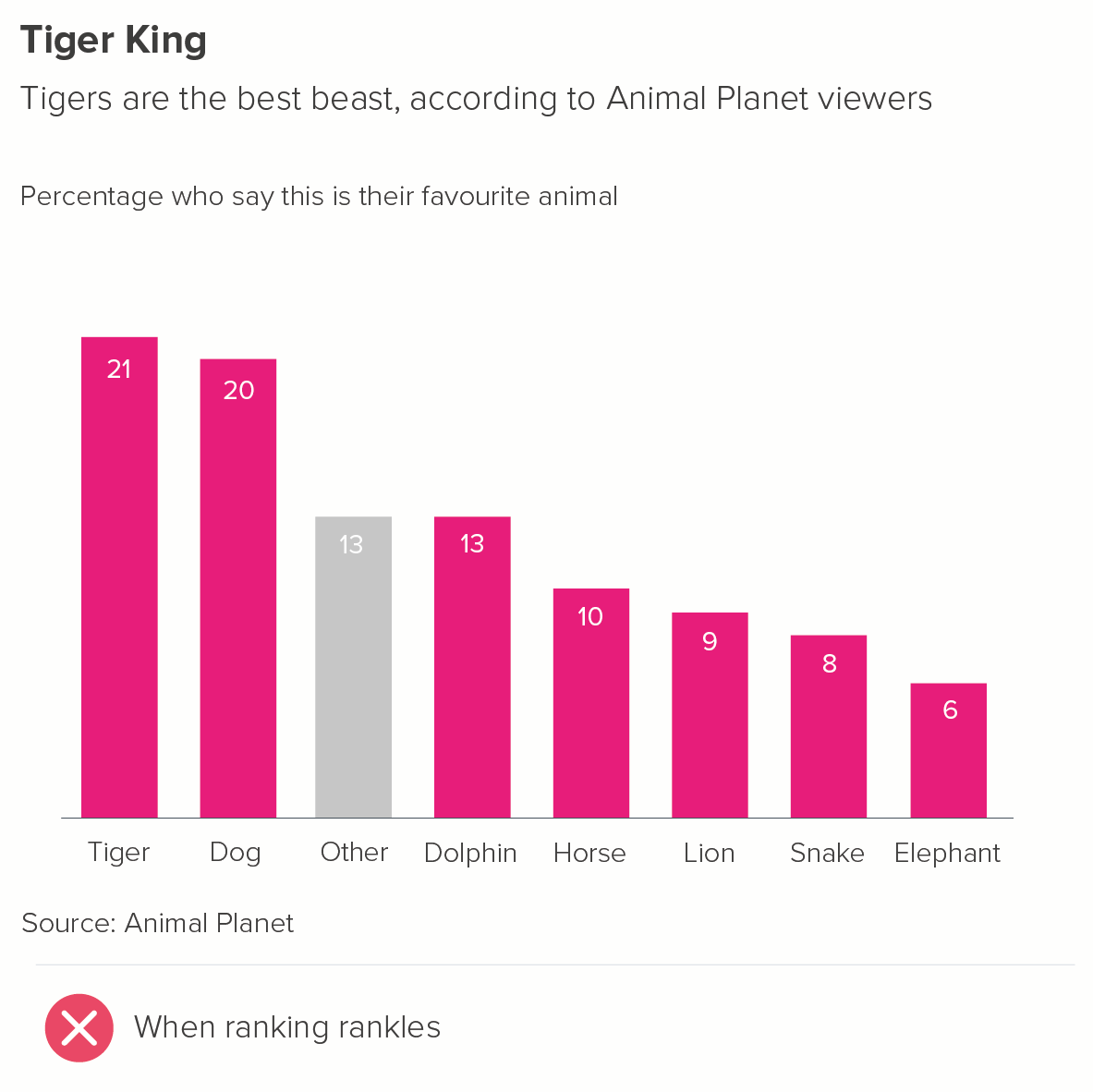
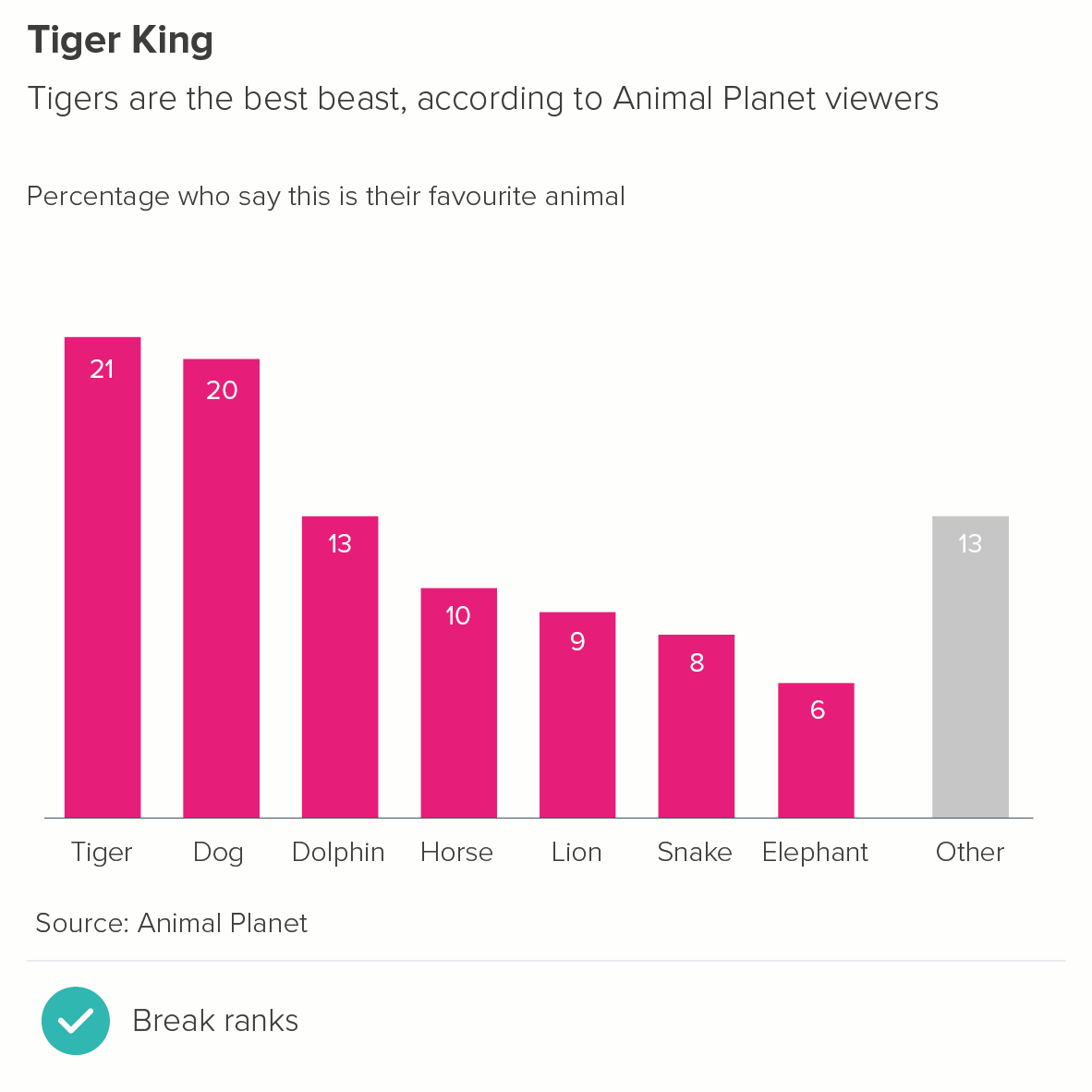
1. When you have an Other bar that is larger than the main bars

You tend to separate the ‘other’ bar from the ranked bars, and put it last.

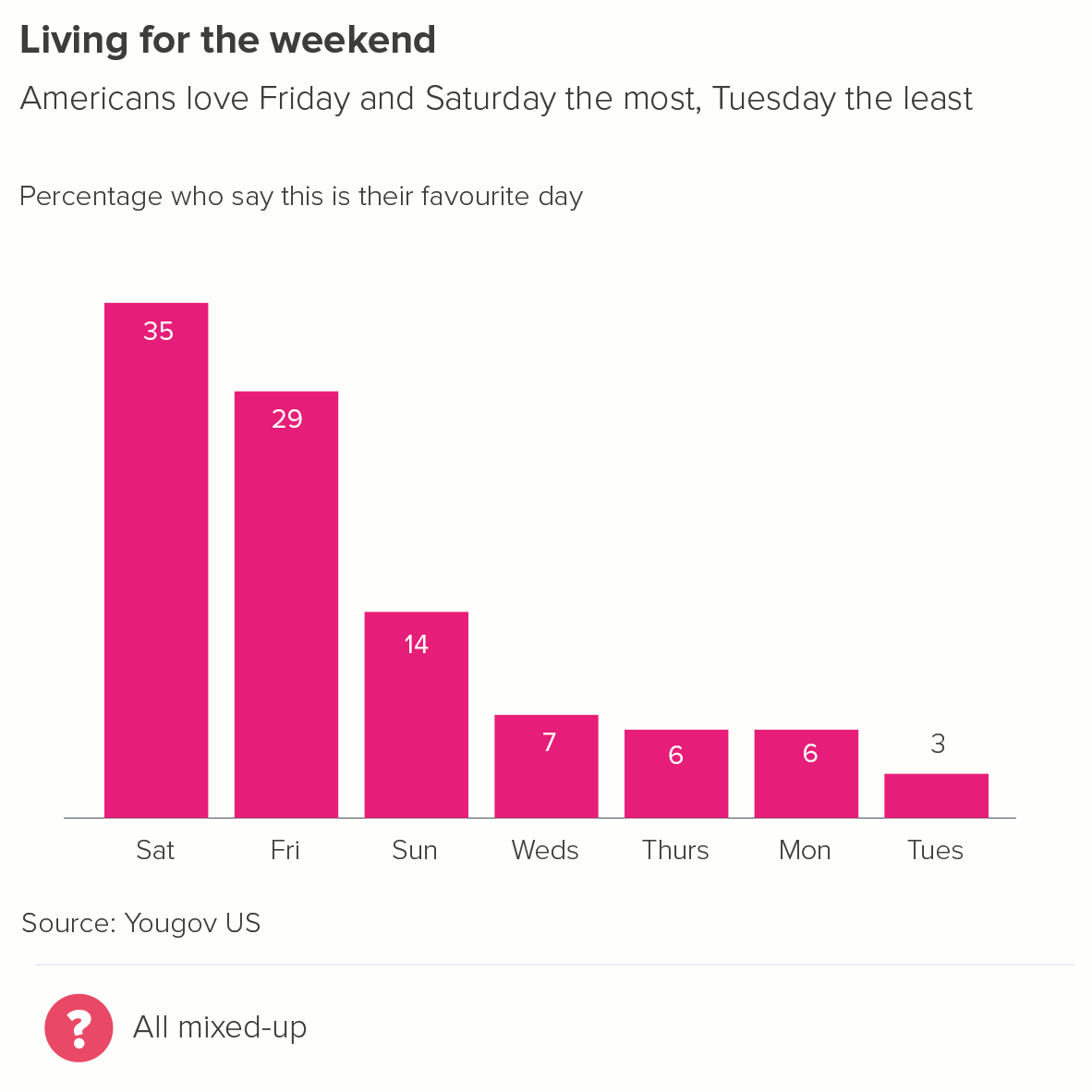
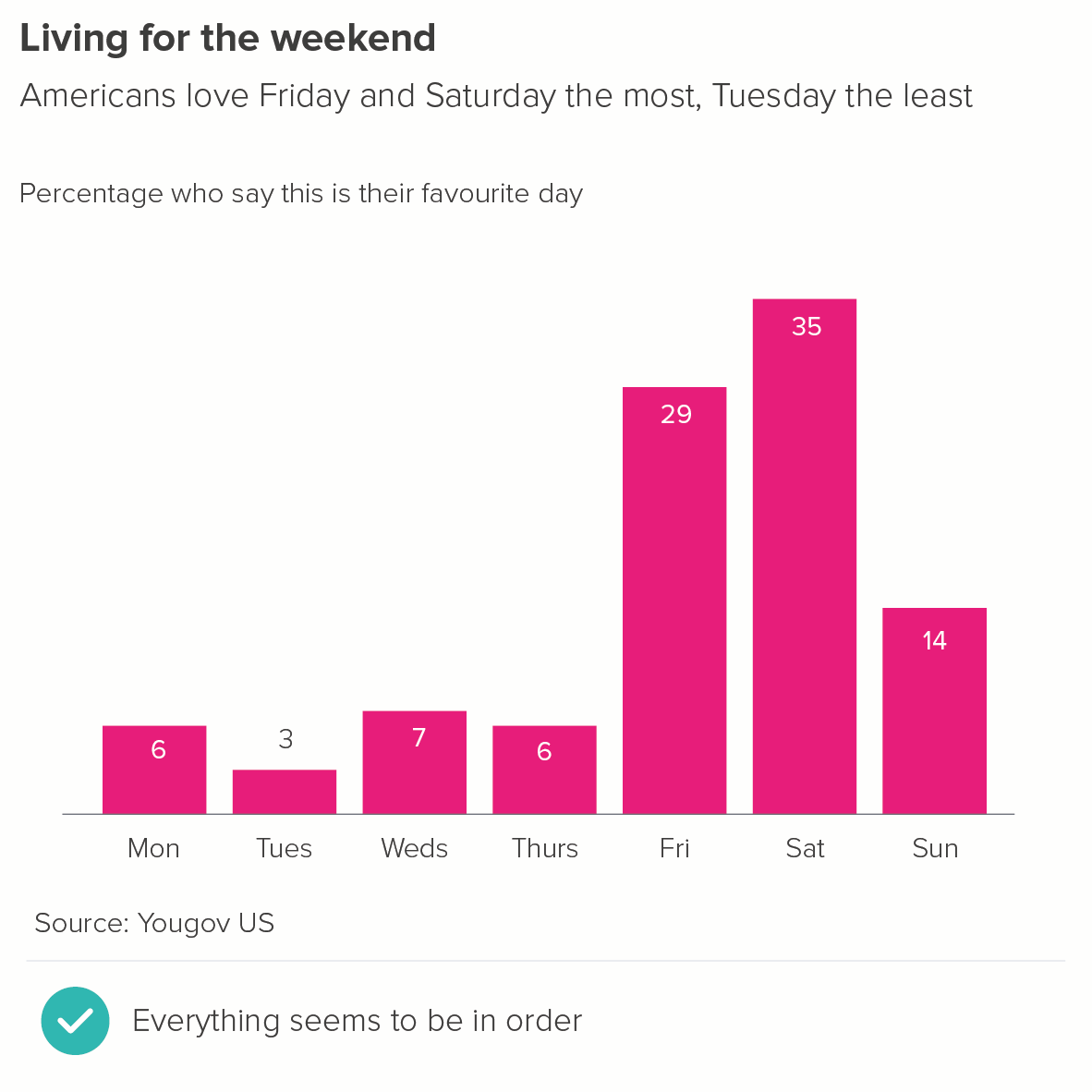
2. Where your bars represent linked categories, e.g. days of the week

Change over time stories are the most obvious example of this - of course, you put hours of the day or months or years in order.

However, it can be any situation where your categories only make sense in a set order, for example, a restaurant breaking down average customer spend by starter, main meal, sides, dessert and coffee. You probably wouldn’t put the dessert bar first, even if it was the largest.

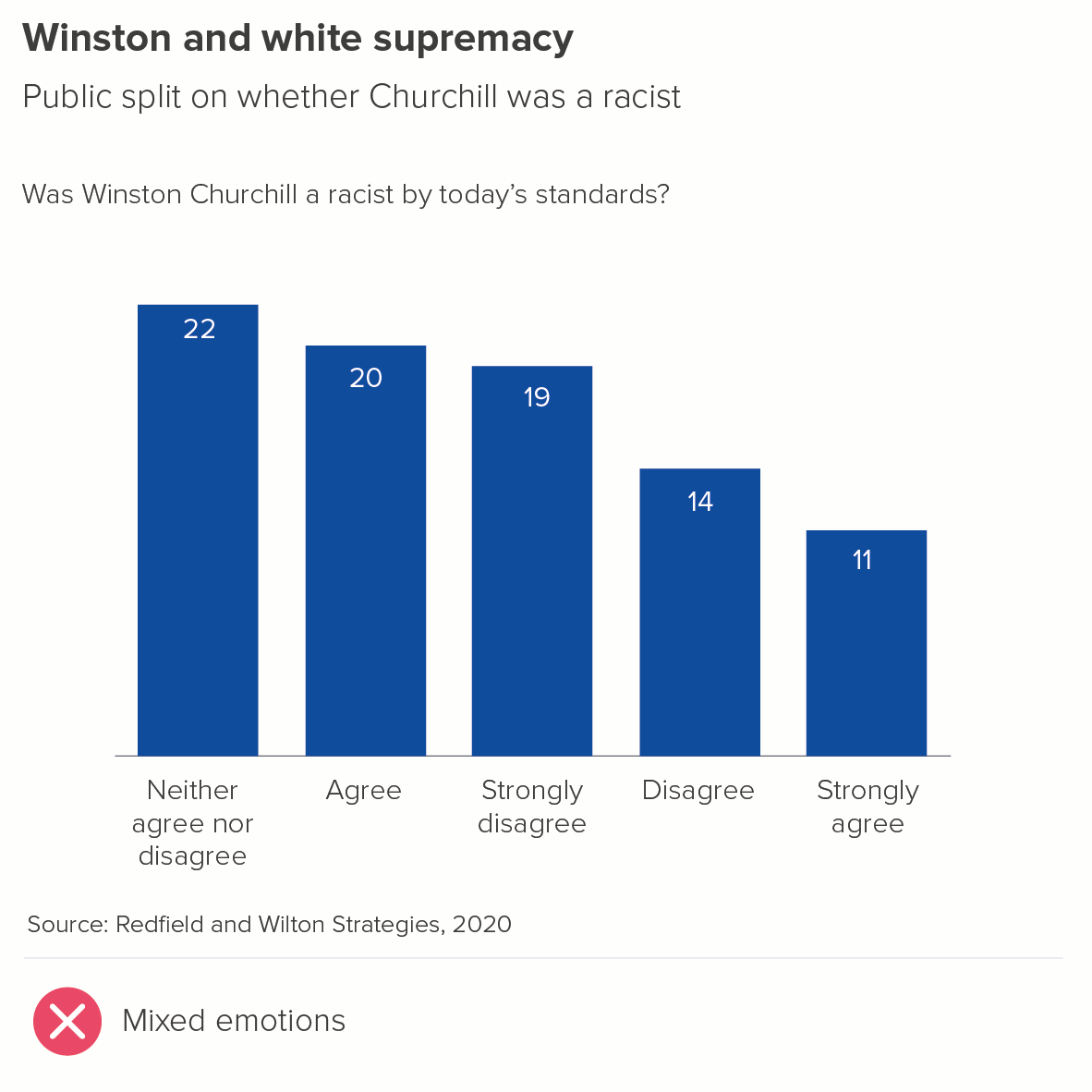
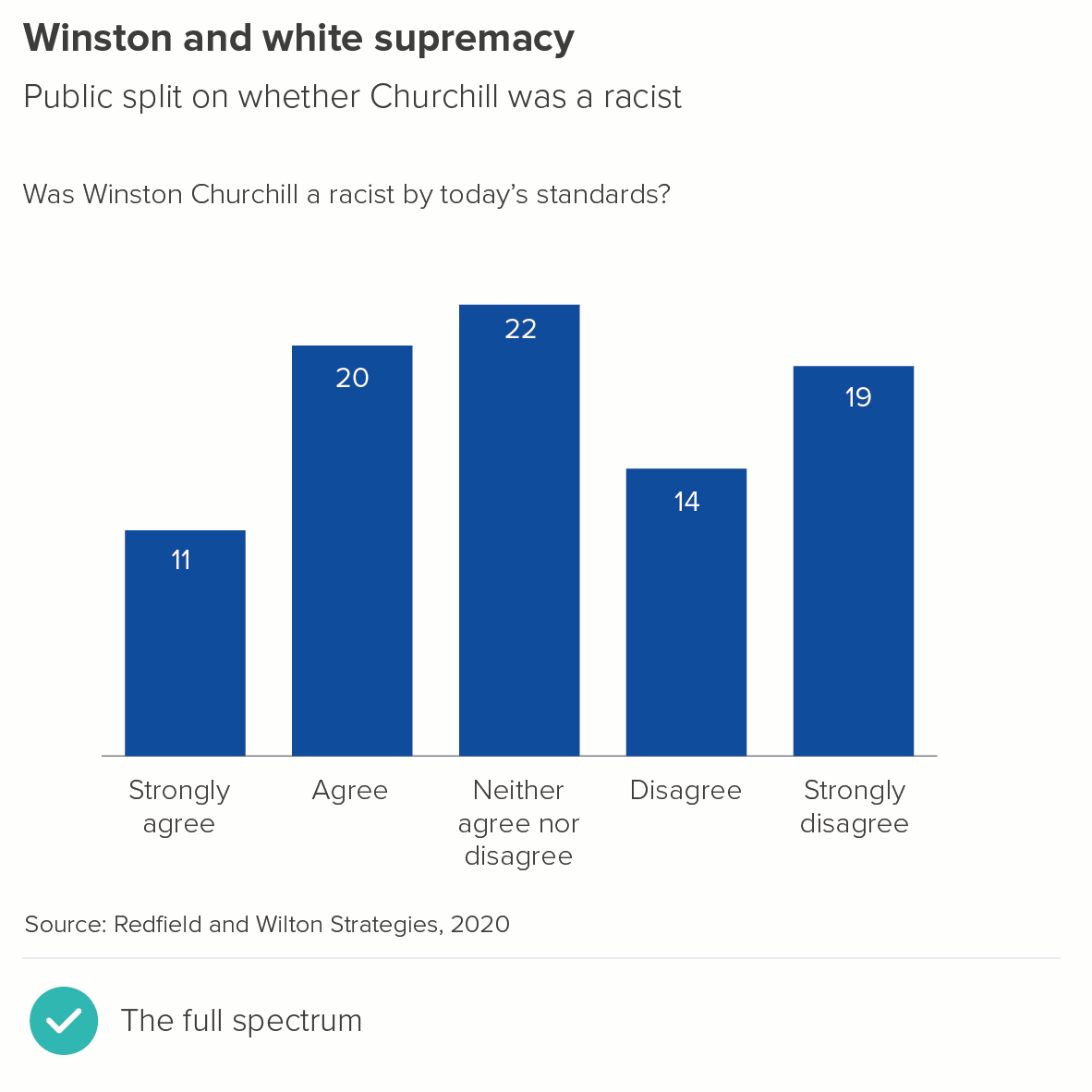
 3. Where your bars represent a spectrum of opinion

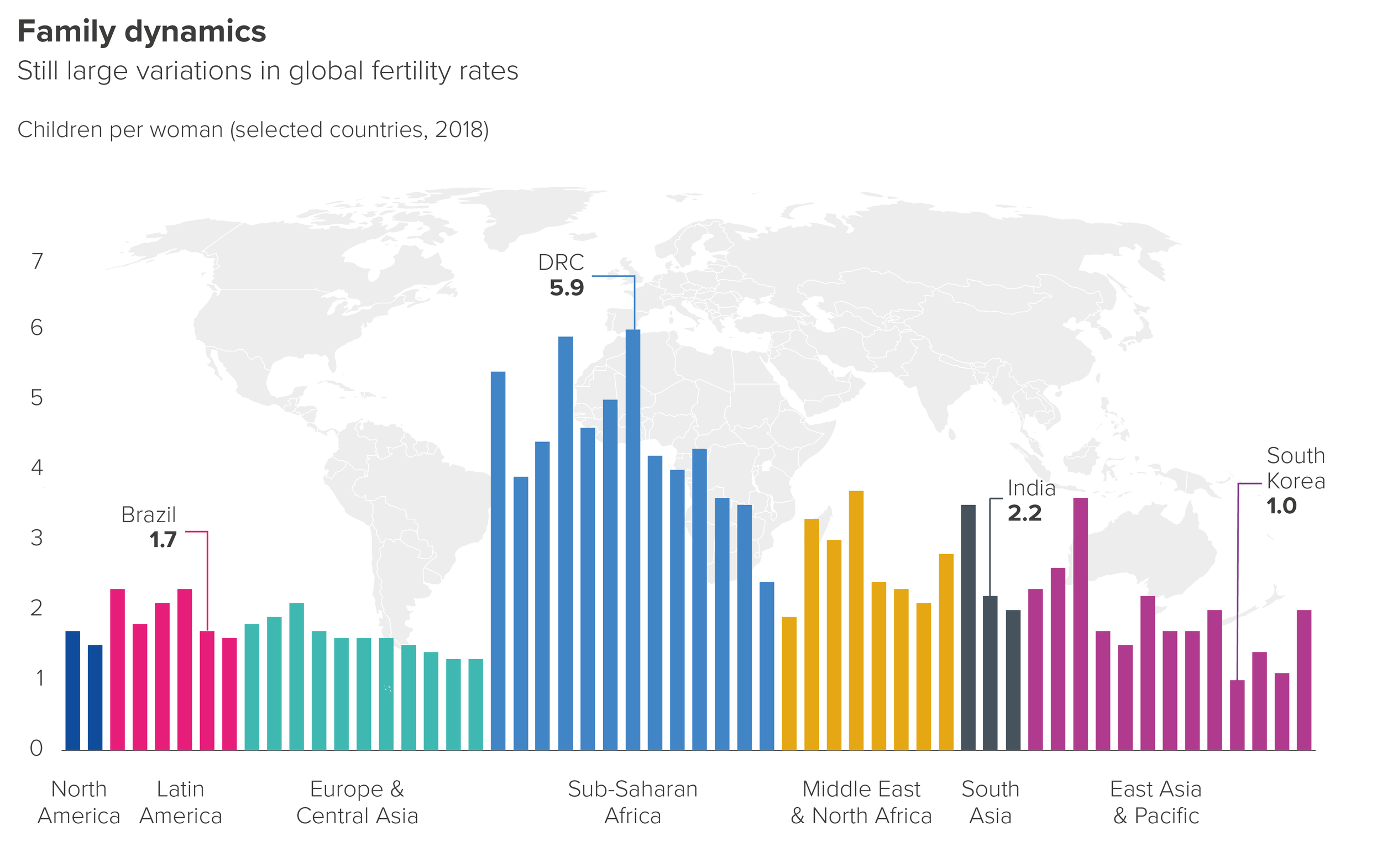
4. Where your bars represent something spatial or geographical

rule_19_world_data-01.png

Based on an original design by Tobias Sturt

In this example, the bars are arranged roughly according to their position on a world map. 

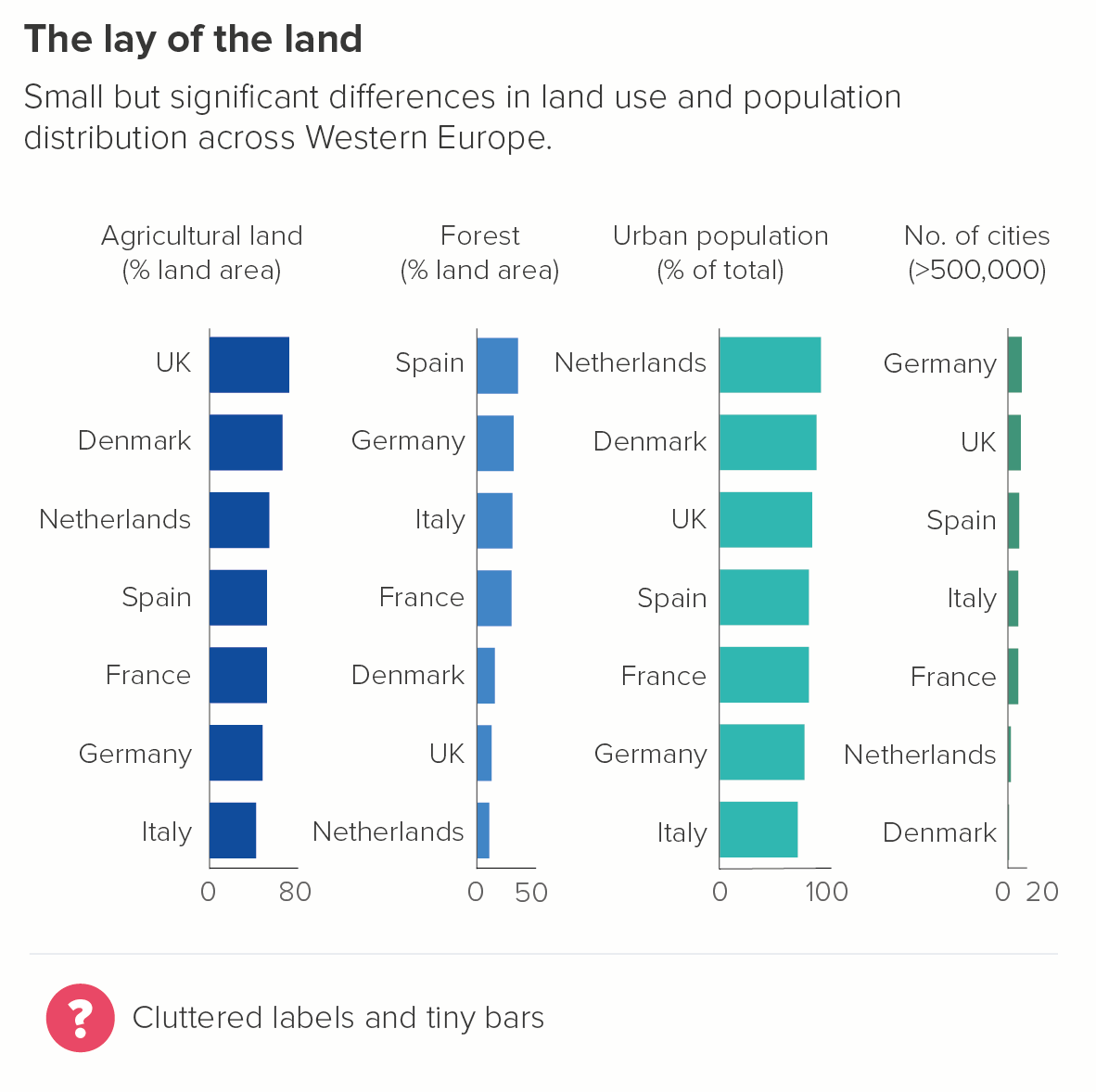
5. Where you want specific bars to stay in the same place across several charts

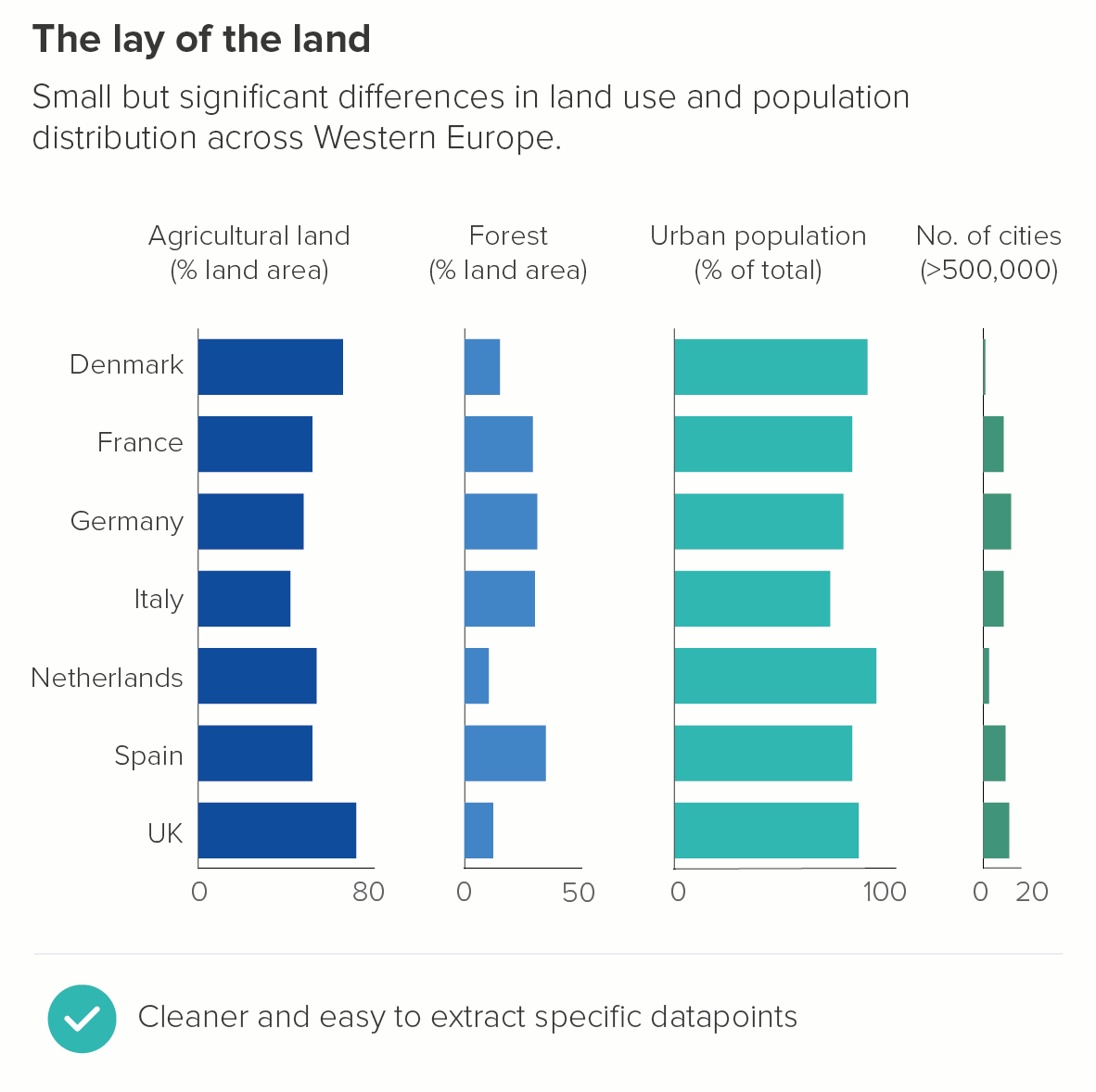
This is particularly the case in bar chart tables, where you want to put several measures side by side, and don’t want to keep shuffling the labels. In the second chart, it’s just neater to keep Denmark at the top throughout, for example.

But it could also be a Powerpoint presentation, where you want to make it easy for your audience to track ‘their’ bar from one slide to another. So you might put their bar first in every chart.

6. Where you don’t want to suggest that being the largest is better or worse

We often work with government departments, and they need to present neutral accounts of where money has been spent. The area that has required most funds isn’t always better or worse, it’s often just because it has a higher population.

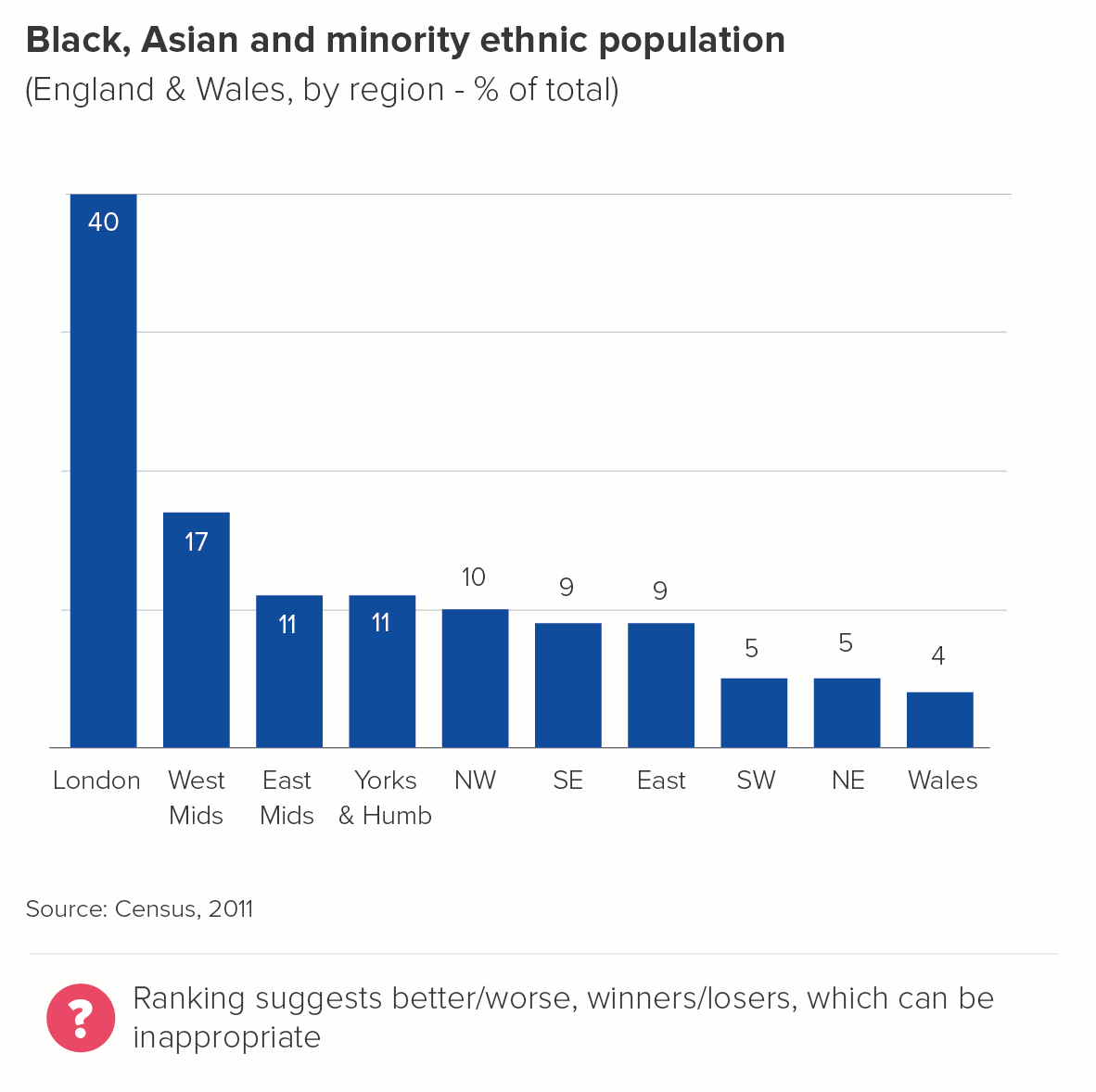
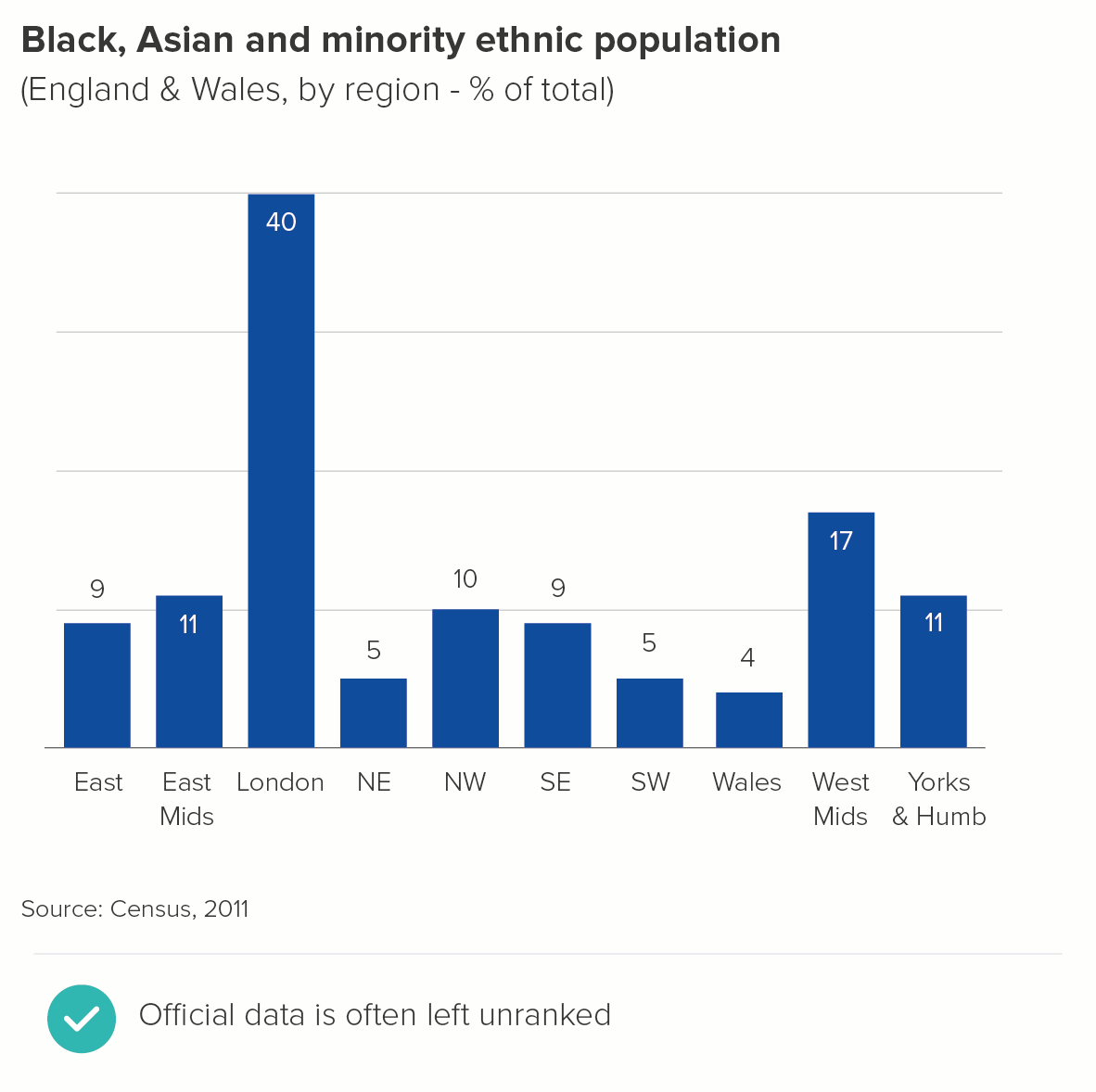
Or perhaps it’s a metric where it’s critical that no value judgement is implied - say, percentage of the population that belongs to an ethnic minority, or the male-to-female ratio, or religious affiliation. There should be no suggestion of a ‘league table’ with these kinds of variables. Instead, alphabetical order is usually used. 

7. Where ranking looks silly

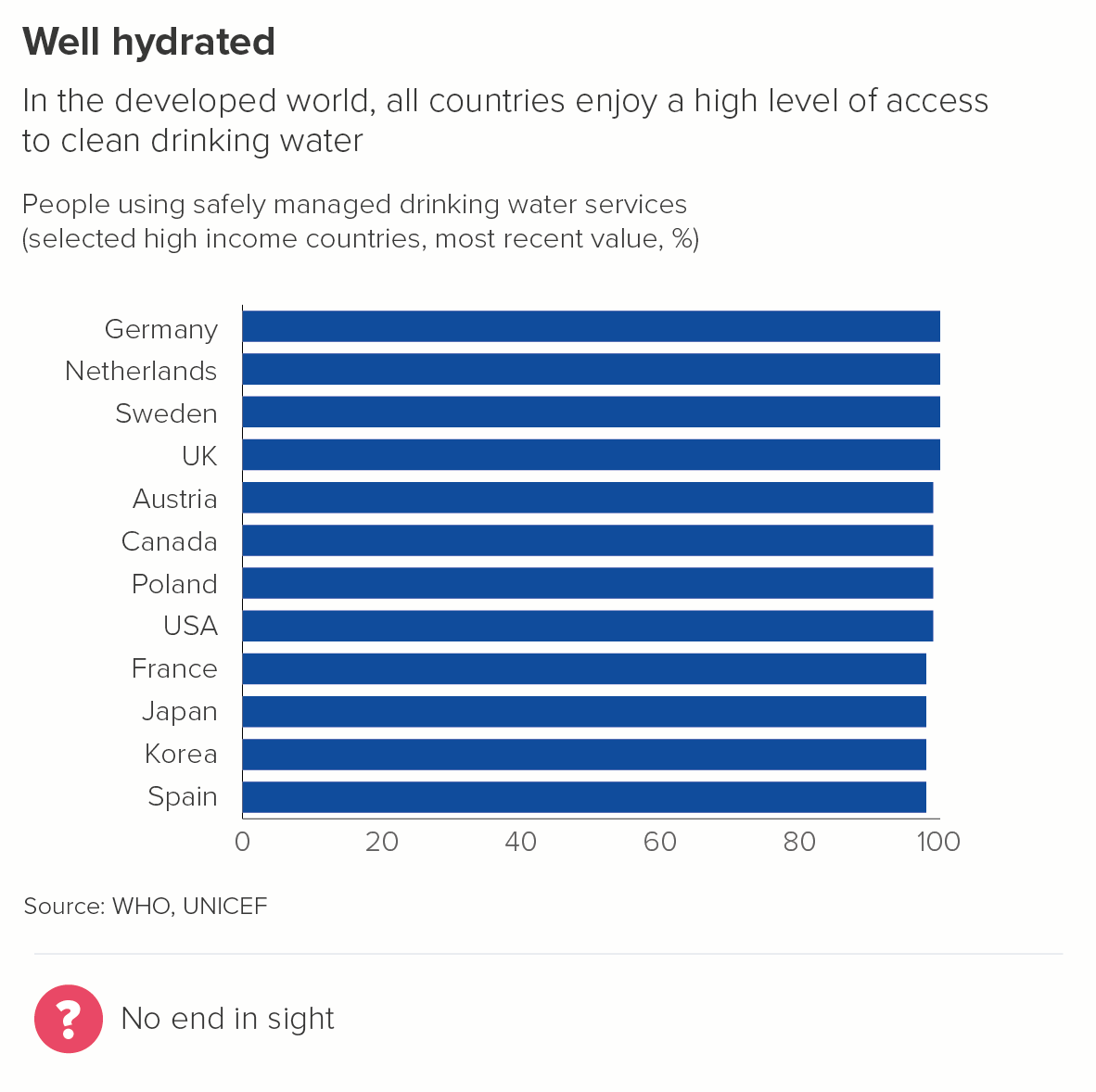
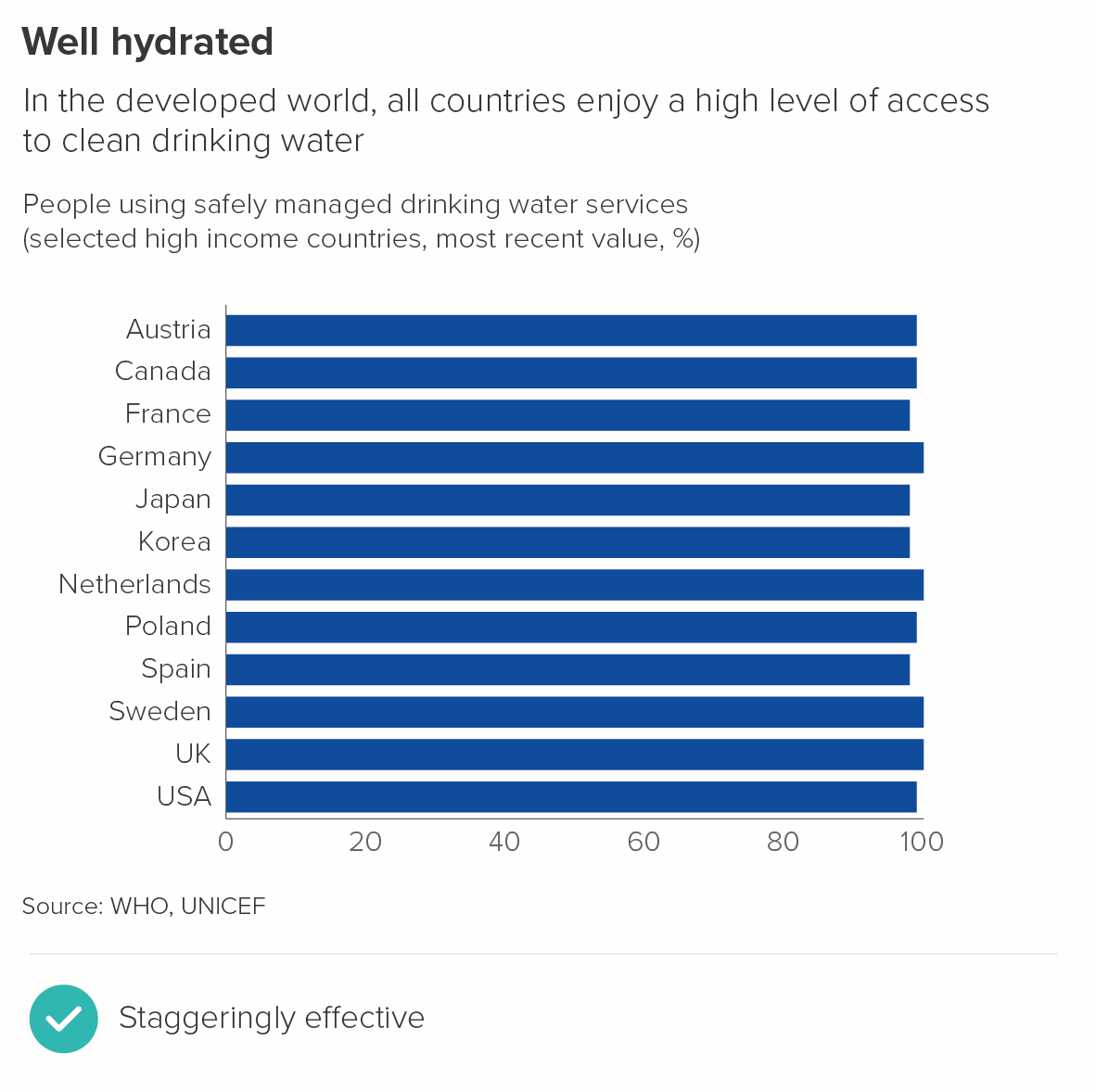
Where all your bars are basically the same length, or the differences are negligible, ranking can be counterproductive.

The first chart is much harder to read, all those bars merge and clump together. Your eyes play tricks with you: when do the values go down a notch and by how much?

In the second chart, where the countries are ranked alphabetically, the staggered bars are easier to distinguish, they are more aesthetically pleasing, and they convey the similarity story more effectively. 

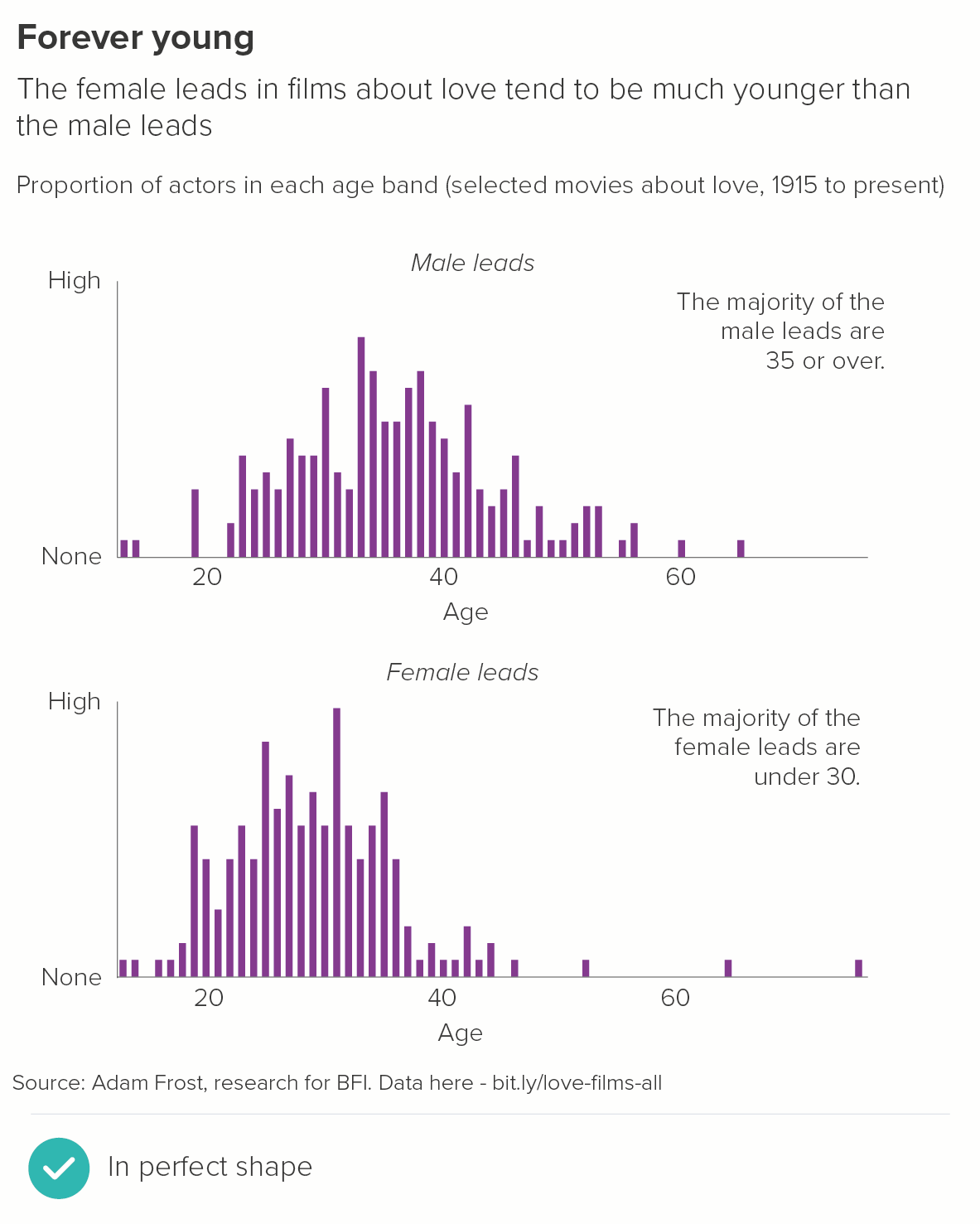
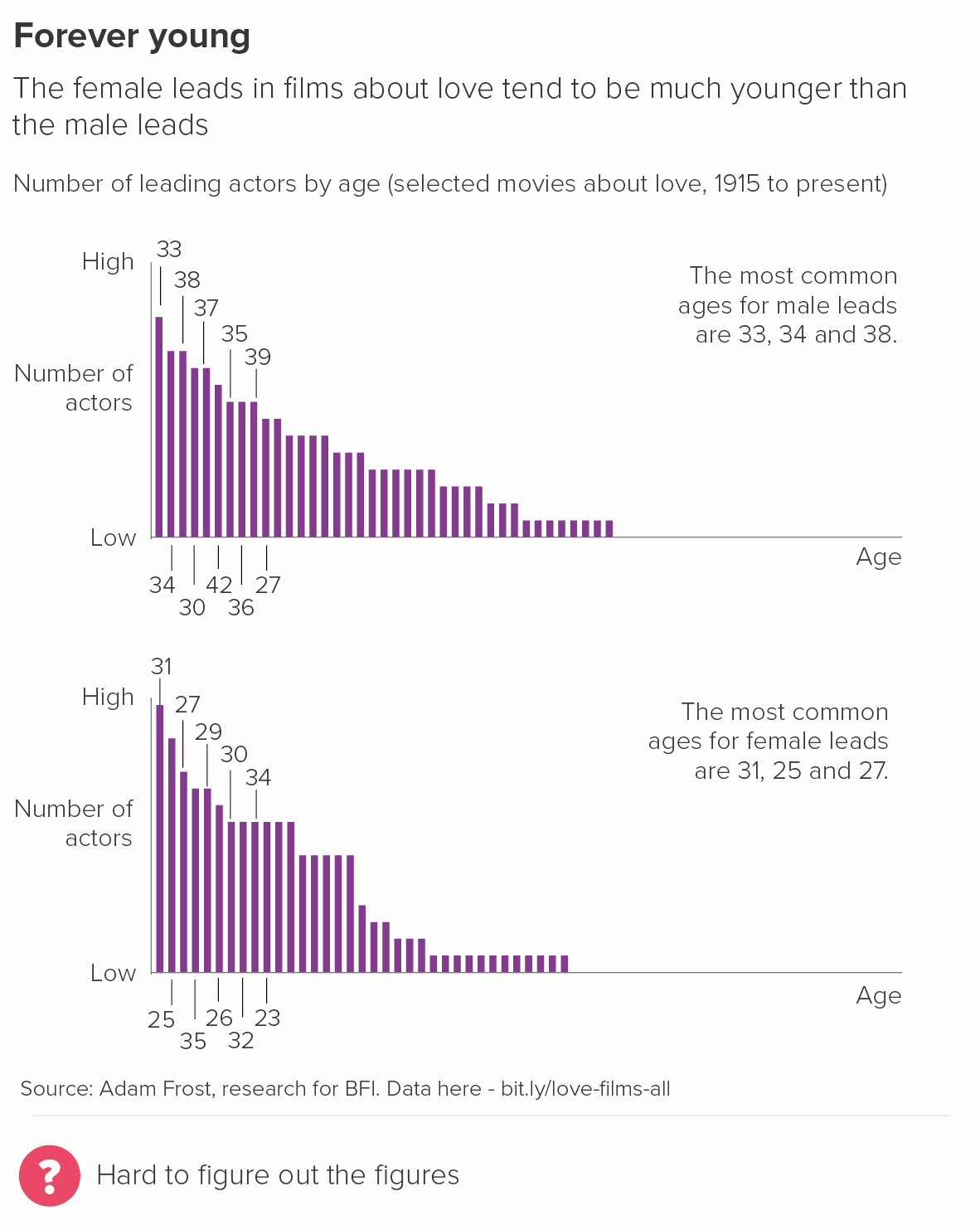
8. Where you are charting distribution

The clue is in the name: you’re showing how the data is distributed, its shape, its spread. Ranking imposes a shape from outside. (This type of bar chart is sometimes called a histogram and we’ll consider it separately in a later rule).

Conclusion

I’d still say that for the majority of stories, using rank order is the right approach. Typically you use a bar chart because you want to give your audience an overview of a dataset, but also the ability to compare the differences between individual values. Ranking the bars from largest to smallest helps deliver both outcomes.

However, as always, story comes first. If ranking confuses your key message, and disrupts a more intuitive system of ordering, then it’s completely fine to mix things up.

Verdict: Break this rule sometimes

Data sources: Cause of death on death certificate - WHO/Global Health Data Repository via World Bank, World’s favourite animal - Animal Planet via Manchester Evening News, Americans’ favourite day of the week via Yougov US, Was Churchill a racist? via Redfield and Wilton, Global fertility rates - UN Population Division and national statistics offices via World Bank, BAME data via UK Census 2011/Gov.uk, Access to clean drinking water from UNICEF/WHO via World Bank, Gender of actors in romantic films via Adam Frost - data is here.

All the rules so far are on one page here.

More data viz advice and best practice examples in our book- Communicating with Data Visualisation: A Practical Guide
Rule 18: Don't use multi-coloured bars

In this blog series, we look at 99 common data viz rules and why it’s usually OK to break them. All the rules so far.

by Adam Frost

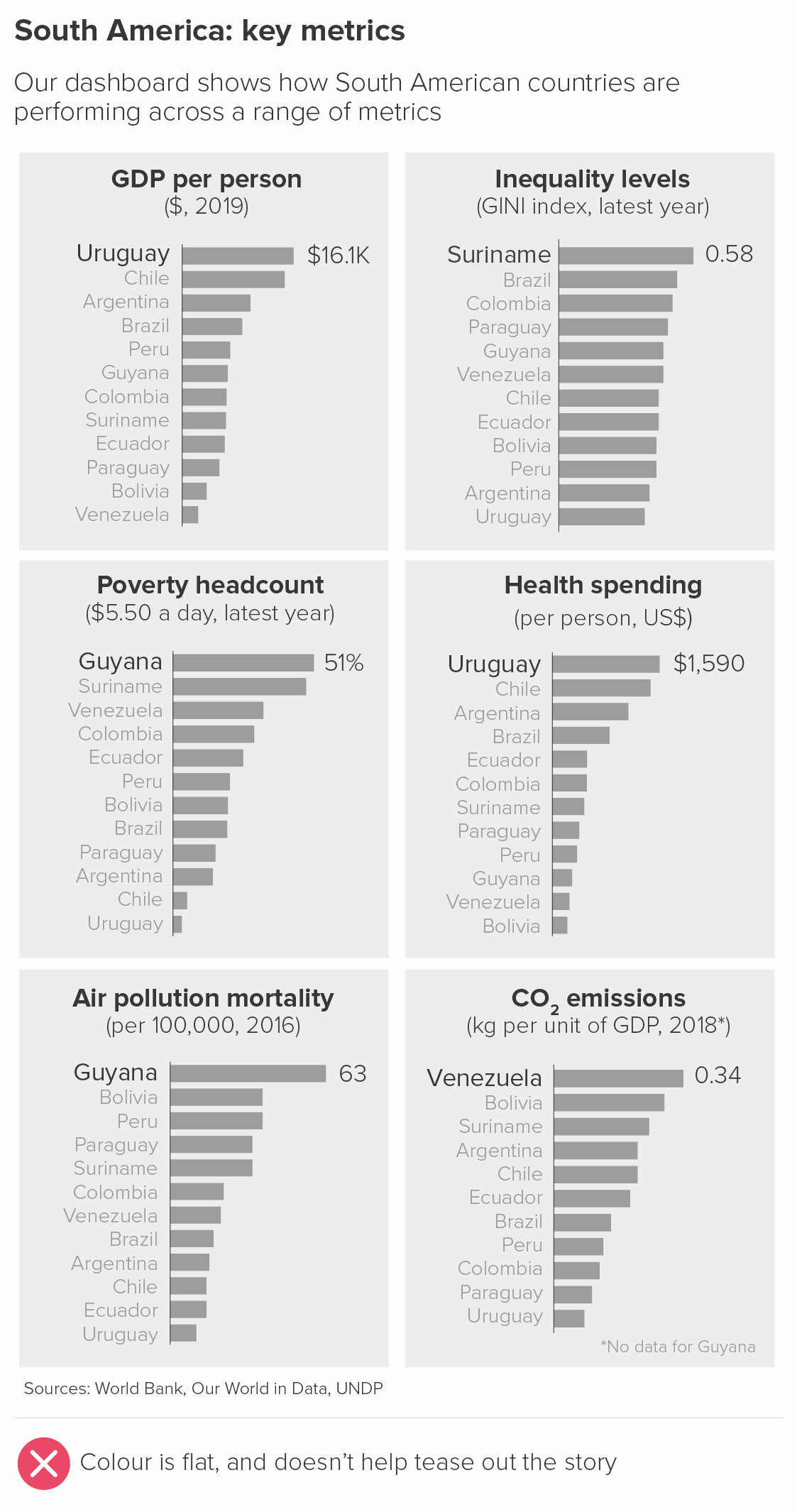
In most chart-making tools, if you make a bar chart, all the bars will be given a single colour. Whether it’s PowerPoint, Datawrapper, Flourish or something else, the eminently sensible consensus is: if it’s one series, it should be one colour.

Of course, it’s different if you have stacked bars or clustered bars, but we’ll cover those in later rules.

So far, so good. The data is about the same thing, so the colour should be the same.

The problem is, a Powerpoint presentation full of single-colour bars gets - quite literally - monotonous. So although you shouldn’t go full Austin Powers, it’s still a good idea to work out when you can brighten up your bars. As always, the guiding principle should be: does this illuminate the story?

1. Single colour bars

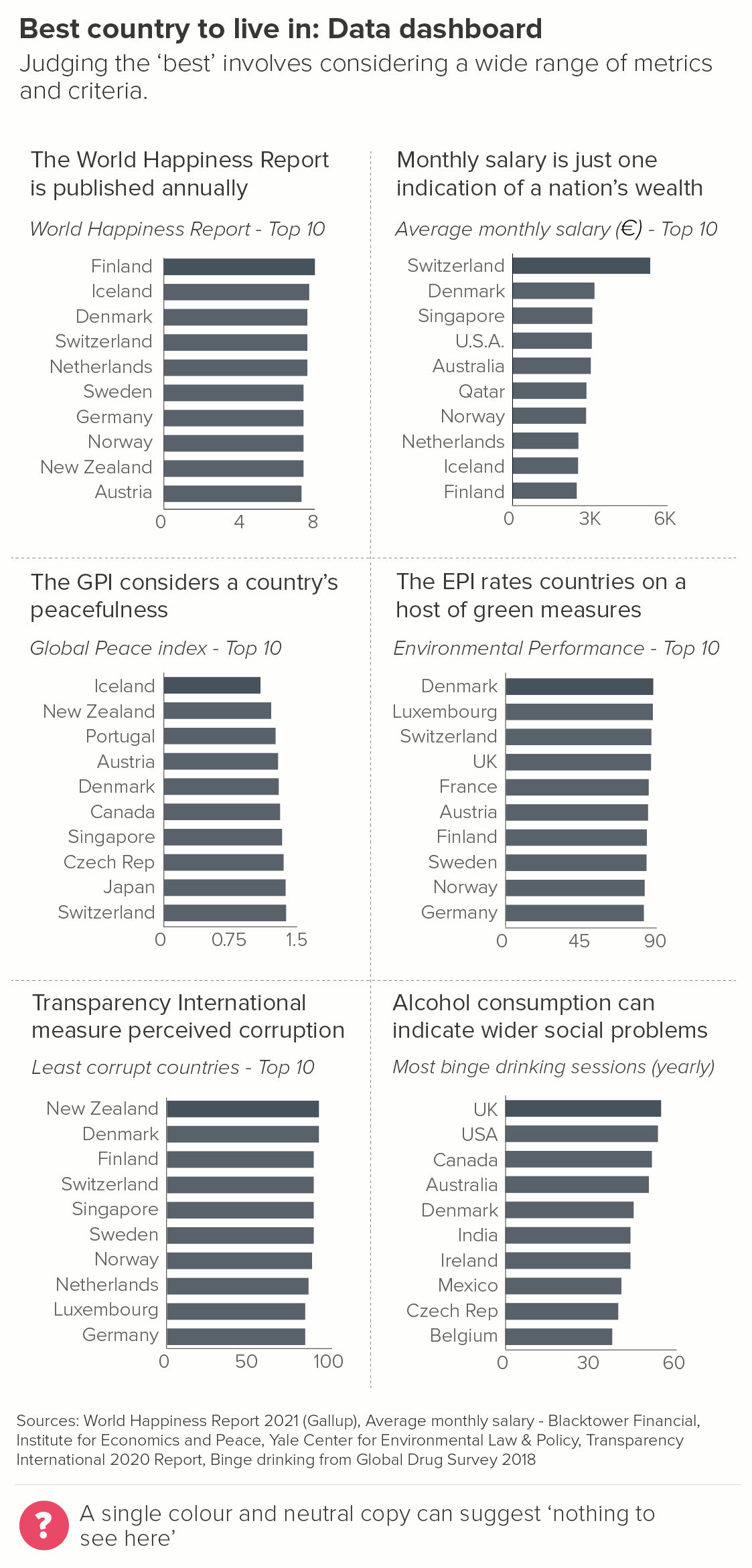
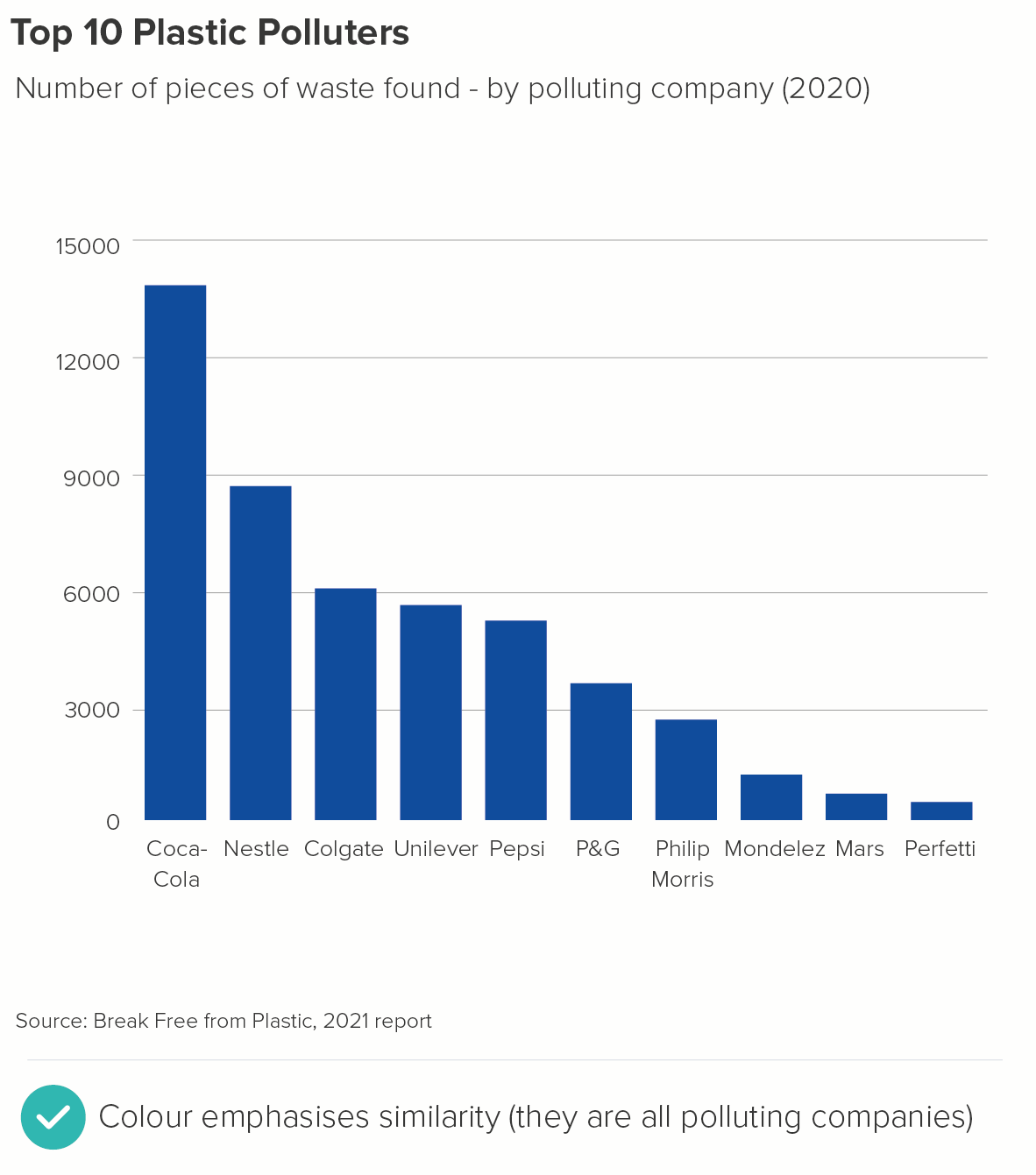
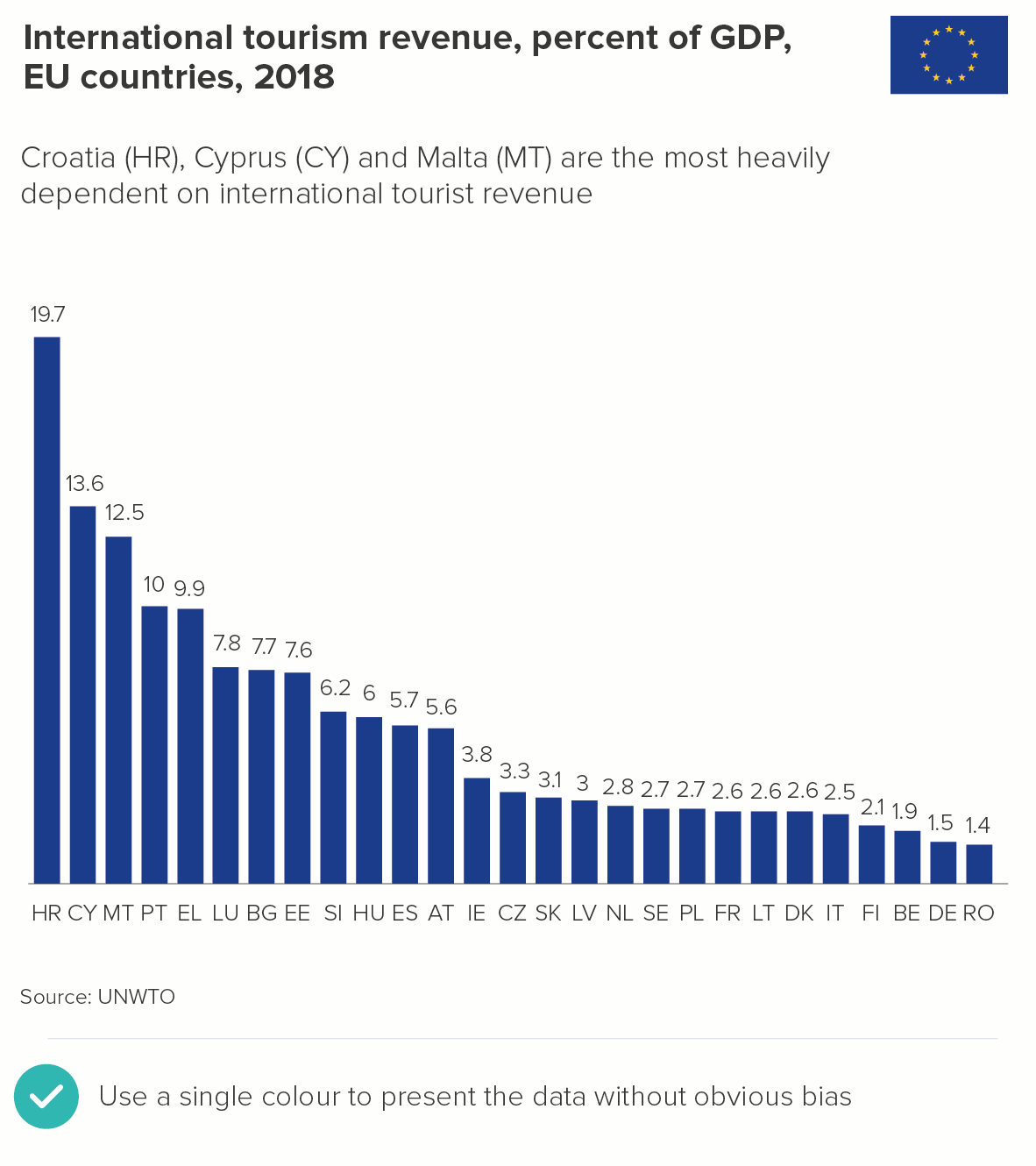
In many cases, one colour is definitely the right answer. You might be an organisation that wishes to appear as impartial as possible, with no strong view about the categories or countries shown. For example, say you work for the EU, it might be very important for all the countries to be treated equally from a visual perspective, and no value judgements to be implied by colour choices (e.g. red, amber, green).

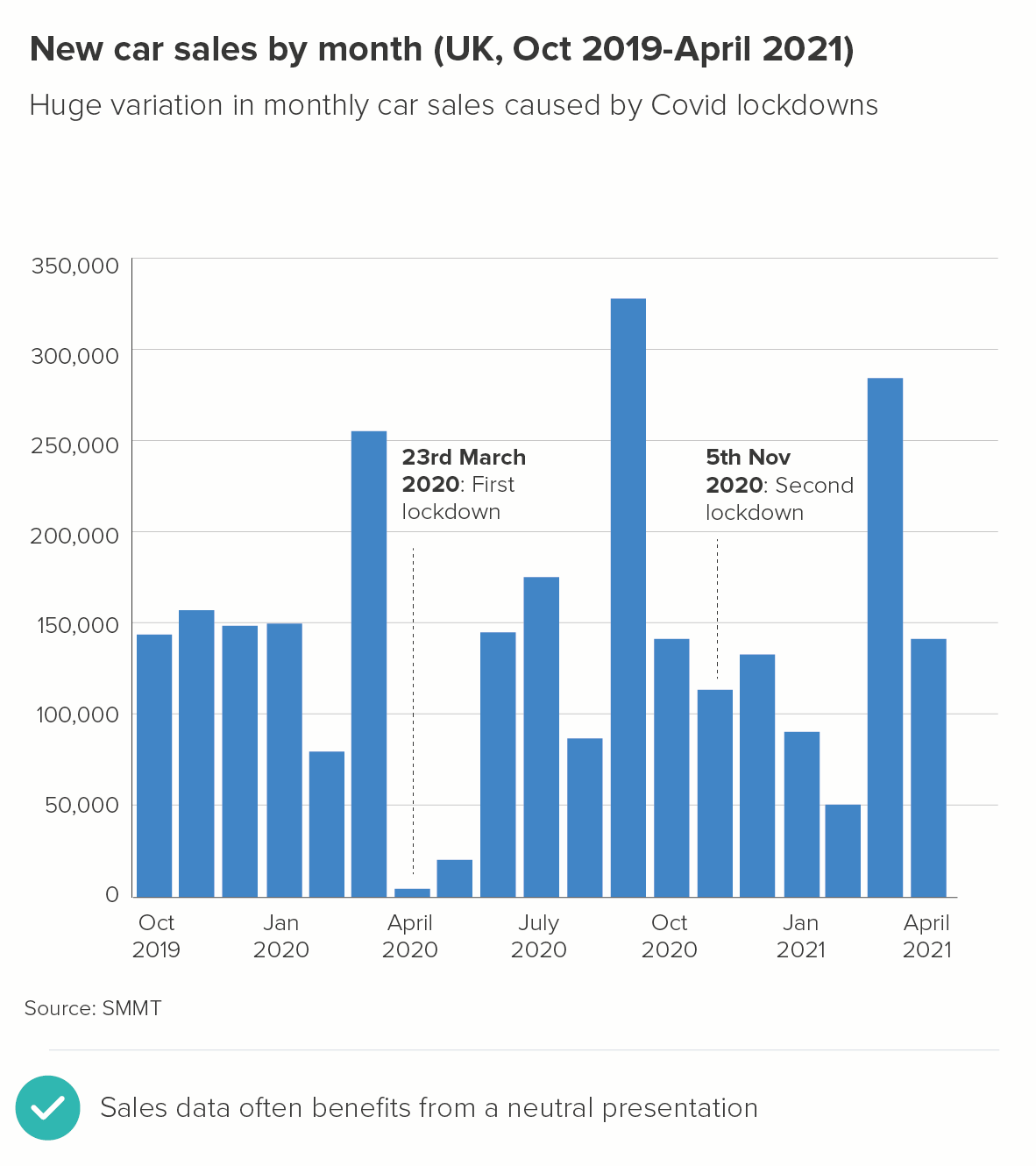
Alternatively, you might work for an organisation where all the categories genuinely are equal in significance. For example, you might be reporting monthly sales figures for the last few years. You don’t want to use colours to distinguish between the bars; they’re all equally relevant.

When you have these stories, use one of your brand colours for the bars, usually your main brand colour. If you don’t have brand guidelines, blue is often a good choice for neutral stories, just because it’s a cooler, less invasive colour. (As opposed to reds and yellows).

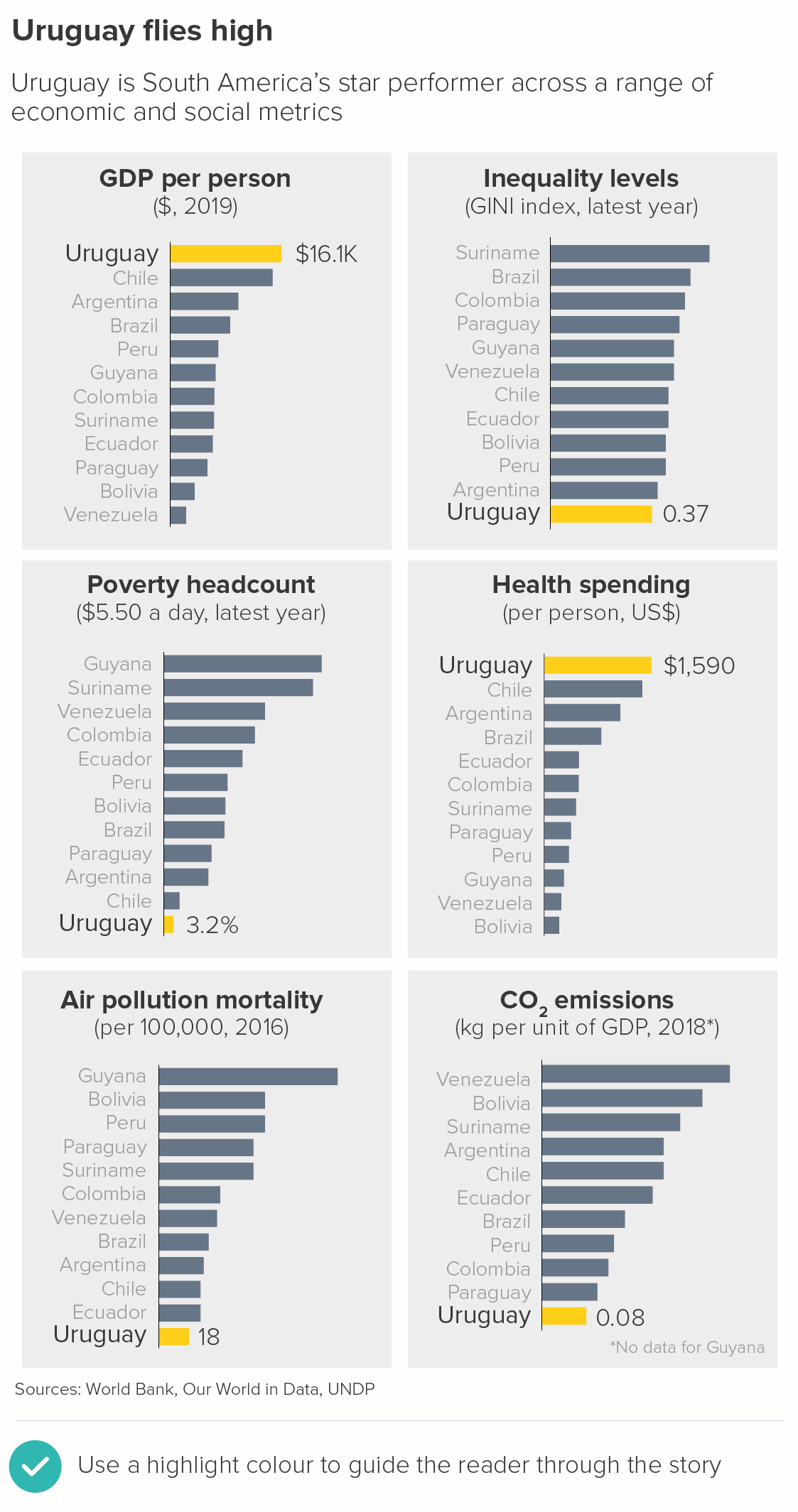
2. Highlighting: The hero bar

If you are talking to an audience in a specific company or country, then they will always be looking for ‘their’ bar anyway, so if you can speed up this process with your colour choices, so much the better.

Alternatively, it might be a story about a hero category that you want your audience to care about for the duration of the story. It might not be ‘their’ bar, but you want them to feel like it is. So again, you will use a highlight colour to indicate that this should be their primary focus.

Keep all of the bars but their one a neutral colour (perhaps blue, or sometimes even grey). Brand guidelines often contain a highlight colour that sets off the main brand colour. If they don’t, you’re looking for a colour that offers a high degree of contrast to your other bars, without being fully complementary. (If you choose complementary colours - like red and green, or purple and yellow - the contrast might be too violent). Using triads - moving in thirds around the colour wheel - can sometimes be more sensible, as it will give you colours that are distinct without being clashing. So perhaps blue bars with a pink highlight colour, or light green bars with an orange highlight. Your background bars will always be the cool, recessive colour, your highlight bar the warm colour.

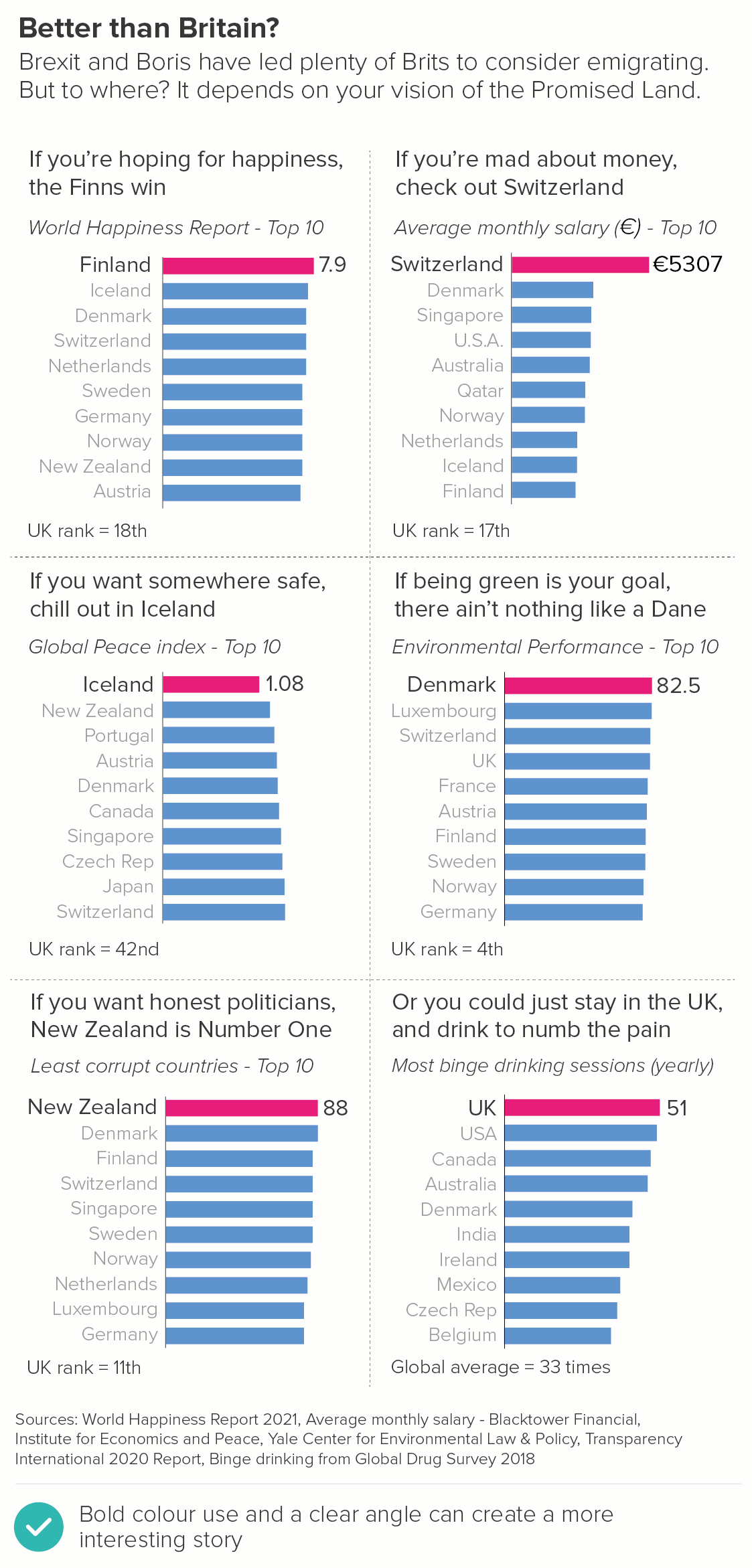
3. Highlight: The winning bar

You can also use the principles above to call out the winning bar. This is when your audience is not invested in a particular category or country, but they are invested in the topic. They don’t care who wins or loses, but they’re interested in who the top performers are.

They could be investors, who are following the fortunes of companies in a particular sector. Or perhaps it is a newspaper based in a particular country reporting on countries in a different part of the world - say, a US newspaper reporting on Europe. Their US-based audience doesn’t have strong feelings about whether France or the UK or Italy ‘wins’, but it’s a more dramatic story if you add a competitive element. 

4. Performance against a benchmark

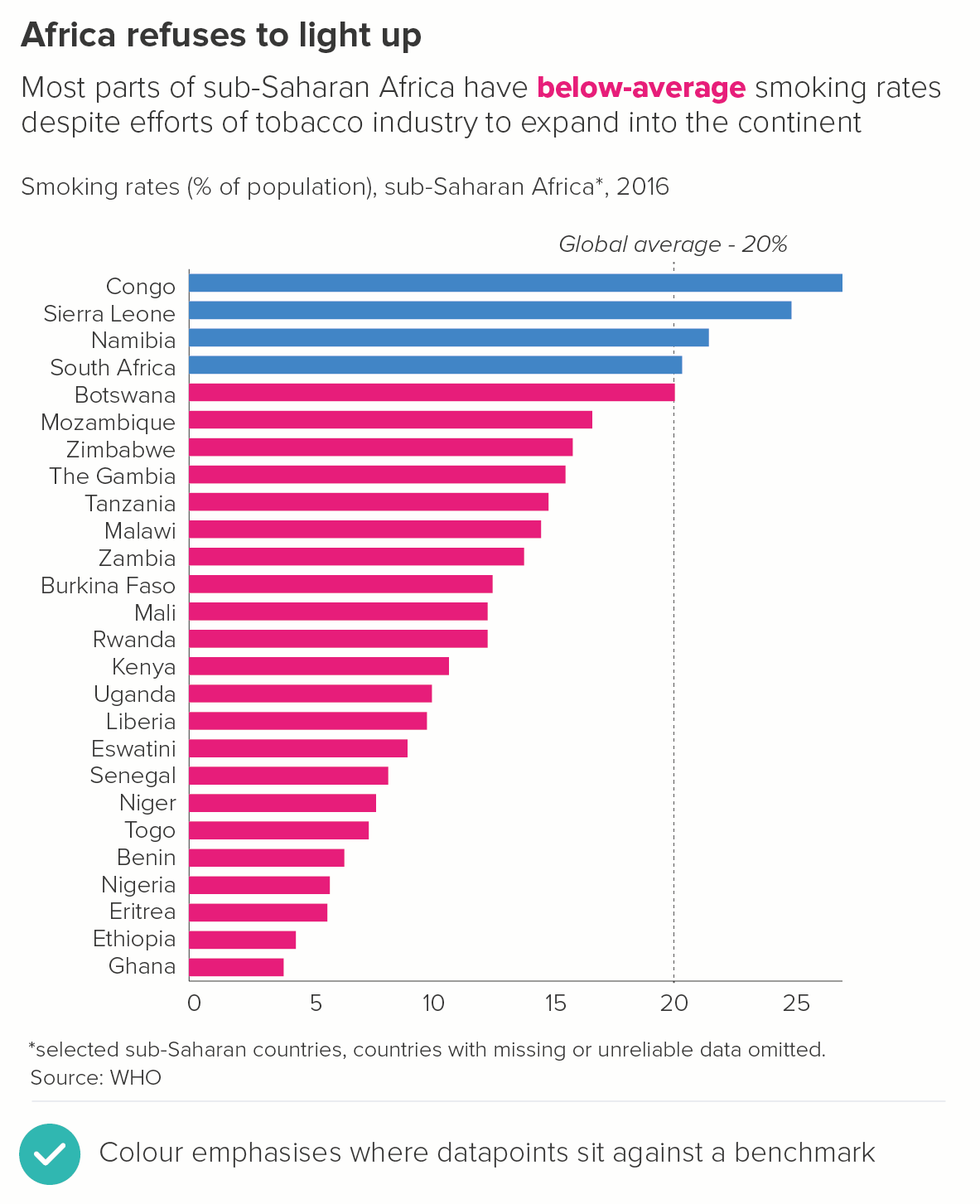
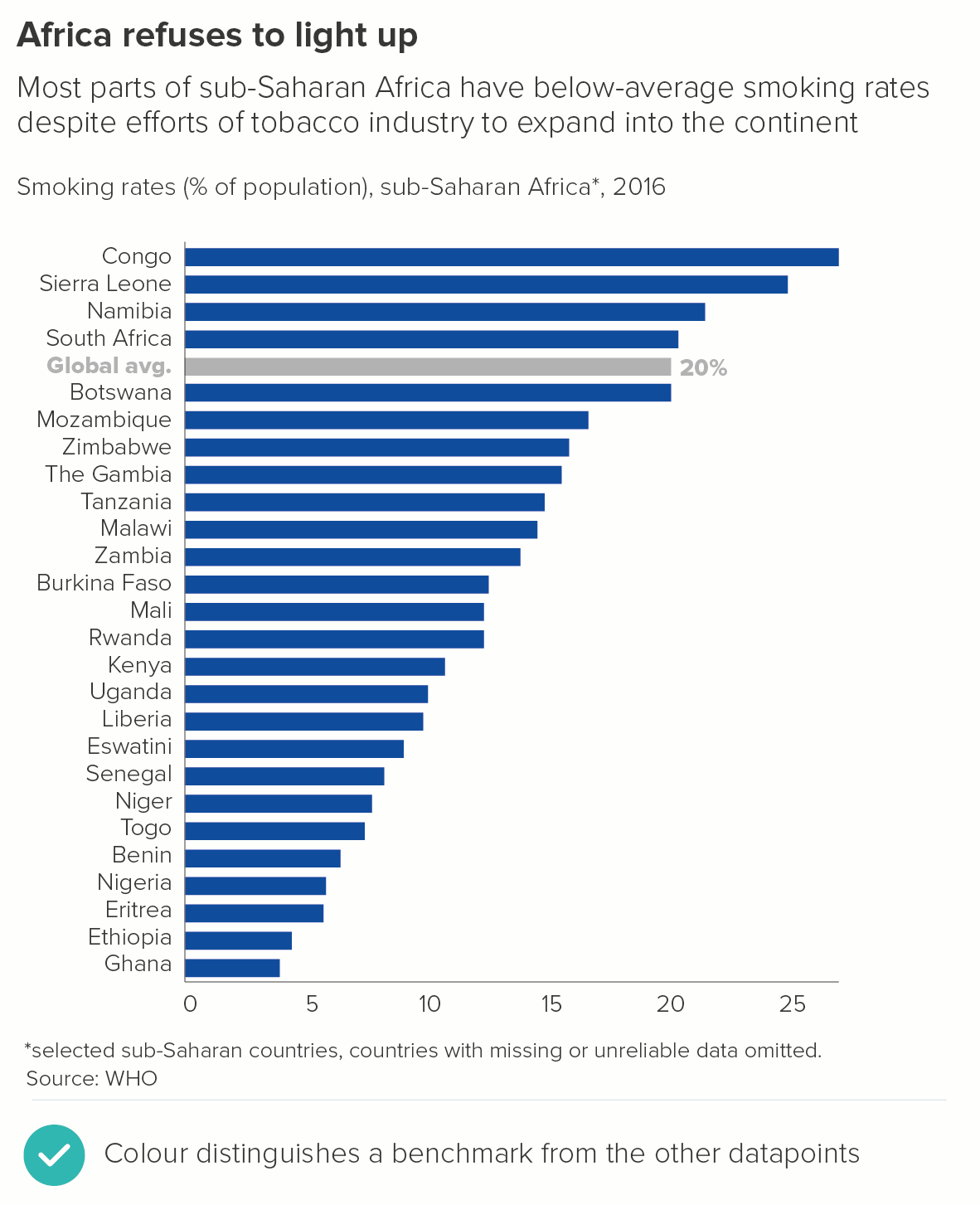
Often you will want to add a benchmark to your chart - usually an average. Only sometimes is this the highlight of the chart, however, and therefore you will often want to make it grey or a similarly muted colour. Sometimes instead of a bar, a coloured line cutting across the bars is used (You need one or the other, never both).

Alternatively you might want to colour the bars depending on where they sit against this average. Are they above or below it? 

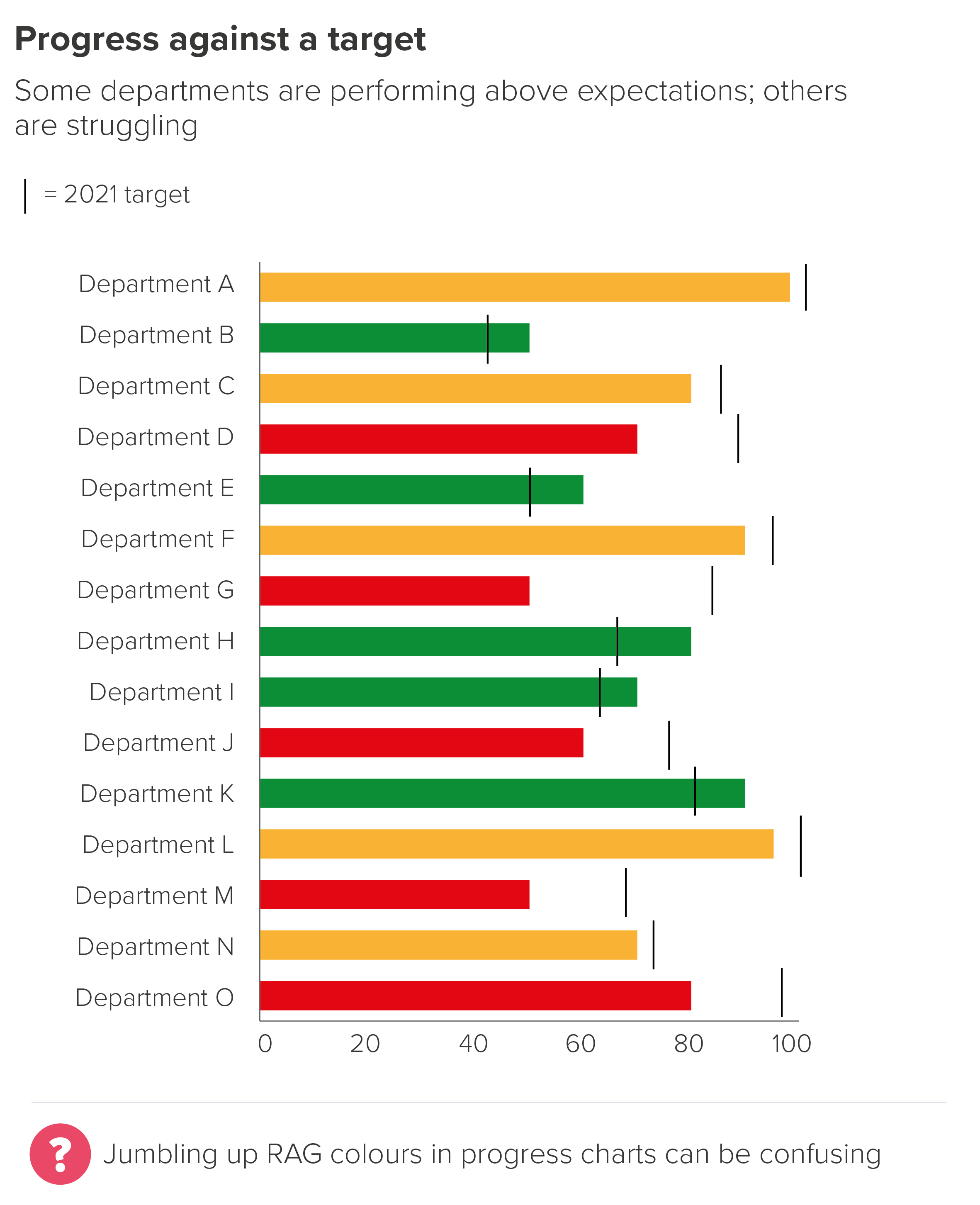
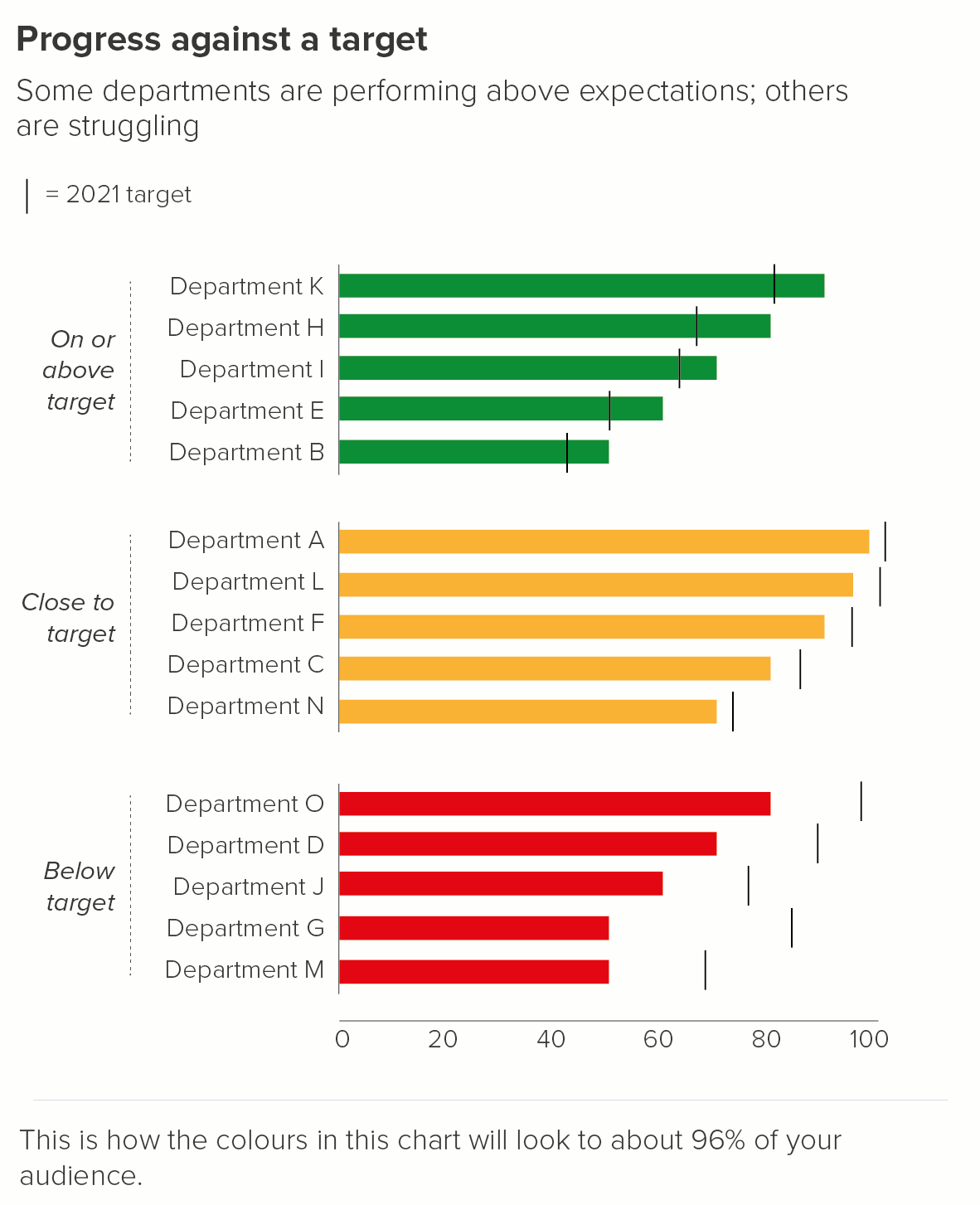
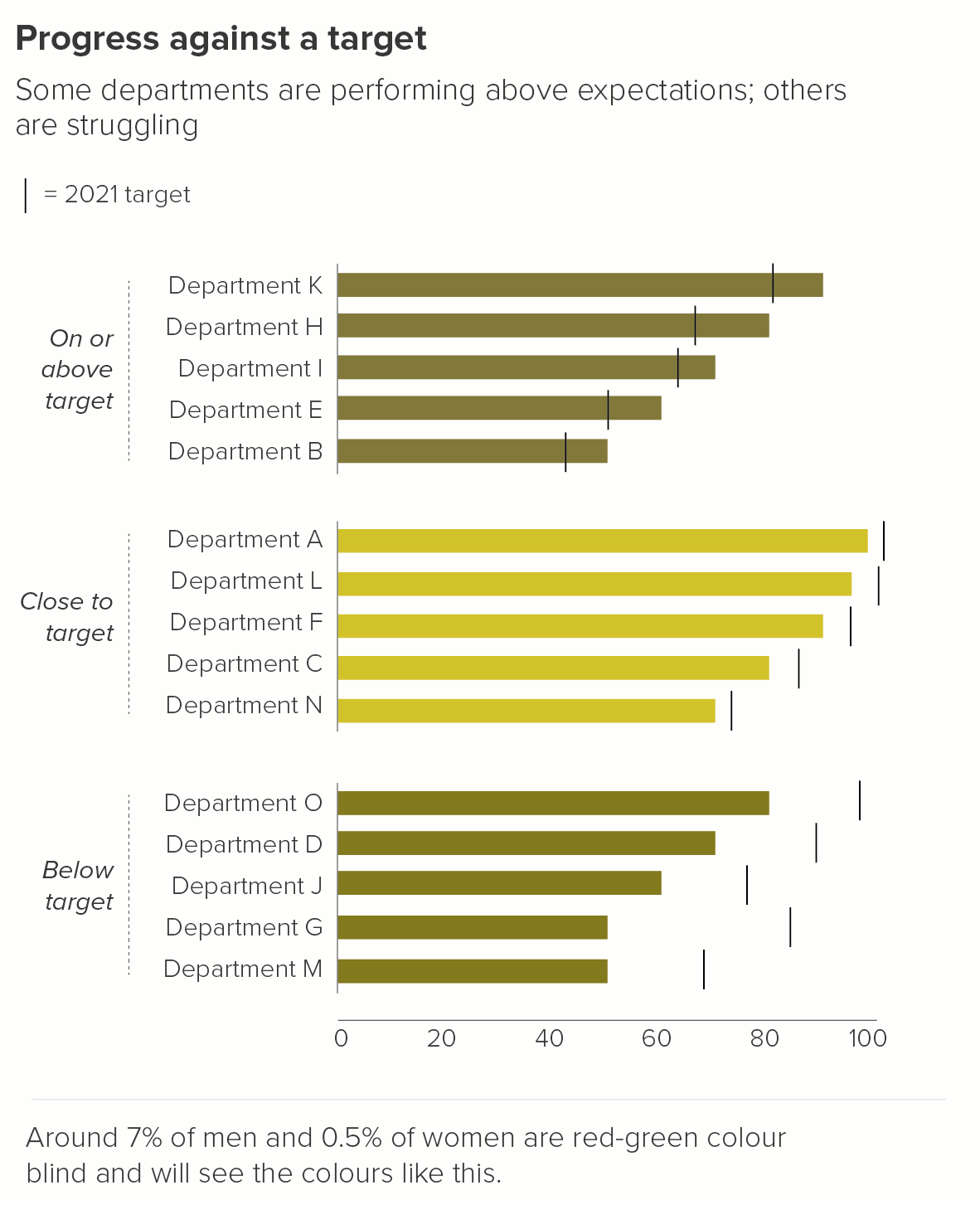
If you are measuring against a target, sometimes traffic-light or RAG scales are used. Most designers hate RAG scales, because they clash violently and break accessibility rules, particularly those that relate to colourblind-safe palettes. However I've seen no evidence that they're on the way out; on the contrary, managers appear to be more wedded to them than ever.

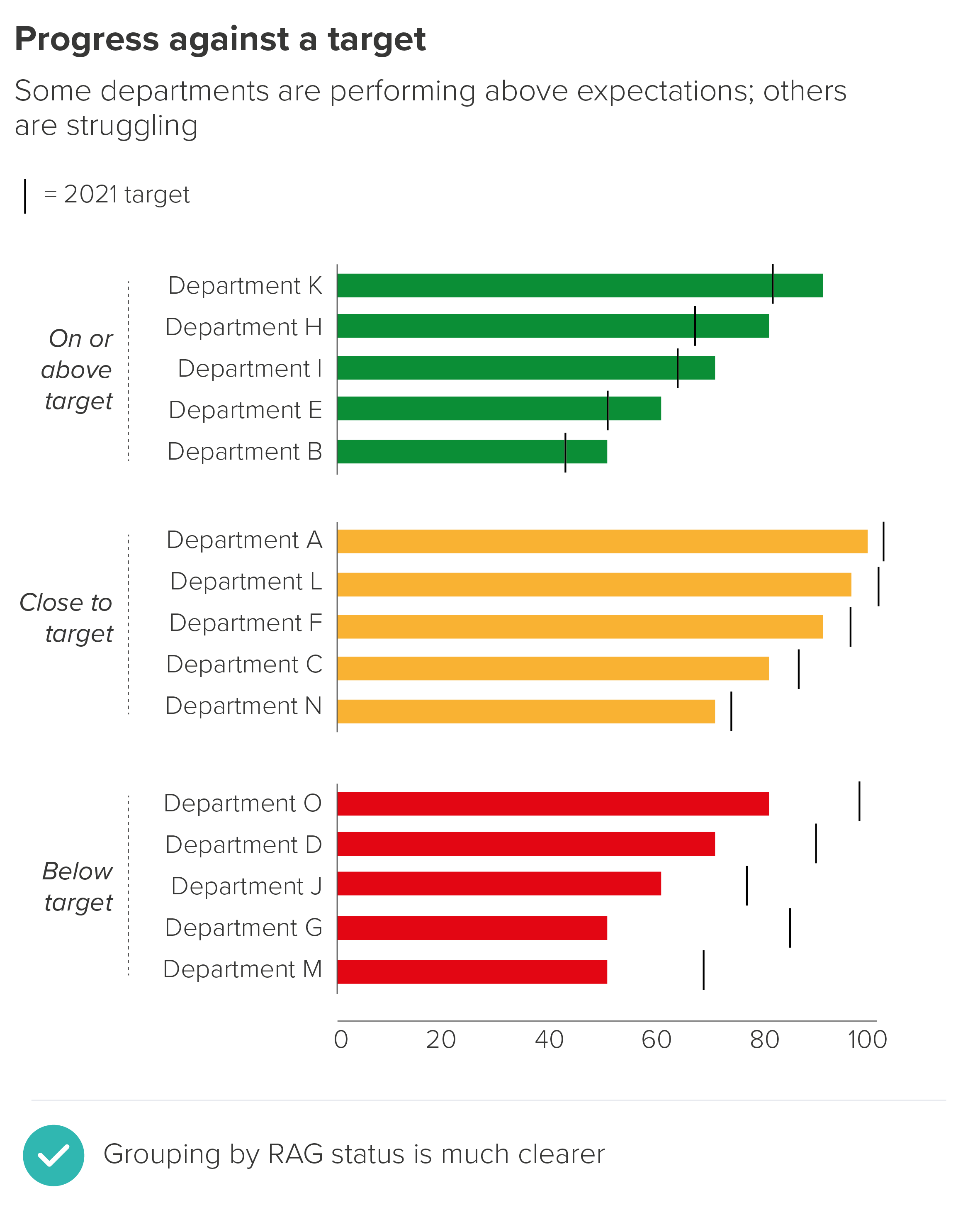
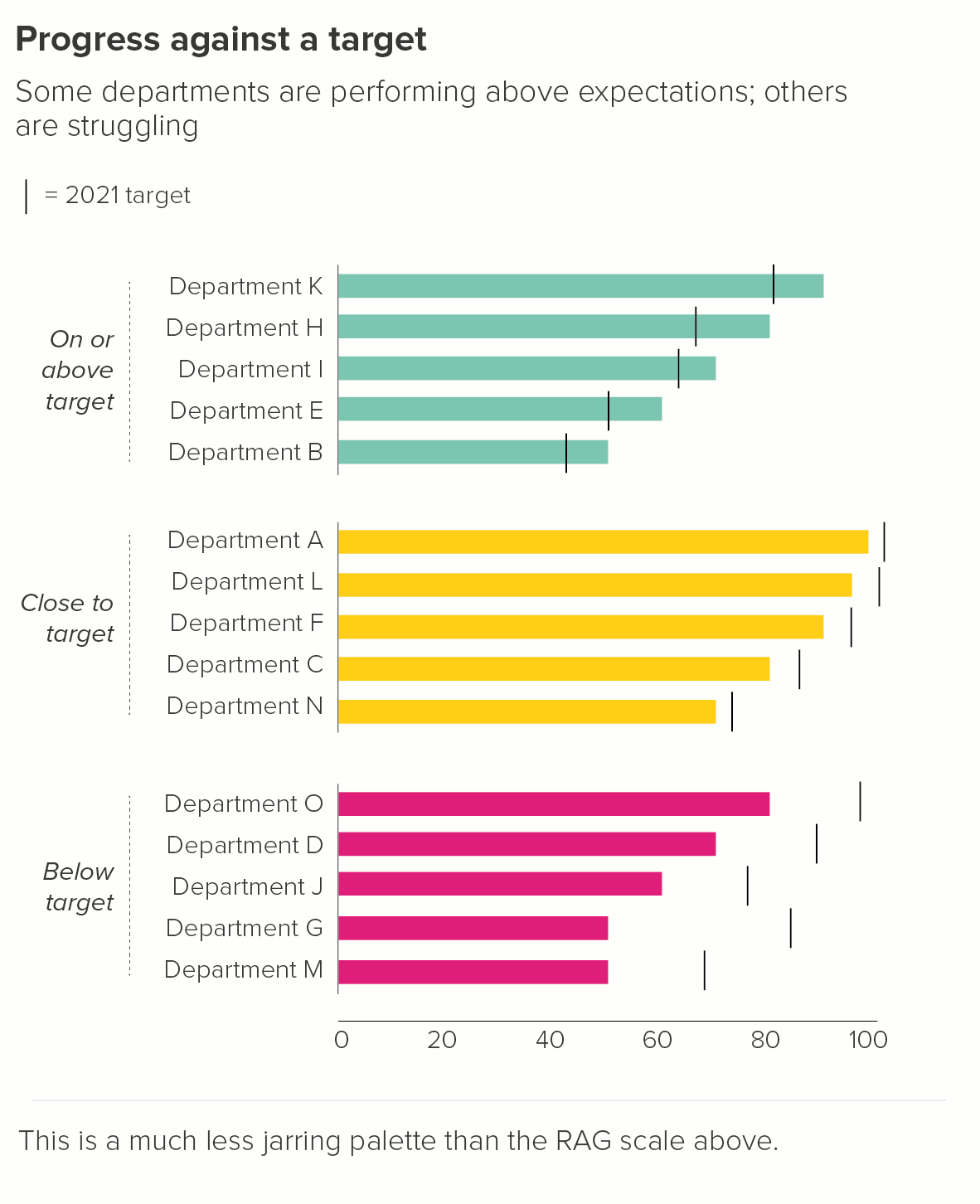
If you do have to use a RAG scale, I prefer grouping the bars by these top-level indicators, rather than jumbling them up in a single chart. (This tends to be corporate data, so it’s anonymised in this instance).

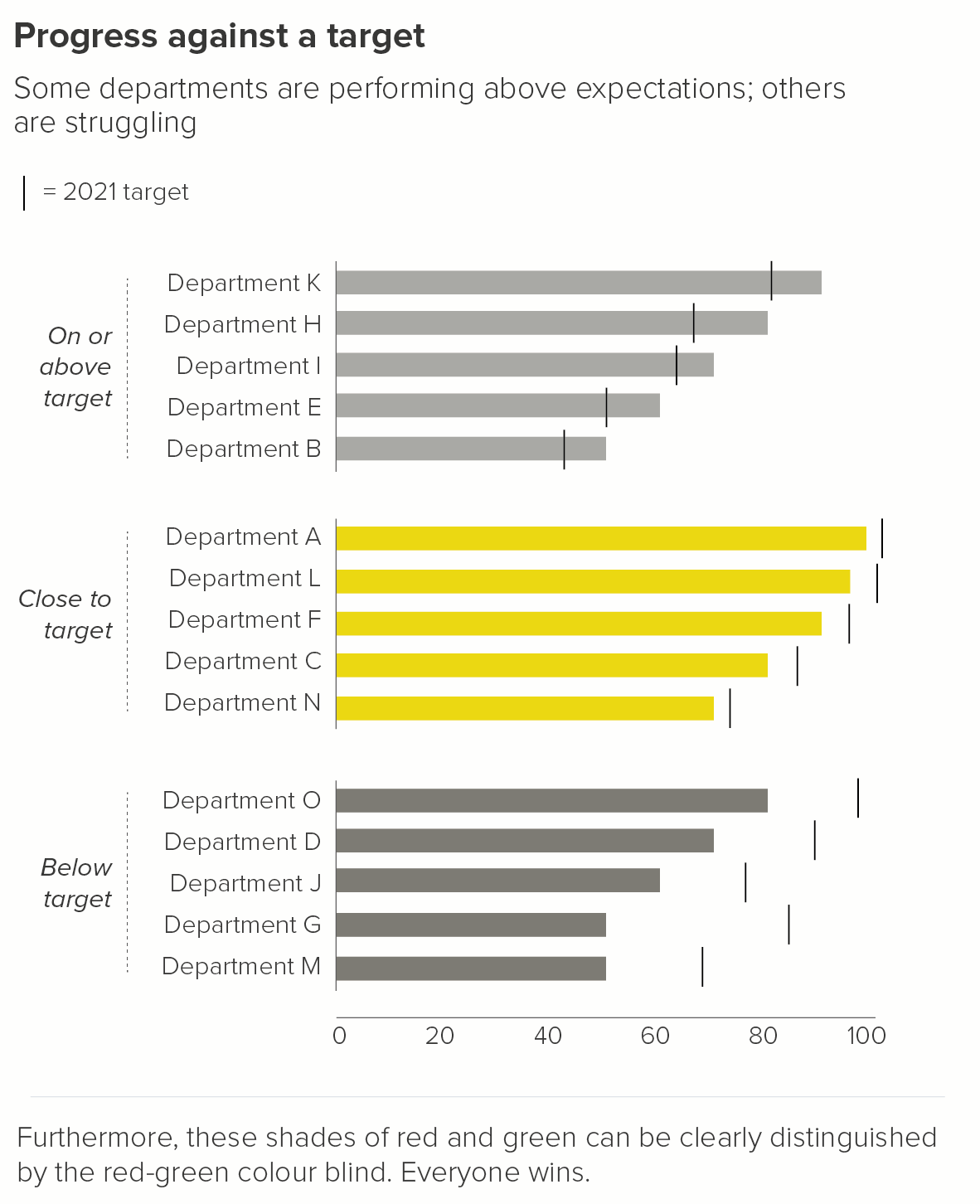
Once you’ve got the story and layout straight, it’s always worth having a second look at your RAG colours. By using a less jarring palette, you will make the chart more harmonious, plus it is likely to be more legible for colour-blind users. Tools such as Illustrator and Photoshop have colour-blindness checkers, or you can use an online checker like Coblis.

5. Descriptive groupings

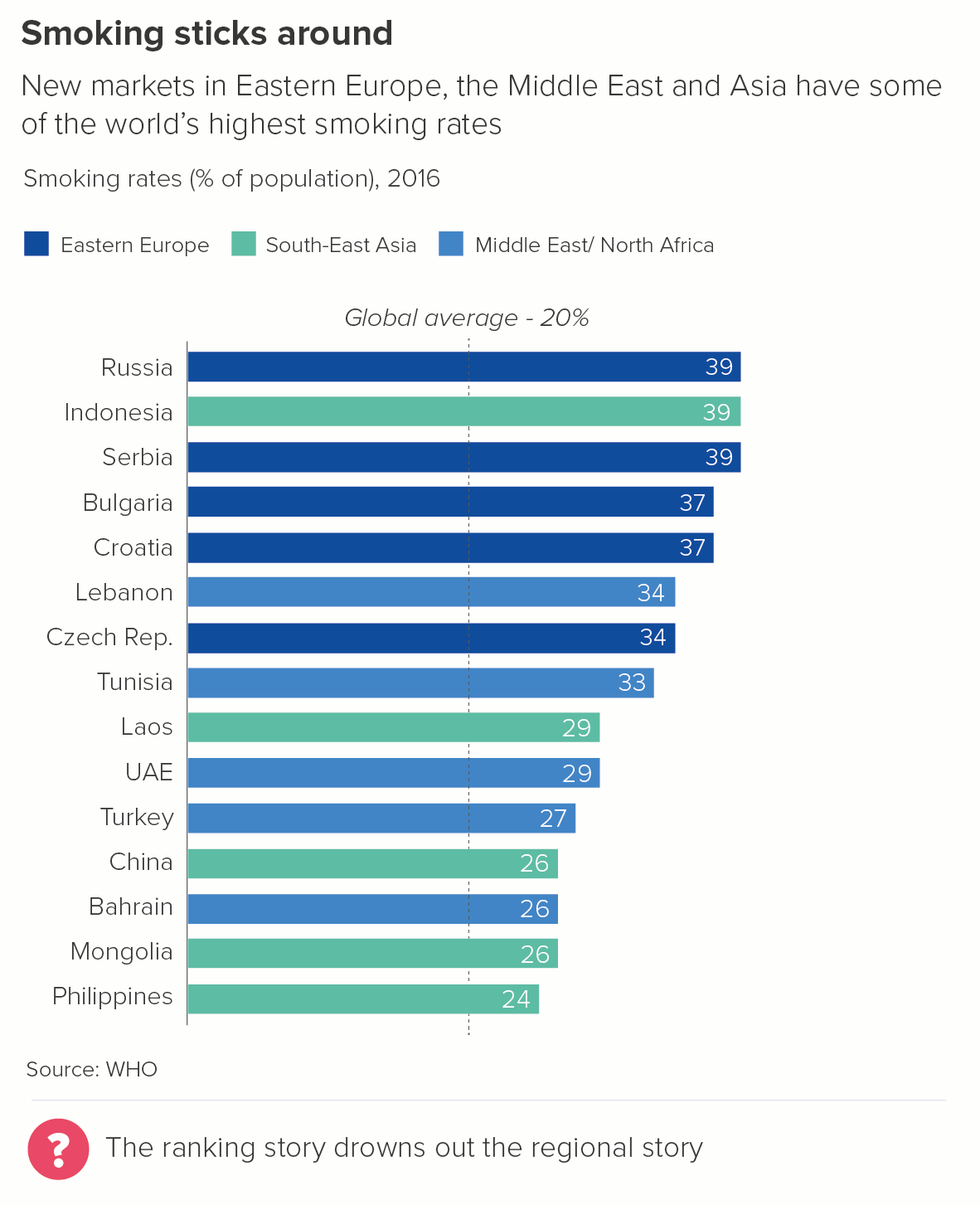
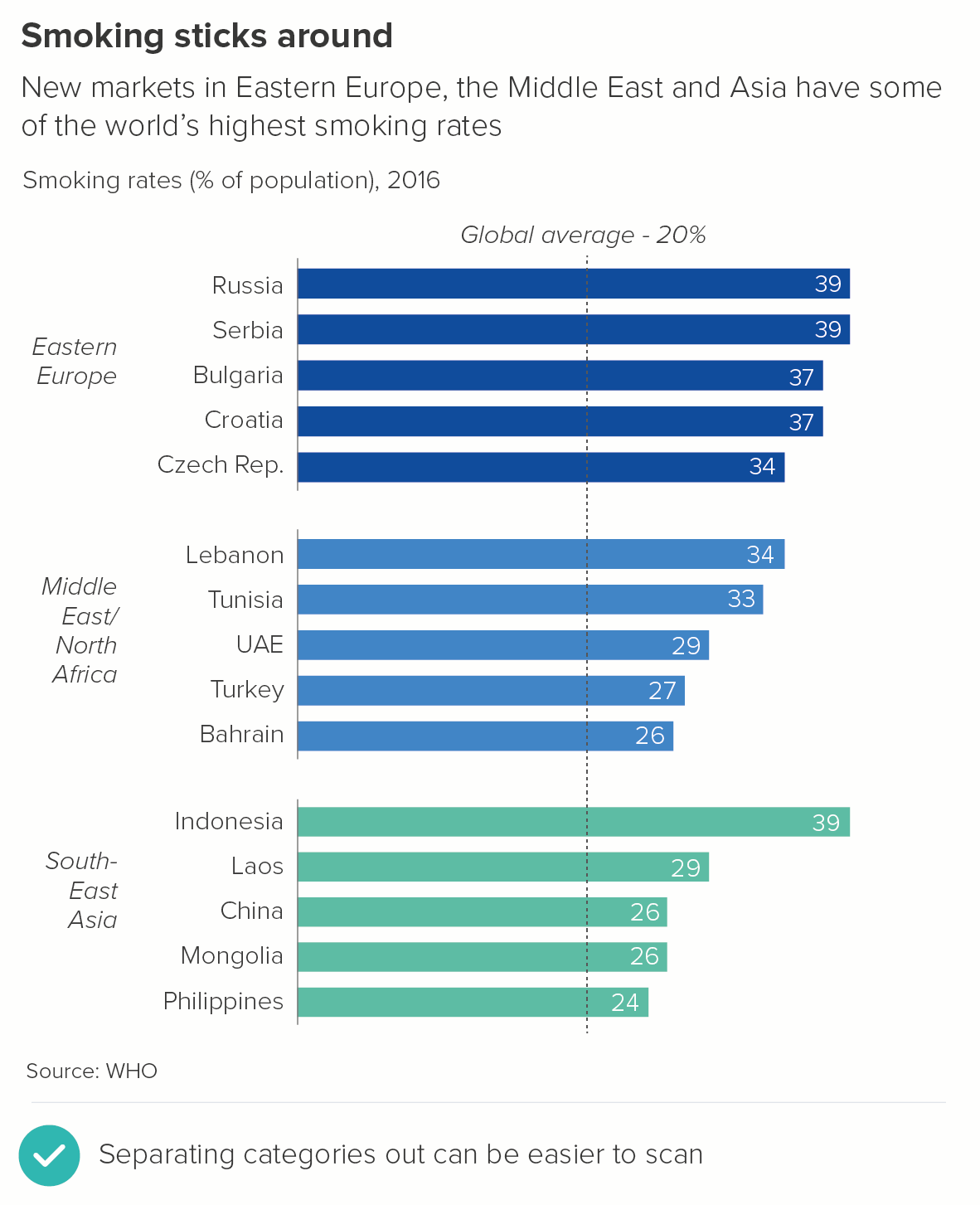
RAG colours group the bars by a performance category, but sometimes your groups are purely descriptive. You are collecting together e.g. countries by region, or animals by class, or planets by whether they are terrestrial or gaseous.

Things to consider here: 

  • Too many groupings can give you technicolour bars. Can you reduce or consolidate groups? 

  • If the groups all need to be used, is the story clear enough when the bars are combined on a single chart? If not, as with RAG bar charts, consider giving each group its own smaller chart.

For advice on choosing the right palette for your story, see our colour in pie chart post. Also this chroma.js tool is indispensable. 

6. Data quality

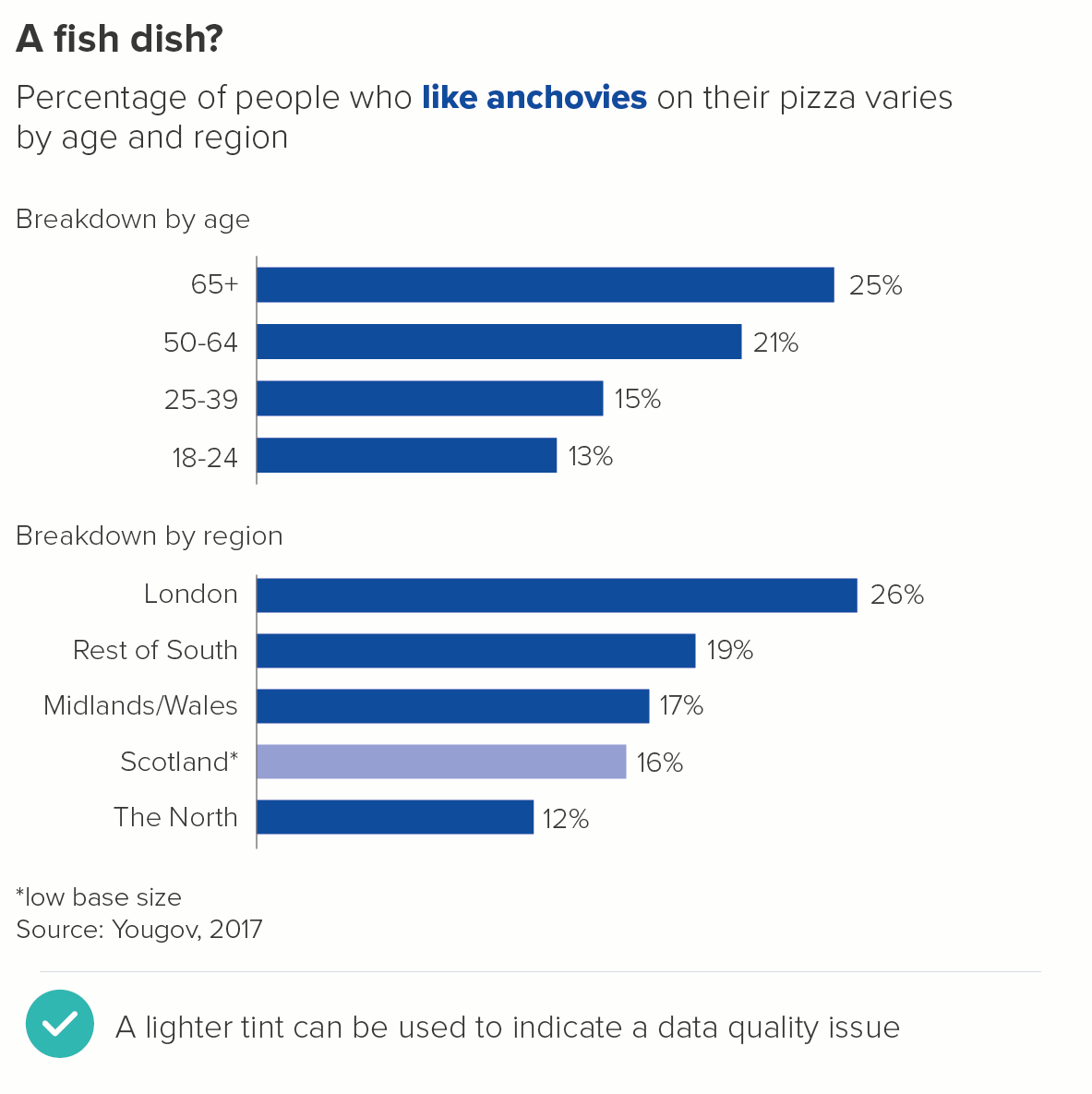
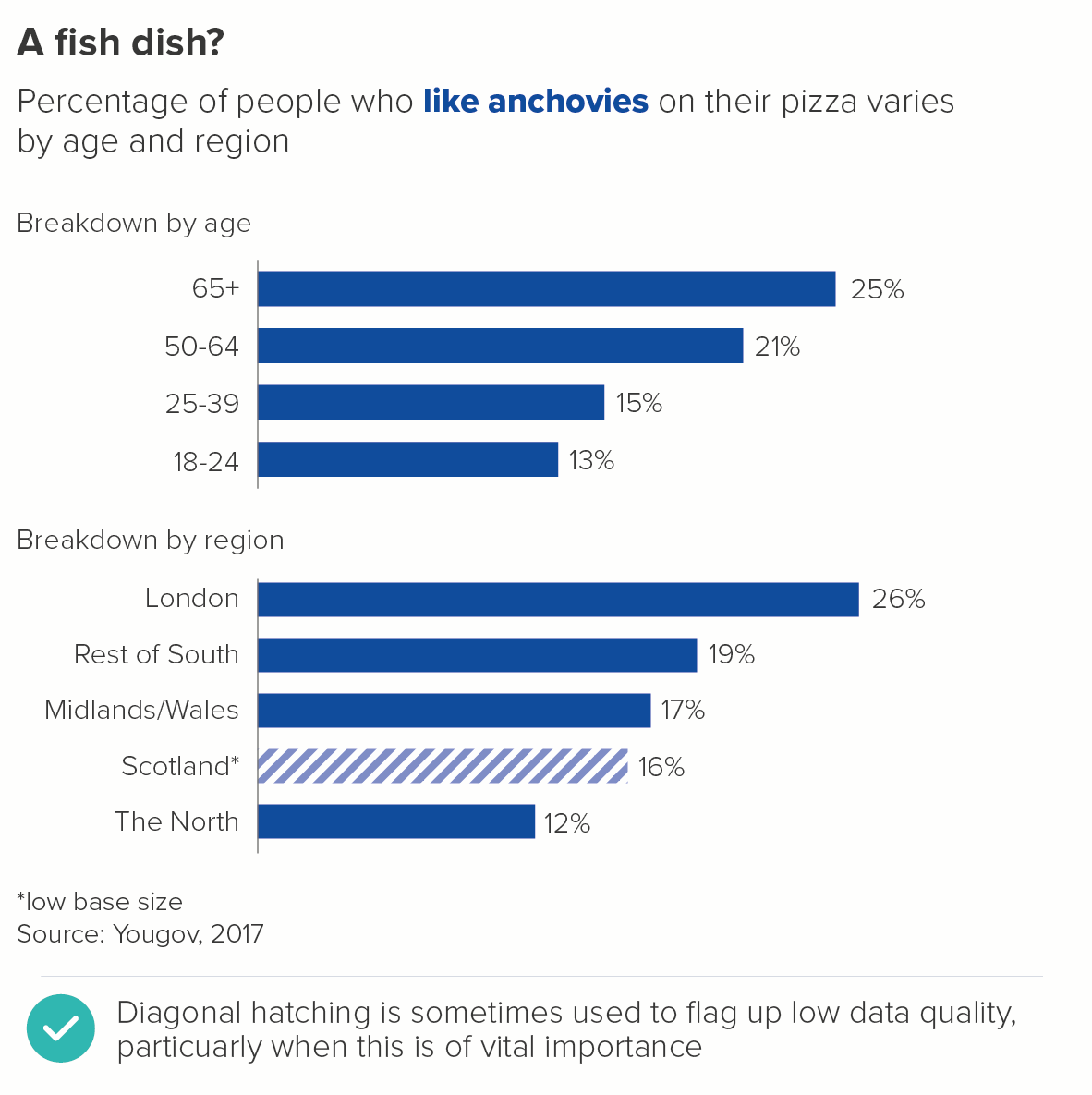
Sometimes you have lower quality data that you still feel you have to show on a chart. This is particularly the case with interactive charts, where users can drill down into e.g. specific demographic groups. The base size can become very low very quickly.

In these cases, the most common way of indicating lower data quality is by knocking back the bar colour, usually by using a lighter tint. Sometimes hatching is used, although I personally use this less (too obtrusive). I'd also avoid greying out the bar (greys tend to get used for averages) or using a different colour (the data's category or story status hasn't changed).

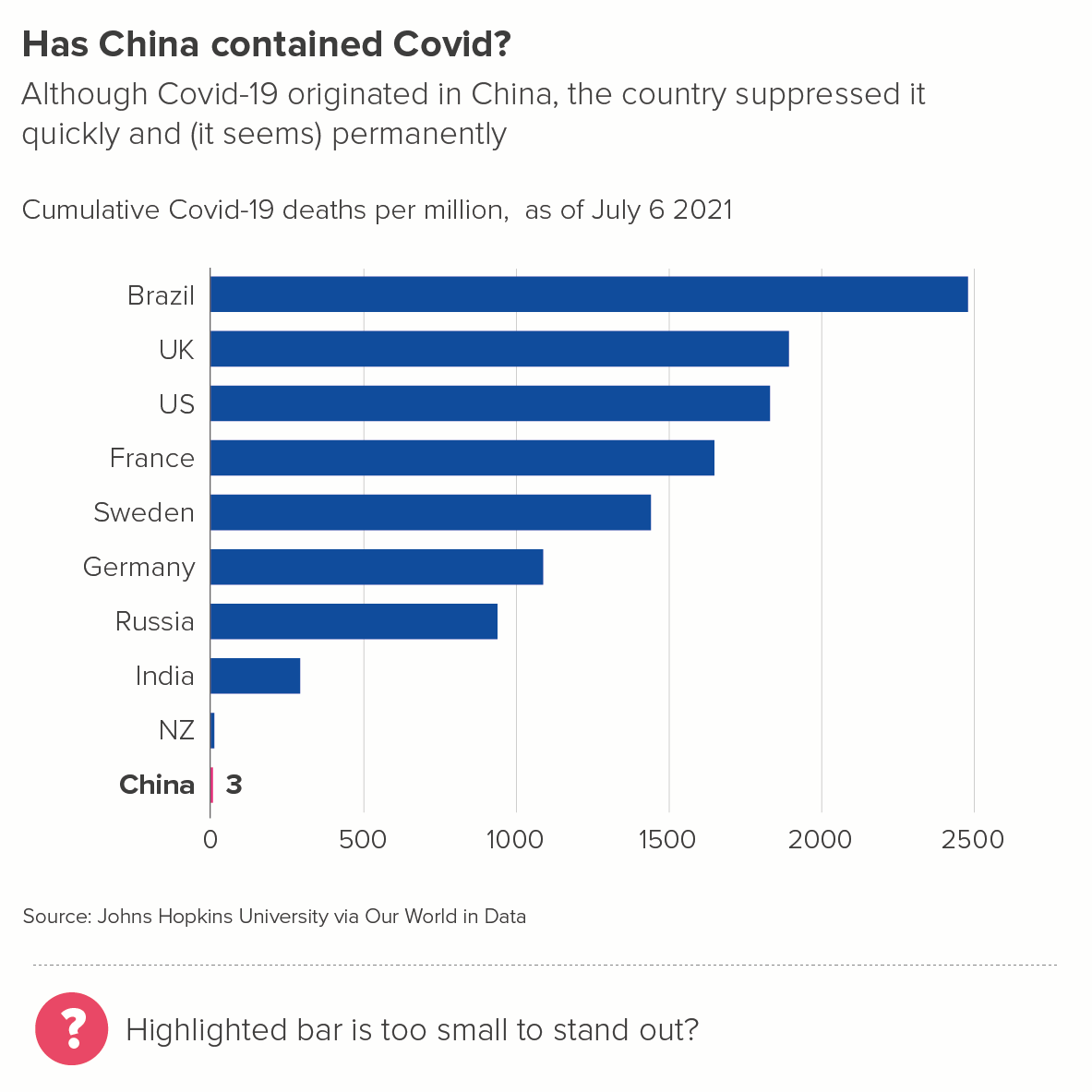
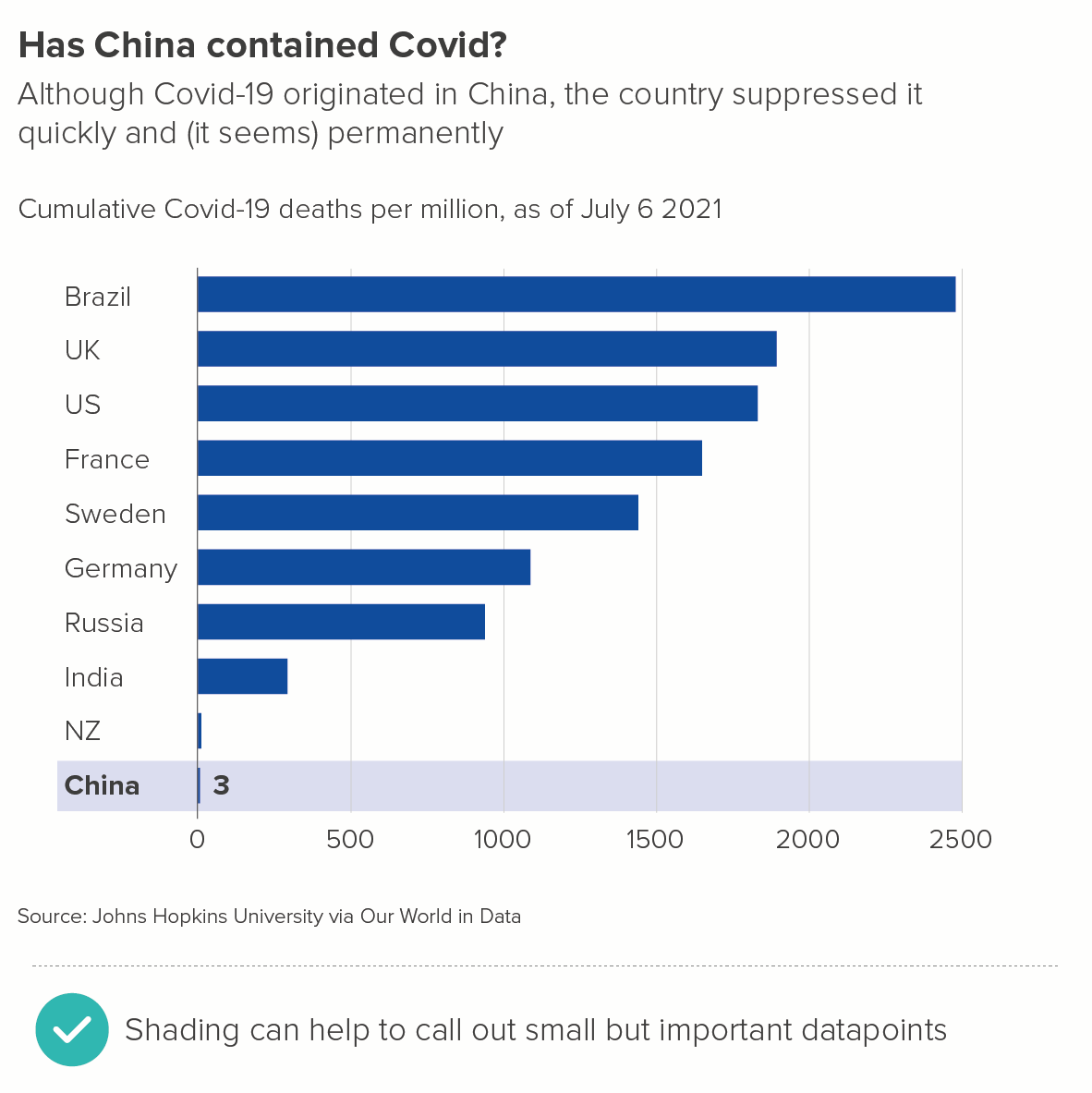
7. Shading

Sometimes you might want to highlight a single bar for one of the reasons listed above (my bar, hero bar, winning bar), but feel that a different colour might be too heavy-handed.

Or perhaps your story is about how short the bar is, and colouring it would be barely detectable.

In these cases, a more subtle visual effect - like shading the bar's background area - can work better.

8. FINE, USE ALL THE SHARPIES

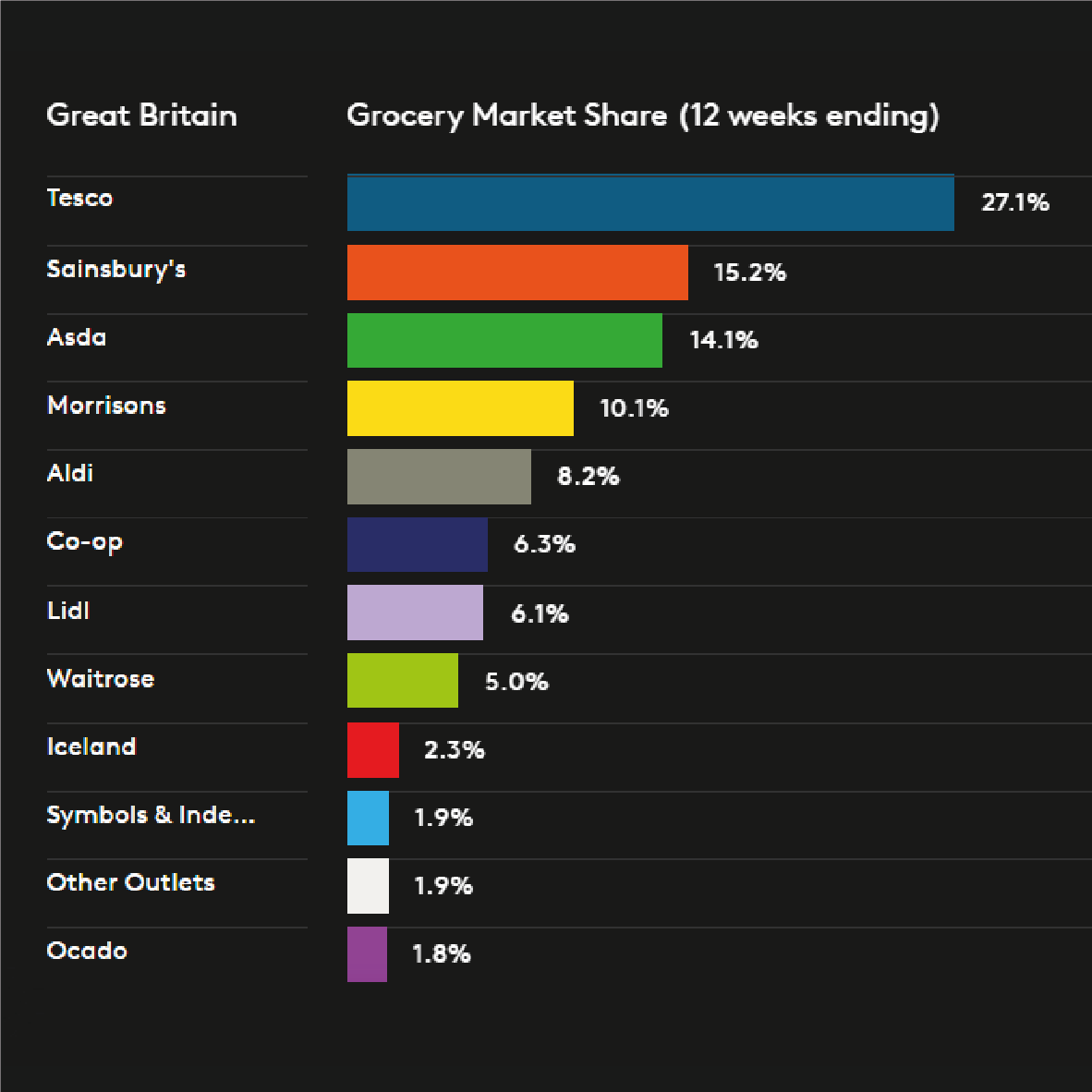
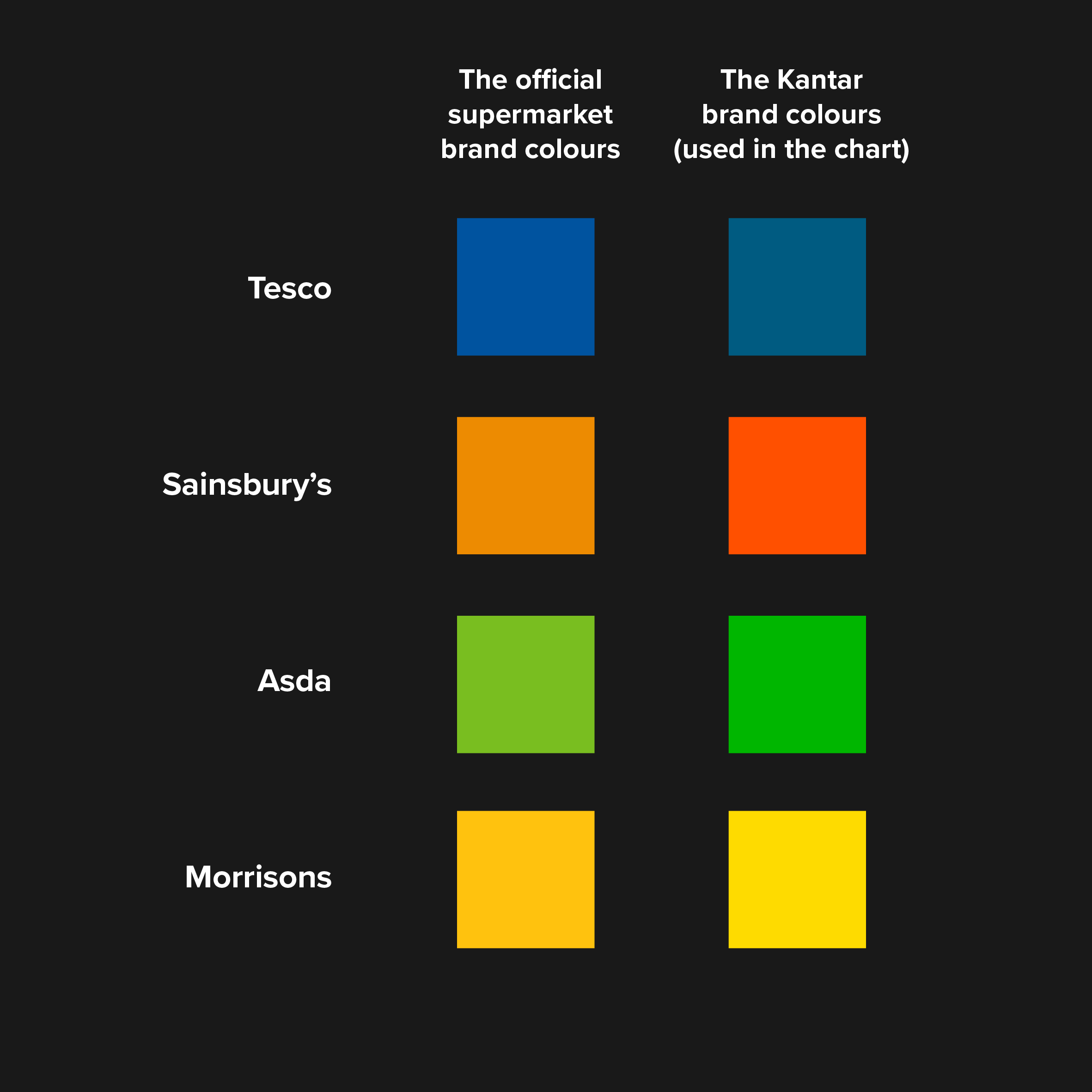
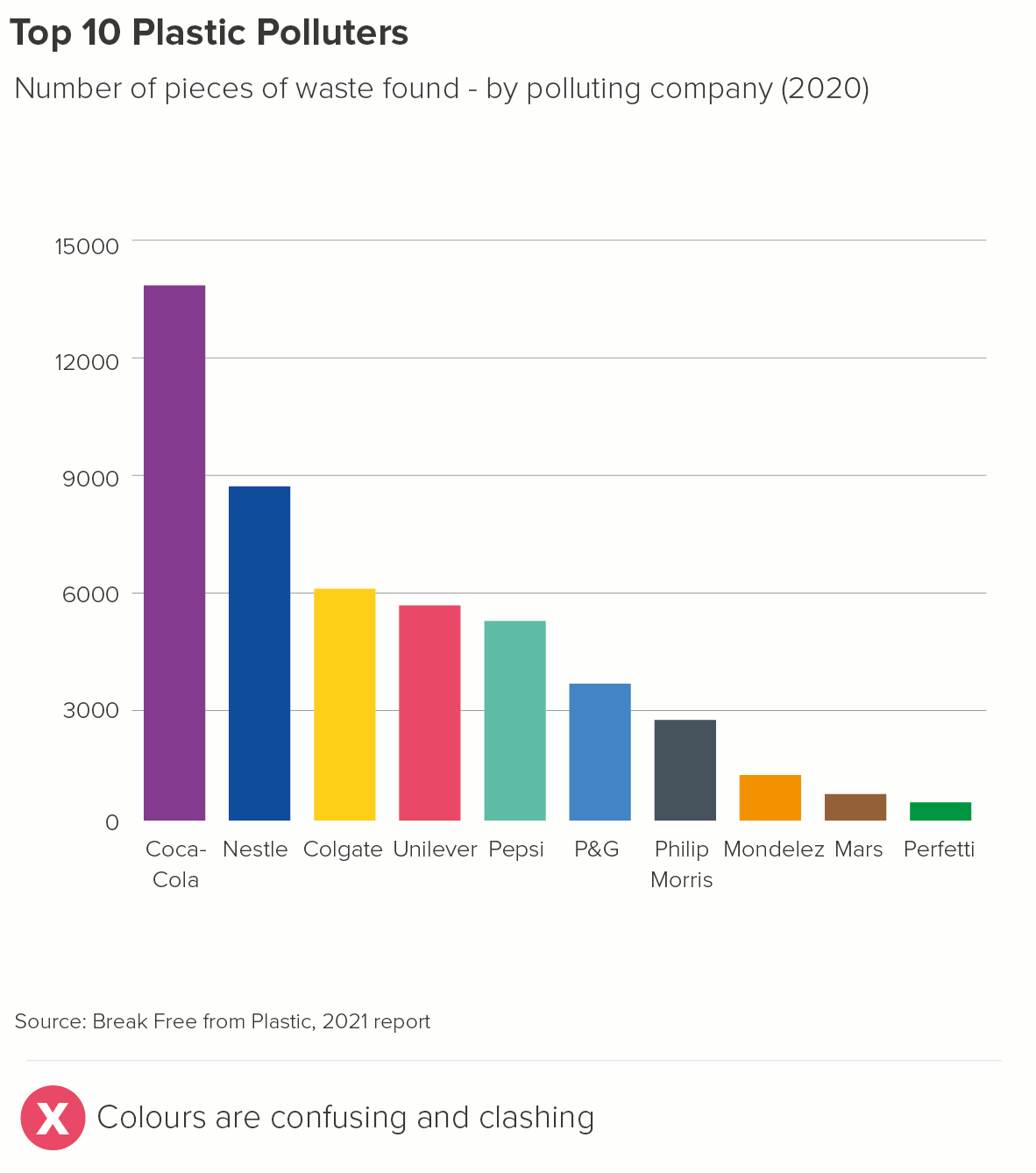
In this example from Kantar's Grocery Snapshot, separate brand colours for the different supermarkets have been used. Occasionally, this will be the right choice for your story and your audience.

However, note here what Kantar have done. I said Kantar have used the supermarket brand colours, but they haven't - quite. They've used the closest Kantar brand colour to the supermarket brand colour. Not the Sainsbury's orange or the Asda green - which look unpleasant side by side - but the Kantar orange and green - which have been designed to complement each other.
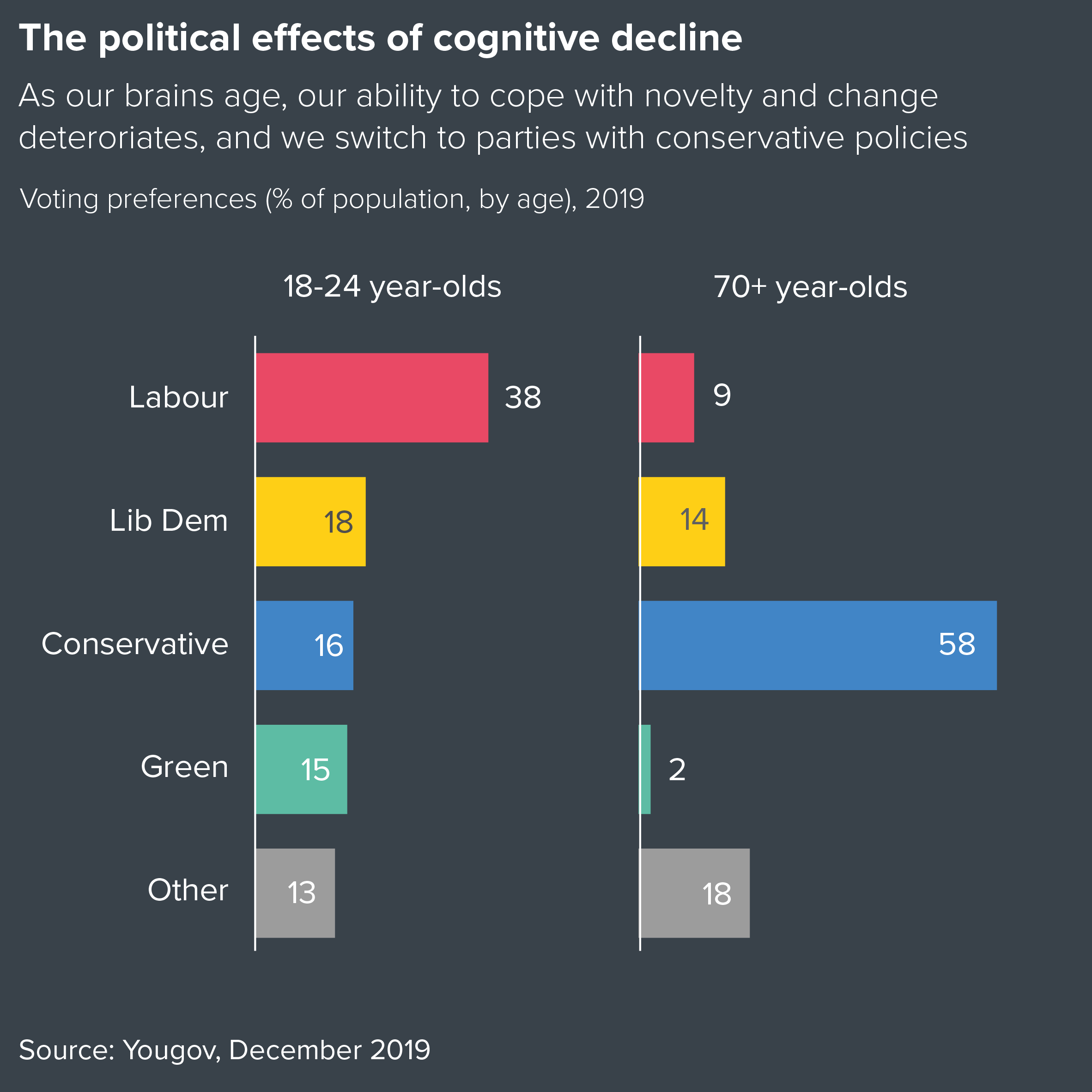
Using political party colours is another example of this. 

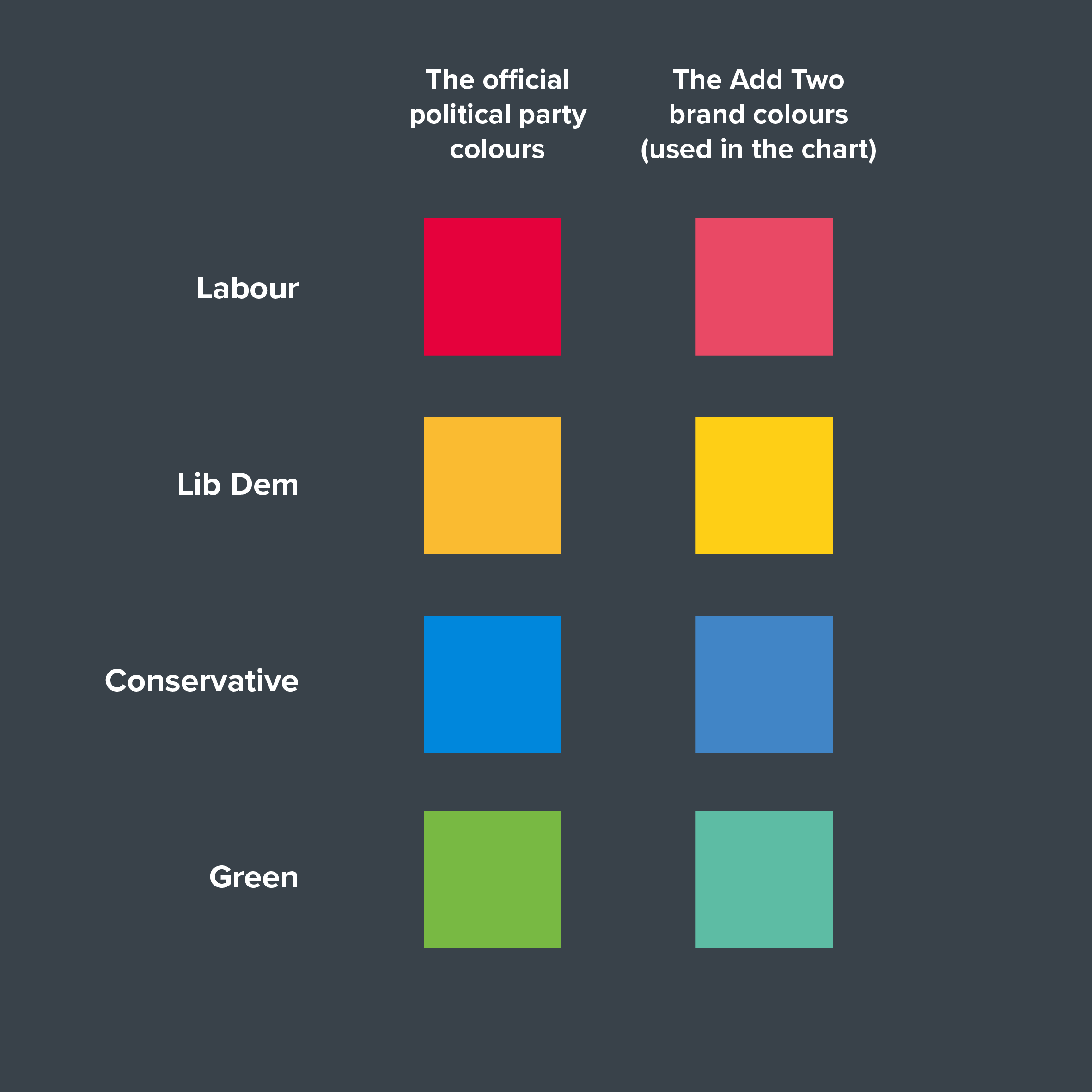
As with the Kantar example, we chose to ignore the official party branding in this chart, and instead used the closest Add Two colours instead.

So when you have a story like this, don't feel you need to ape the category's brand or team or national colour exactly. Choose ‘close enough’ colours that will harmonise well with each other. Your brand guidelines should have already done this for you. If they haven't, the palette generator mentioned above (chroma.js) can help you.

(A side note: the two examples above show the difference a dark background can make. It looks slick and stylish, and the colours really stand out. It might be a cheap trick, but it’s a useful one).

9. Special effects 

I’ve been mentioning solid fill colours here, but bars get filled with all kinds of stuff: gradients, patterns, texture or photo fills. I discussed some of the problems with decorating pie charts in rule 13 and the same applies to bar charts too. It’s hard to get right, it often looks clumsy, and it tends to make the chart harder to read. 

i) Gradients

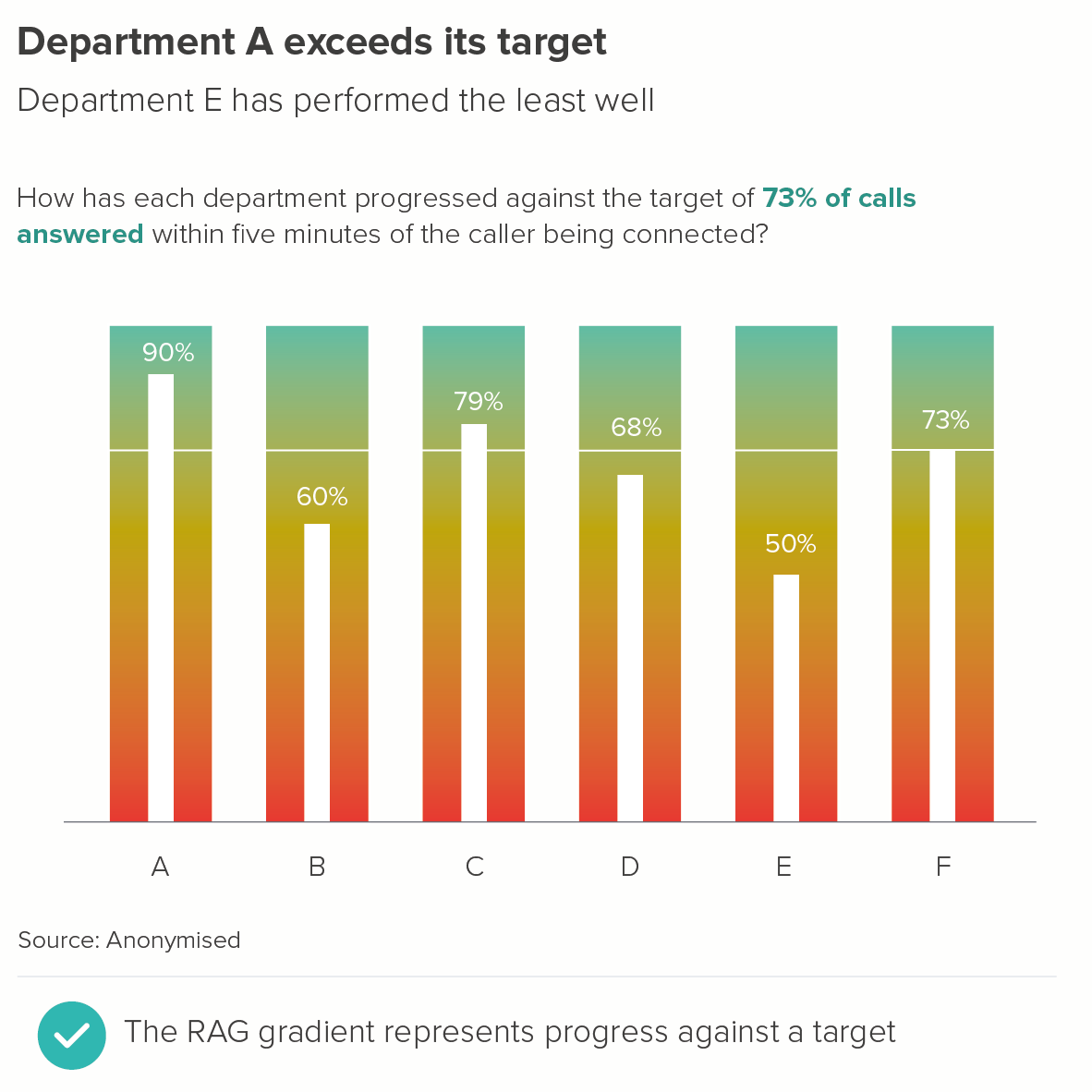
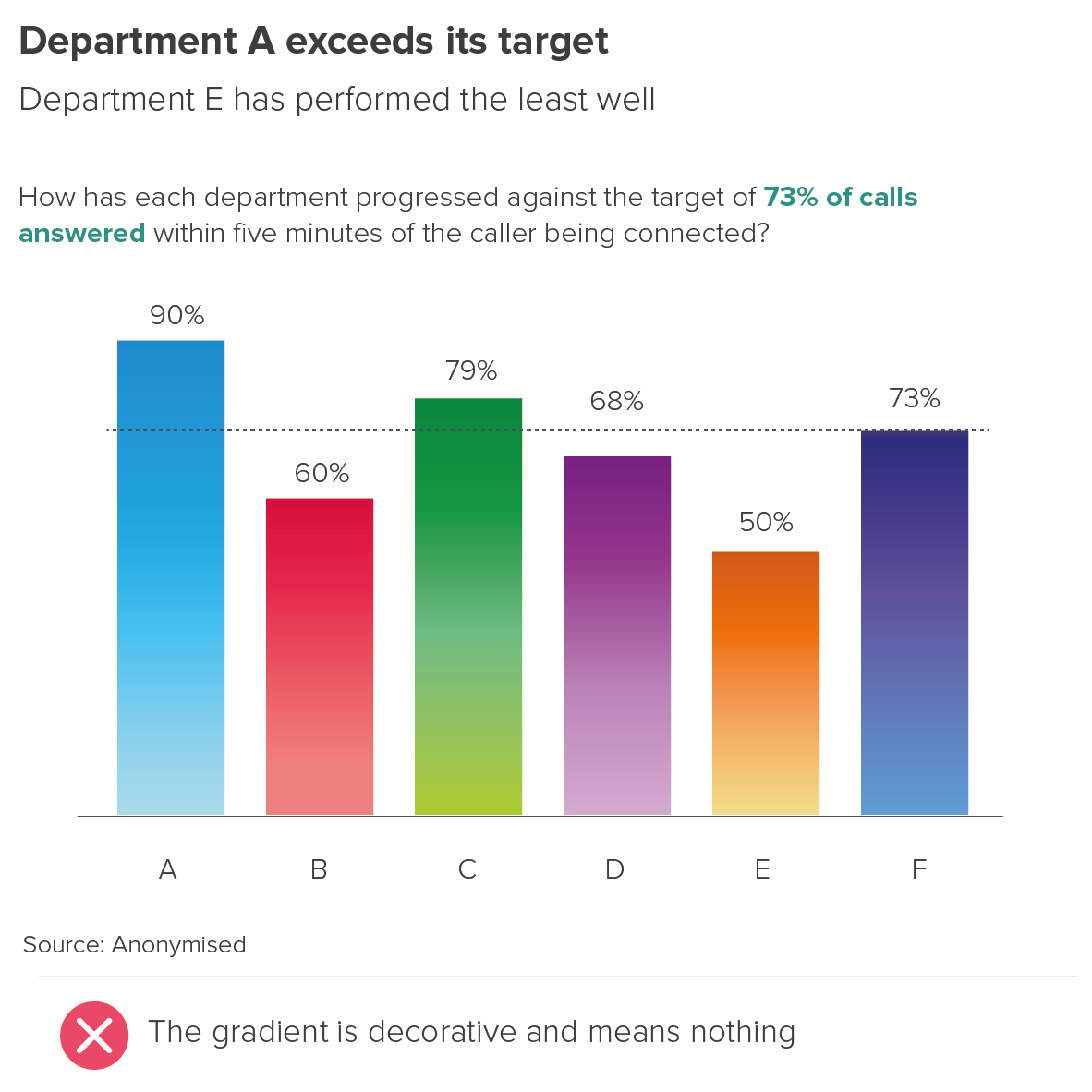
If you are ever tempted to apply a gradient fill, first ask yourself if it is actually serving the story. Does the fact that one colour is slowly turning into another actually mean anything? Because gradients often are used to mean something, as in the heatmapped RAG bars below, so it is best to reserve them for these use cases. 

Image credit: Tobias Sturt

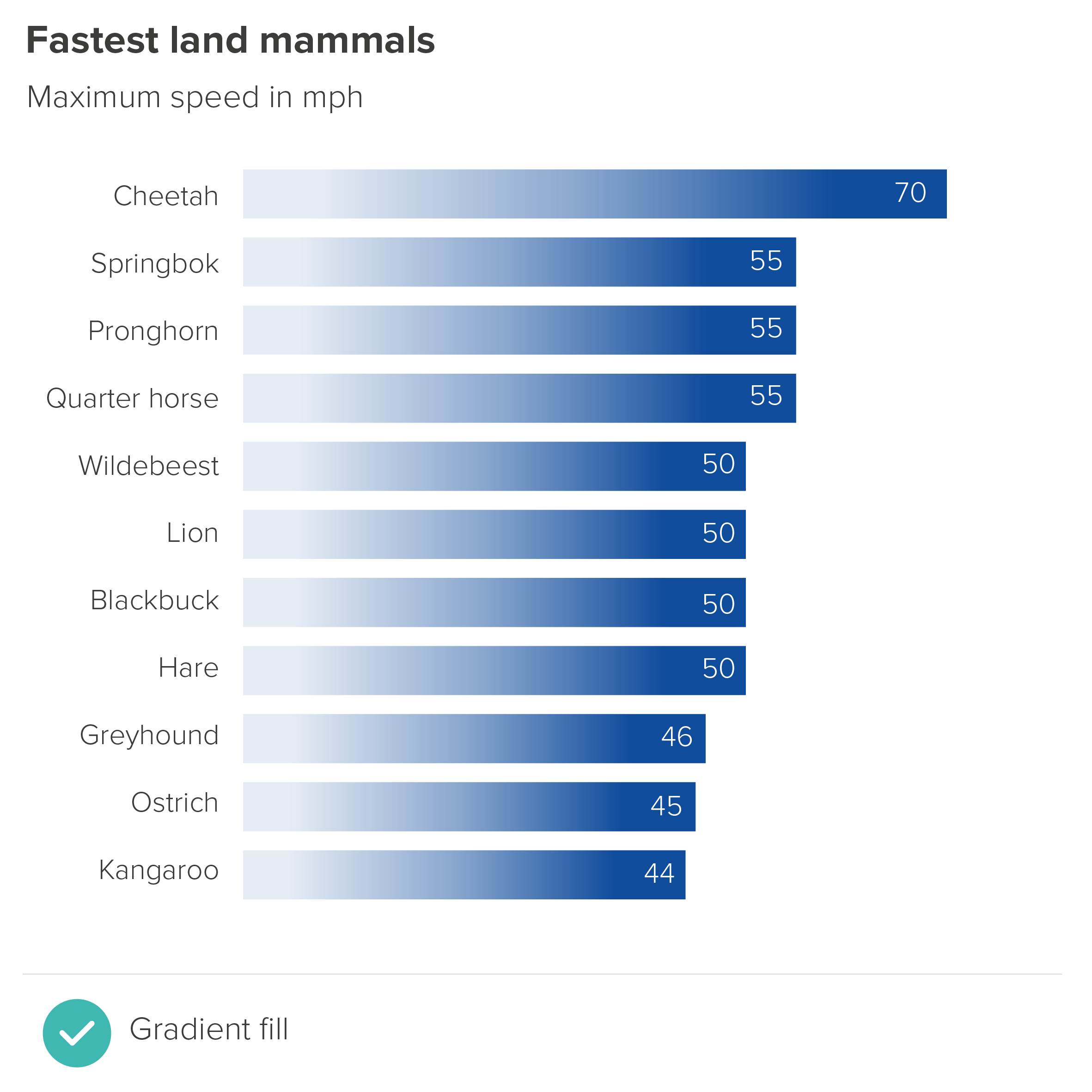
Another valid use case is when a light-to-dark gradient works metaphorically - for example, where it represents speed, or incredibly fast growth. The changing shade is technically not linked to the numbers, but it dramatises the subject of the story. 

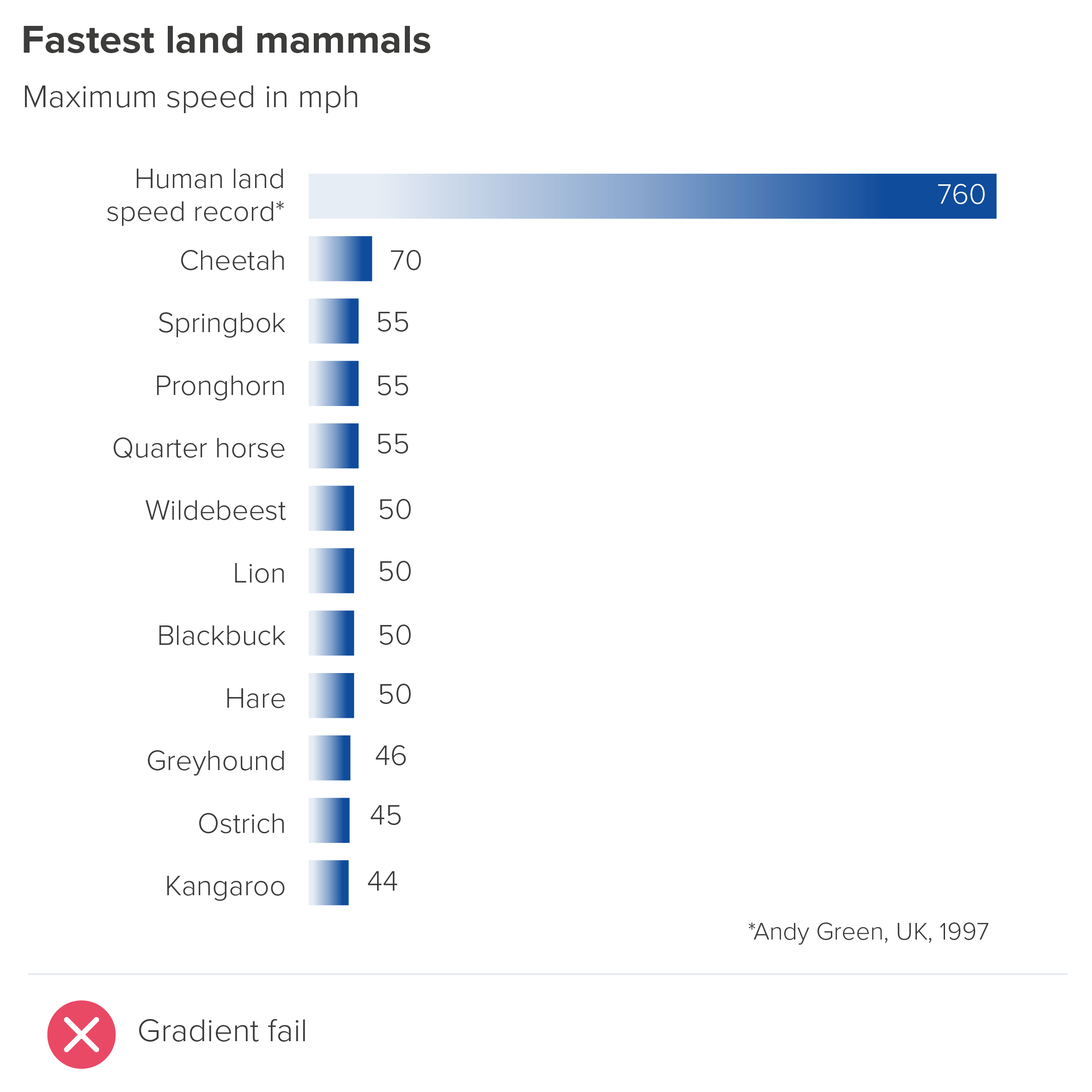
Although note the second chart below: gradients work best when all your bars are a decent size; too many tiny bars and the effect is lost.

Of course it’s best not to use an effect like this with every ‘speed’ or ‘growth’ story - that will diminish its impact. In addition, it can sometimes give your chart a slightly slick, corporate feel, which isn’t right for every audience. 

One final word of warning: if you do feel that a gradient is right, make sure that the eye is drawn to the end of each bar. Here’s an example from the designer Jim Kynvin. In the first part of his infographic, he uses a gradient fill to represent wine consumption in each country.

Grape-Escape-Charts-15-04.png

Image credit: Jim Kynvin

All fine so far. The gradient fill deepens the colour, giving it a liquid feel, and hints at the weighted bottom of the wine bottle. Kynvin then decided to use the gradient fill throughout the graphic - for the sake of visual consistency. This works pretty effectively in the bar chart below.

Image credit: Jim Kynvin

However, Kynvin then decided to experiment, and reversed the gradient for his next chart. And look what it does to the bars.

Image credit: Jim Kynvin

The country names now look more important than the data labels. (Unsurprisingly, Kynvin decided not to use this chart).

Gradients are easy to get wrong. It is also easy to overuse them. So in most cases, remember: special effects are for special occasions only.

2. Pattern fills

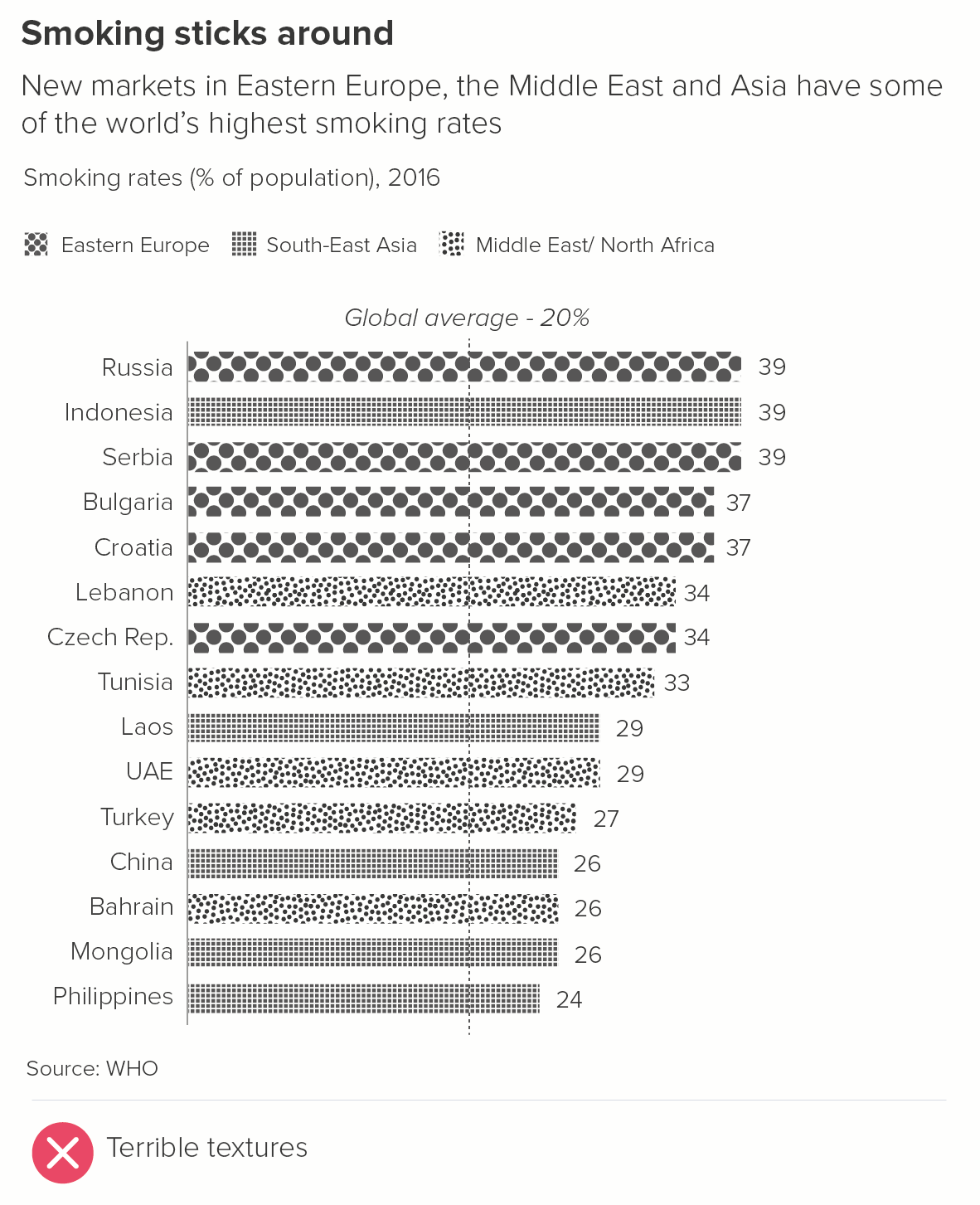
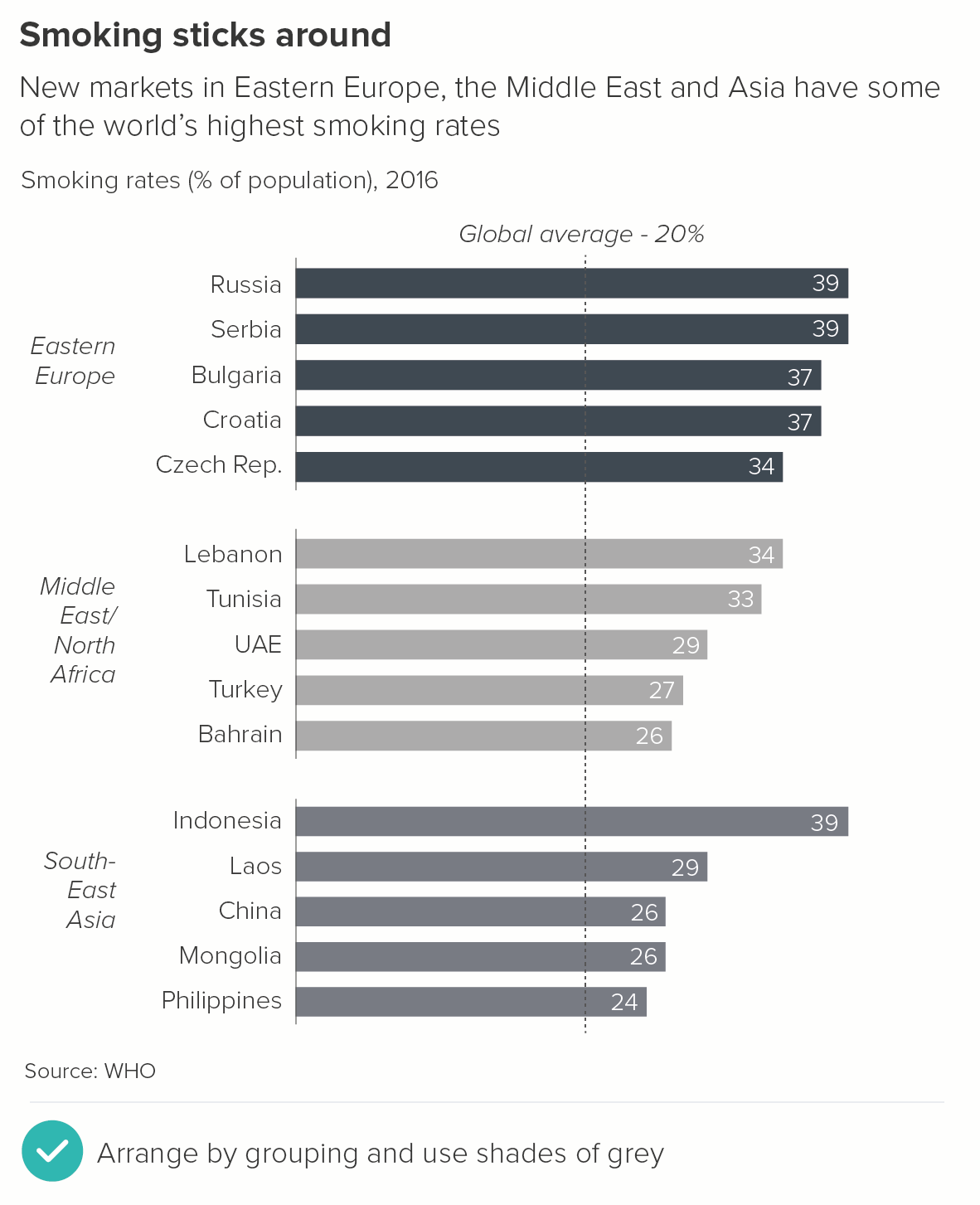
Pattern fills I would never advise using, for the reasons I discussed in rule 13: they increase visual clutter with no compensating aesthetic benefits. They are often used when the palette is limited (e.g. to grayscale), but in these cases, consider shades of grey or change the layout so multiple fill styles aren’t required.

3. Photos

Photo fills can sometimes work, but you do have to be careful: picture research and selection is an art in itself, as is the correct editing and placement of images.

As a general rule, I would say that one photo per bar tends not to work, just because most photos are not columnar in shape, so end up oddly cropped. The photos are also likely to be taken by different photographers on different occasions, so will almost certainly be stylistically mismatched, as in the wtfviz examples below.

rule_18_bars_photos_wtfviz.PNG

Image credit. wtfviz.net

If you wish to use photographs, a better approach is to have a single photo sitting across all of your bars, perhaps even spilling out over the edges. Your chart, after all, will be (broadly) photo-shaped. And if you have a clear, dramatic image that amplifies the subject-matter and emotional truth of your story, why not use it?

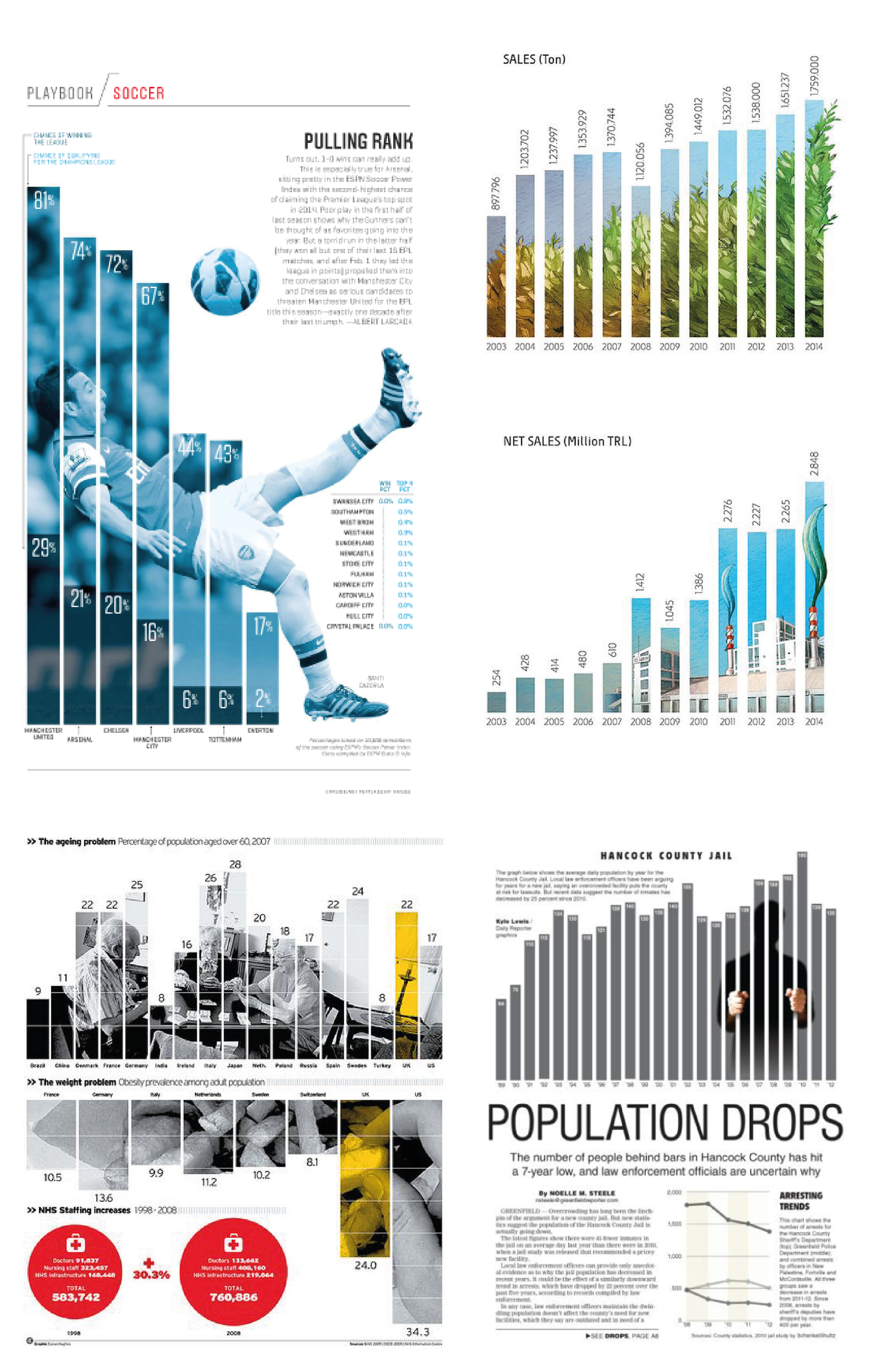
rule_18_photo_montage-01.png

Image credits: Pulling Rank - Albert Lacarda, Fertiliser sales - Annual Report 2014 of Gübretaş, Turkey, The weight problem - Daily Telegraph, Population Drops - Greenfield Daily Reporter. 

Image research and suggestions by Jim Kynvin

I should say the second example is technically an illustration rather than a photograph. And the fourth example is possibly too heavy-handed for some readers: the bars literally becoming bars. But I like it.

Note what these examples have in common.

  • Photographs that suit the subject matter

In most cases, this means using human beings. We are a social species, our mirror neurons knitting us together in an empathetic web. A human face will always draw us in (examples one and three above). In the second example, we have the next best thing: recognisable objects from our anthropocentric environment: a field of crops (to represent amount of fertiliser sold) and a factory (to represent the value of fertiliser sold). In the fourth example, we might only see the outline of the person in jail, but we can imagine what it feels like to be in that position.

  • Photographs that are intelligently manipulated

A blue tint has been applied to the footballer in the first example, so we don’t get distracted by the bright - probably clashing - colours of his football strip. Also, the point is that he played for various clubs (the seven clubs on the x-axis), so we don’t want to be thinking of a specific strip. The crowd behind him has been blurred out - again this minimises distractions: other faces, other colours and shapes.

In the third example, the colour photo of the old people playing cards has become grayscale except for the yellow tint on the highlight bar.

In the fourth example, the prisoner has become a silhouette and we just see their hands. This also helps to convey the idea that, in prison, this individual is erased from society. 

  • The bars can be accurately read

If you use one photo per bar, there is a risk that the images will swamp the chart (see the wtfviz examples above), and make accurate comparisons difficult. However, filling the whole chart with a single photo means the chart still works. The bars can be compared. There is plenty of room for visible, legible labels on each bar (see all the examples above). The photo complements and enhances the chart, and amplifies the story that it contains.

I’ll be discussing other types of decoration - such as changing the shape of the bar, or putting icons on the top of your bars - in rule 22.

To summarise: how to use colour and fills in bar charts:

  • In most cases, stick to one solid colour for all your bars when you are just showing one dataset

  • If you add colours, make sure this is motivated by the story you are telling (one background colour and one highlight colour is usually enough)

  • Use colour consistently, usually within the parameters of your brand guidelines

  • If you do need your bars to punch out more, stick to solid fill colours unless you are confident that the visual effect  - such as a photo background - is narratively and aesthetically justified, and you are experienced enough to execute it skilfully.

Verdict: Break this rule sometimes

Sources: Break Free From Plastic Report 2021 (Top 10 plastic polluters), UNWTO (tourism revenue), SMMT (car sales), World Bank, UNDP, Our World in Data (South American dashboard charts), World Happiness Report 2021, Blacktower Financial, Institute for Economics and Peace/ Global Peace Index, Yale Center for Environmental Law & Policy, Transparency International 2020 Report/ Corruption Perception Index, Global Drug Survey 2018 (Brexit Britain charts), WHO (Tobacco in Africa), Yougov (Anchovies on pizza), Kantar (Kantar Grocery Snapshot), Yougov (UK voting intention)

More data viz advice and best practice examples in our book- Communicating with Data Visualisation: A Practical Guide